anime character creator

Create an anime character from text or a photo

Design an original character for manga, webtoons, comics, profile art, or story planning. Describe the character or add a reference photo, choose the look you need, and download the finished image as a PNG.

Text or photo inputPortrait to full bodyPNG download

Character brief

Create one original anime character

214/1200

Visual direction

Framing

Expression

Result

Character reference

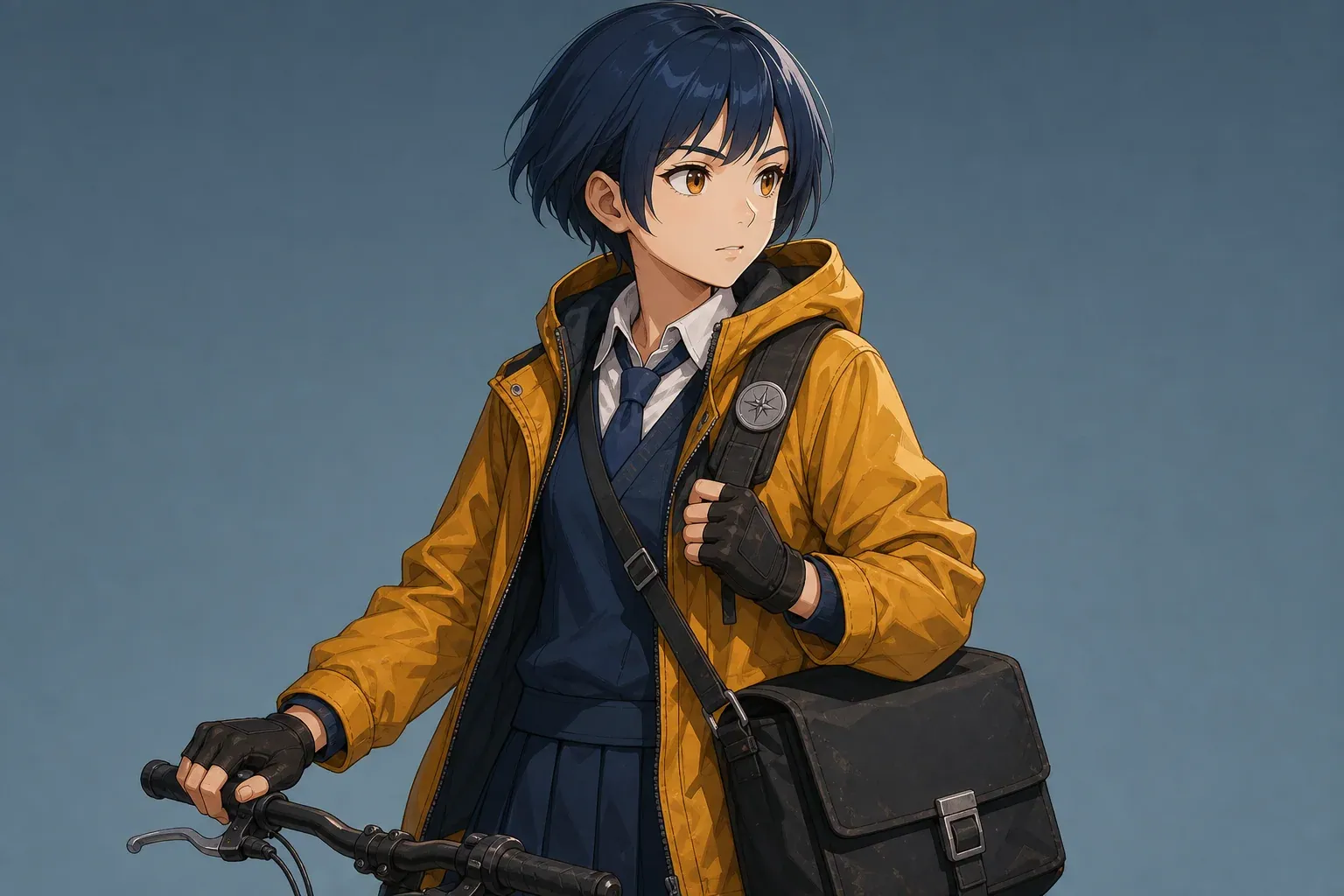
Half-body anime bicycle courier generated from a detailed character brief
Curated generated example, not your result. Complete a live job to replace it.
Clean anime · Half body · Determined

Generated character examples

See how a clear character brief changes the result

Each example pairs a practical brief with the selected style, framing, and expression. Use them as patterns for describing your own character: define the role, recognizable features, clothing, signature item, and color palette before you generate.

Half-body anime bicycle courier generated from a detailed character brief

Half-body courier

Clean anime · Half body · Determined

Prompt: Short indigo bob, amber rain jacket, navy uniform, square messenger bag, silver route badge, alert posture, teal-and-orange palette.

Why it works: Strong hair silhouette and layered costume. The bicycle handle adds context but makes this less neutral than a pure reference pose.

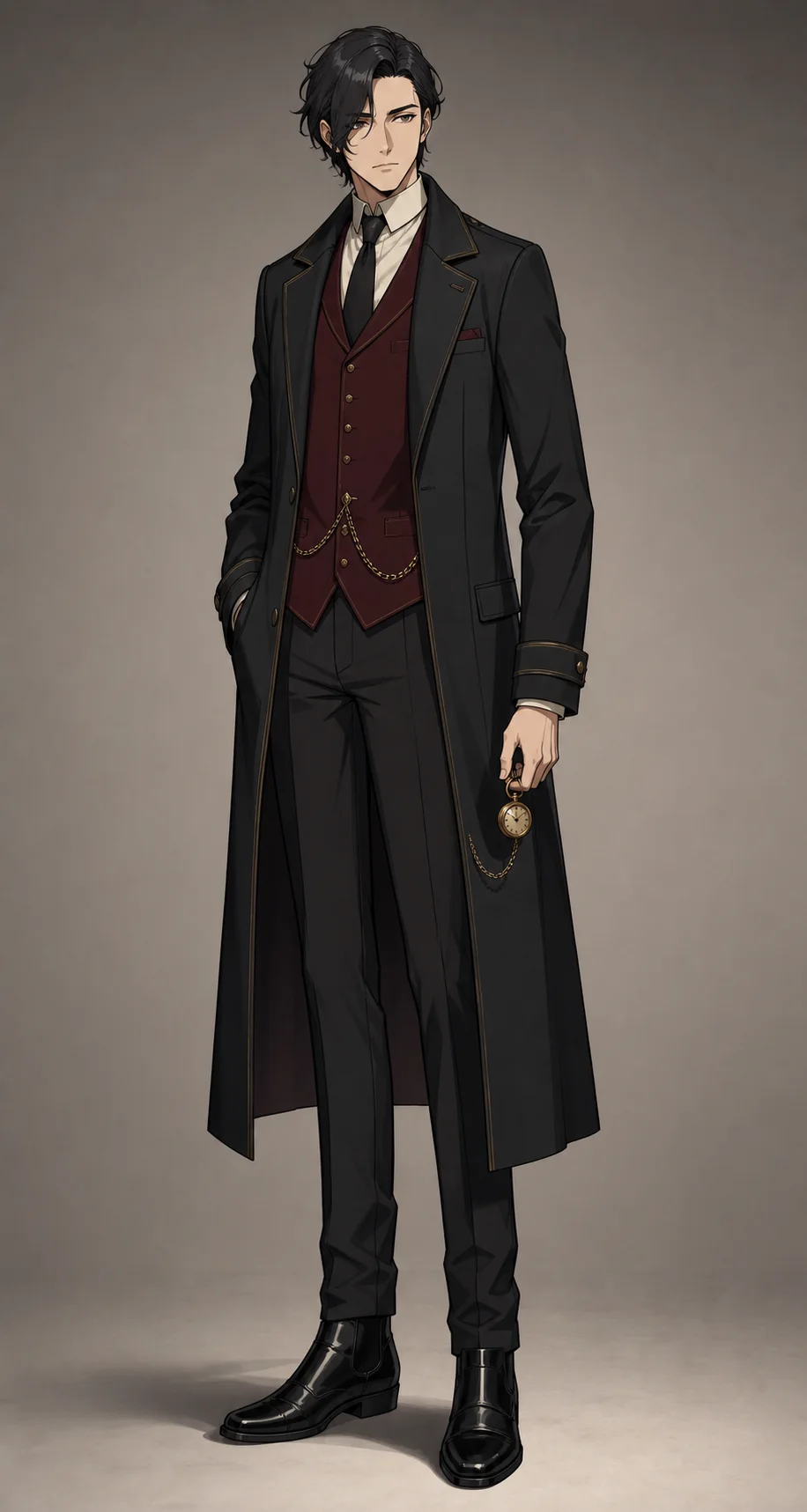
Full-body cel-shaded anime train conductor with complete footwear visible

Full-body conductor

Cel shaded · Full body · Neutral

Prompt: Tall night-train conductor, wavy black hair, charcoal coat, burgundy waistcoat, polished boots, brass pocket watch, reserved posture.

Why it works: The complete silhouette, coat layers, watch, and footwear are readable. The pose is useful as a baseline but not a turnaround sheet.

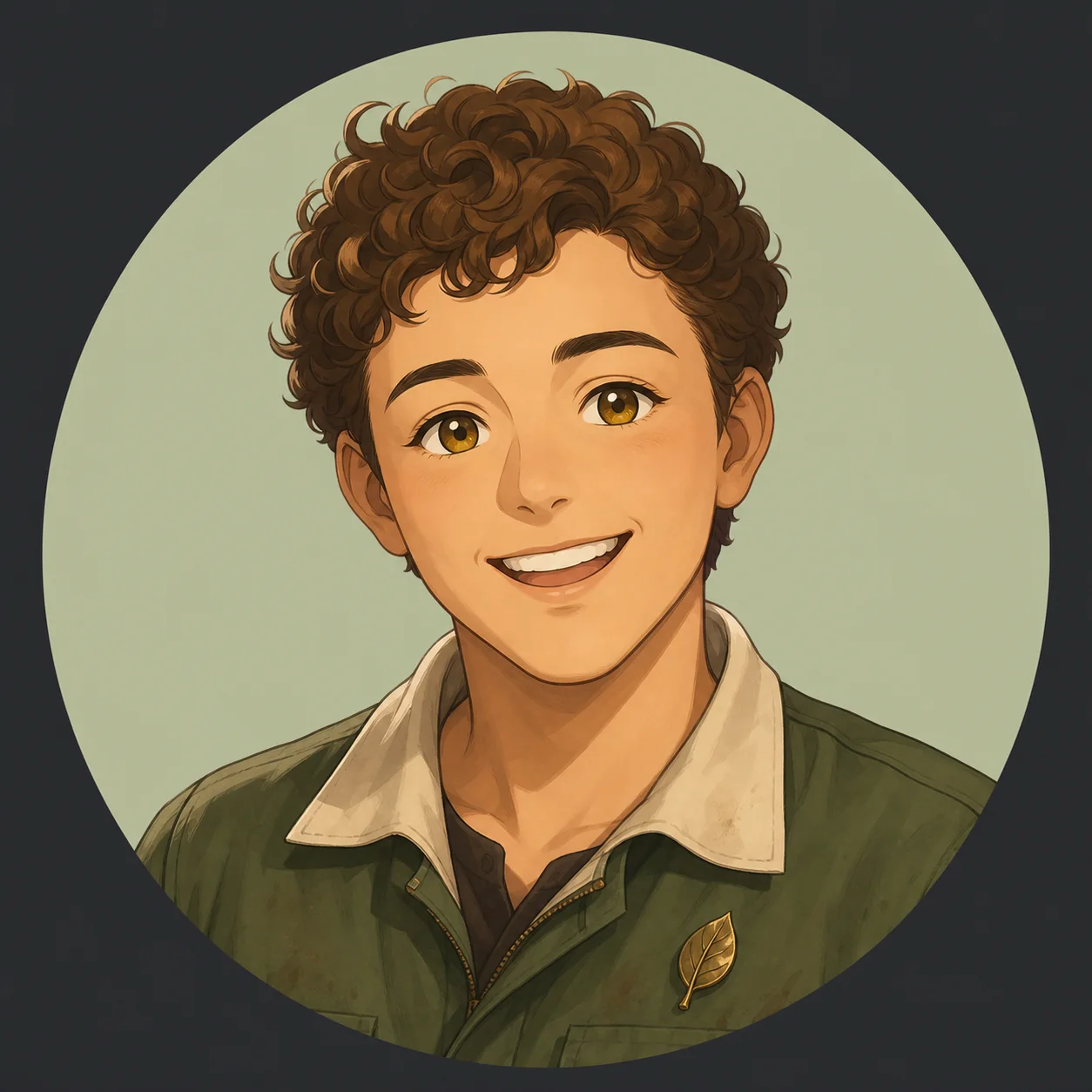
Friendly anime avatar of an adult botanical workshop mechanic

Workshop avatar

Soft anime · Portrait · Cheerful

Prompt: Adult botanical workshop mechanic, cropped chestnut curls, moss-green work jacket, cream collar, brass leaf pin, warm hazel eyes.

Why it works: The face and hair remain clear at avatar size. The circular backdrop is decorative and should not be treated as a transparent background.

The examples show the kind of first-pass character reference this tool creates. Your result will vary with the description and reference image, so review the face, outfit, hands, accessories, and crop before using it in a comic project.

What you can make

Create a usable first character design for your story

An anime character creator turns a written description or reference photo into an original anime-style character image. It is useful when you need a visual starting point for a manga lead, webtoon cast member, game concept, profile avatar, role-playing character, or pitch deck before commissioning final artwork.

You control the parts that shape the design: character role, age range, face and hair, clothing, accessories, palette, visual style, framing, and expression. Choose a portrait for an avatar or facial reference, half body for costume details, or full body when footwear and the complete silhouette matter.

The result is a downloadable PNG that you can keep as a character reference, add to a story outline, share with collaborators, or use as the visual starting point for later comic panels. It is one finished image, not a layered drawing file, animation rig, or complete multi-view character sheet.

Create from text

Write a character prompt the image model can use

Start with the character's role and age range, then describe the features that should be visible: body shape, face, hairstyle, clothing layers, footwear, one signature accessory, and two or three main colors. Finish with posture and expression. This gives the generator actual design decisions instead of a vague genre label.

For example, replace “a brave anime girl” with “young bicycle courier, cropped indigo bob, amber rain jacket over a navy uniform, square messenger bag, scuffed high-top shoes, silver route badge, alert posture, teal-and-orange palette.” The second version tells the model what the character looks like and gives you clear details to review in the result.

Keep backstory only when it affects the design. Instead of explaining that a courier left a former team, show that history with a scratched team badge, repaired jacket, guarded expression, or worn equipment. Visible details improve the image; plot summaries usually do not.

Choose one framing for the job. Portrait works for avatars and facial references. Half body shows sleeves, hands, bags, and upper-costume layers. Full body is better for proportions, footwear, uniforms, and distinctive silhouettes. If you choose full body, keep the background simple and avoid combining it with a complex action scene that may crop the figure.

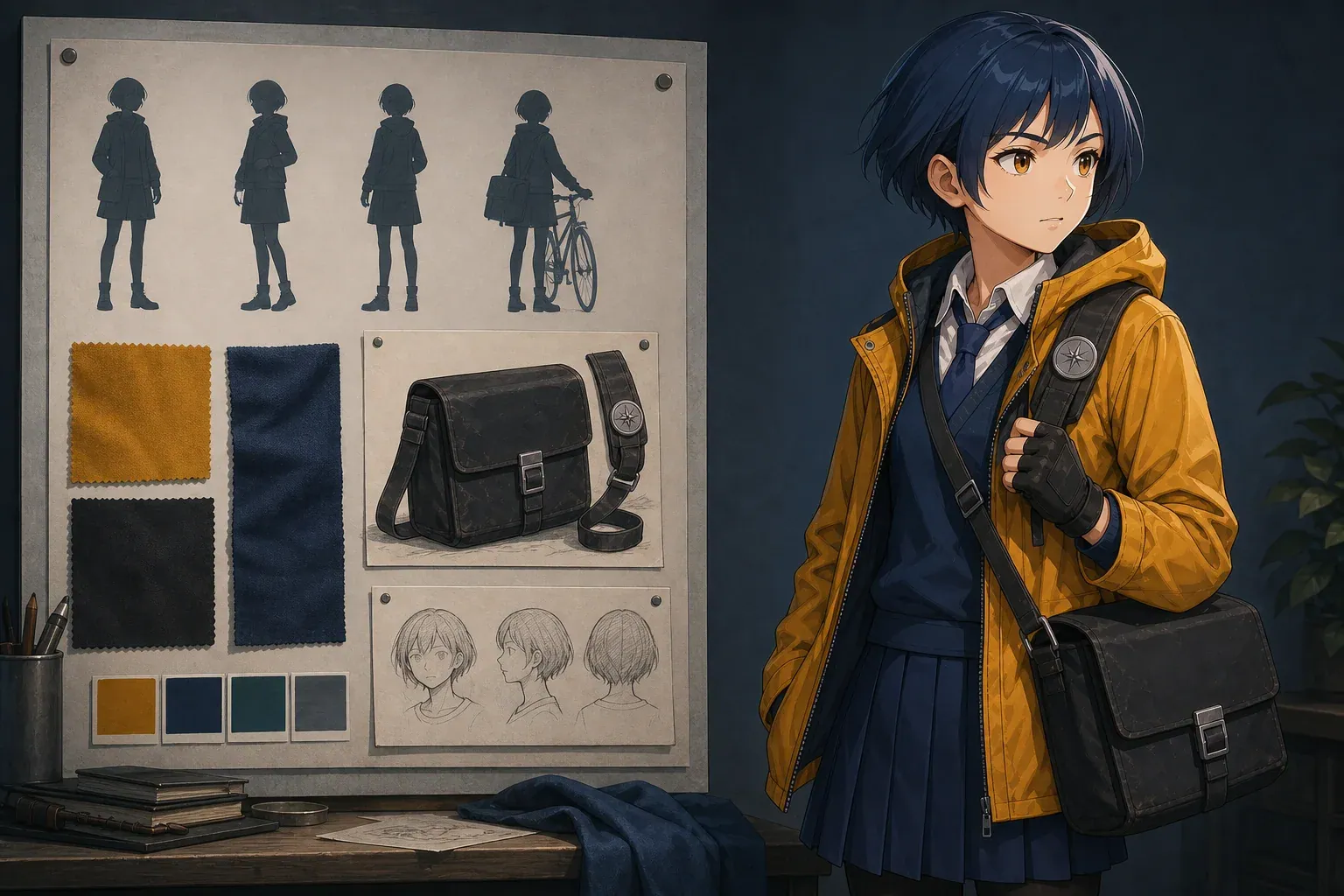
Visual character brief board with silhouette studies, fabric swatches, and the finished anime courier

Create from a photo

Turn a photo into an original anime-style character

Use a reference photo when you want the result to keep recognizable face shape, hairstyle, pose, or clothing details. Upload one clear PNG, JPG, or WebP under 5MB. A single subject, even lighting, a visible face, and an uncropped outfit give the generator the best material to work from.

The written prompt still matters. State which details to preserve and which parts may change. For example: “keep the round glasses, short curls, relaxed smile, and green field jacket; remove the background; create an original half-body anime courier with a tan messenger bag.” This is more useful than simply writing “make it anime.”

Avoid tiny group photos, motion blur, heavy filters, covered faces, and strong backlighting. These make it harder to preserve the features you care about. Animated GIFs are not accepted; choose one still frame that clearly shows the subject instead.

Only upload images you have permission to use. Do not use another person's photo for impersonation, reproduce a protected character, or upload identity documents. For client or brand work, remove logos and confirm usage rights before publishing the generated image.

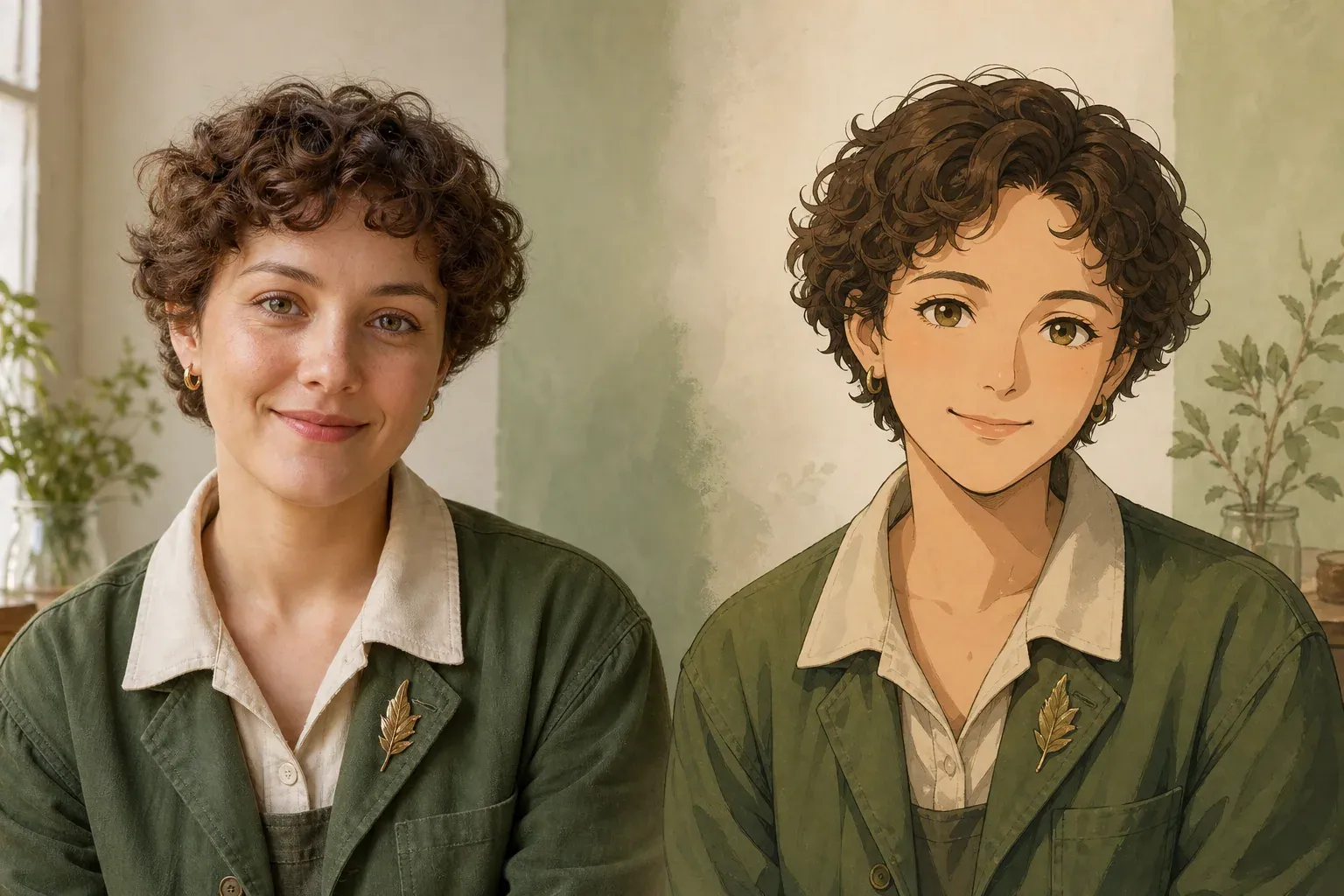
Matching natural portrait and anime character result created from the same visual reference

Choose the right output

Match the framing to how you will use the character

Choose the output around its next use. An avatar needs a clear face and recognizable hair at a small size. A half-body original-character concept should show the costume layers, hands, and signature object. A full-body reference needs readable proportions, footwear, and an uncropped silhouette. Trying to fit all three goals into one image usually produces a weaker reference.

Anime avatar

Use portrait framing for profile art, dialogue references, and expression checks. Keep the face, hair shape, and two or three main colors easy to read.

Anime OC concept

Use half-body framing to develop an original character's role, upper costume, hands, bag, tool, badge, or other signature item.

Full-body character

Use full-body framing for uniforms, footwear, body proportions, and overall silhouette. Ask for a simple background and a readable standing pose.

Use Clean anime for a balanced general-purpose reference, Action for stronger shapes and movement-ready clothing, Soft for gentle features and lighter color, Chibi for compact proportions, or Cel shaded for defined shadow shapes. Add period, mood, palette, line weight, or genre details in the prompt instead of requesting the signature style of a specific artist.

Use the character in comics

Keep the same character recognizable across comic panels

After you approve the first image, save it as the main character reference. Record the details that must remain the same in later panels: face shape, hair length and part, eye color, jacket, inner layer, footwear, signature accessory, body proportions, and palette. Reuse this short identity description in every scene prompt.

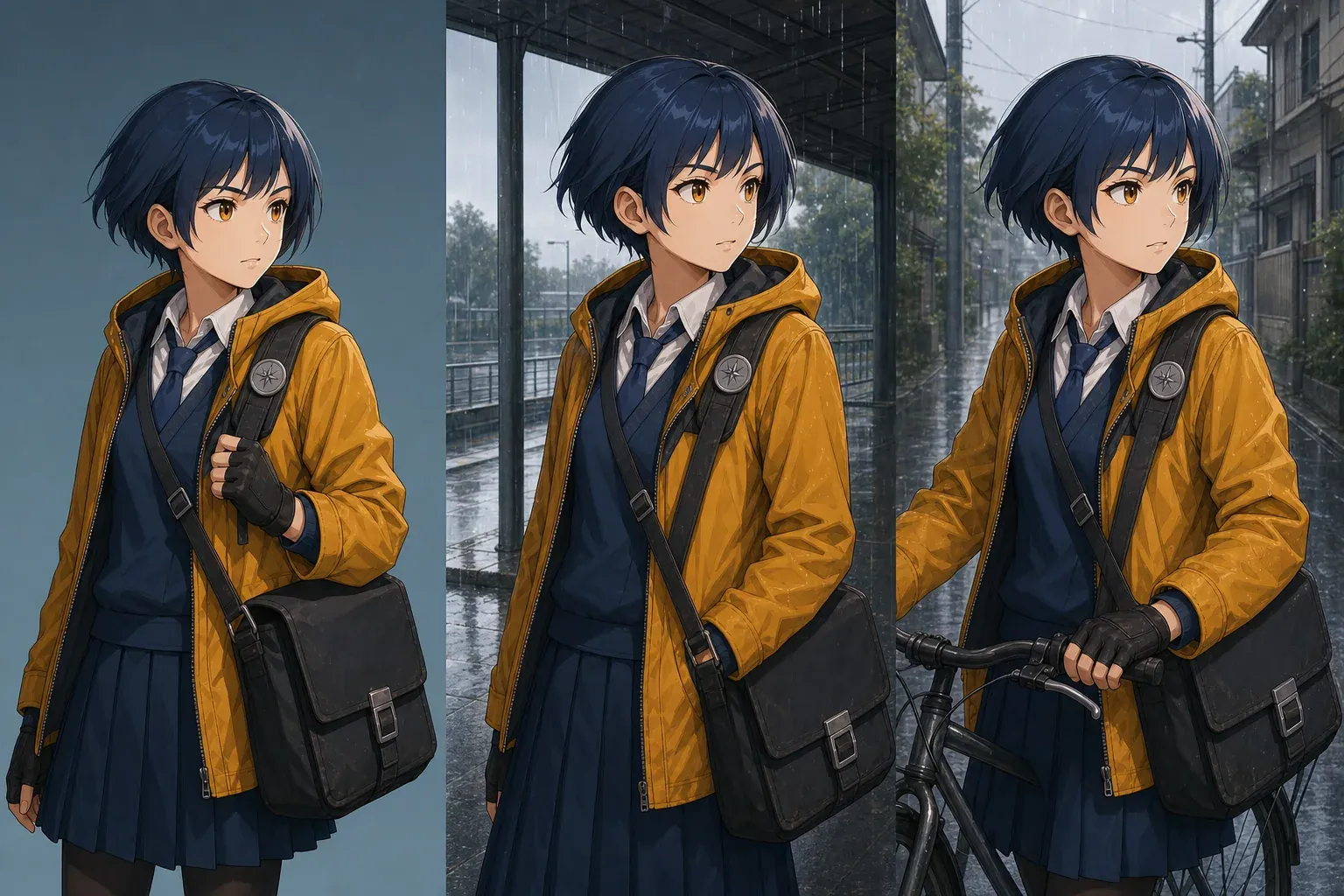
Keep character identity separate from the scene. Repeat “short indigo bob, amber jacket, navy uniform, square tan messenger bag, silver route badge” every time. Change only the scene instruction, such as “waiting beneath a station awning” or “riding through a flooded lane.” This makes it easier to see which change caused the character to drift.

Start with a neutral or lightly expressive pose before creating action panels. If the first reference hides one eye, crops the shoes, or twists the body, later images must guess the missing design. A clear half-body or full-body baseline is more useful for recurring comic work than a dramatic first pose.

When the character changes too much, restore the original identity description first. Then simplify the pose and remove competing background objects. If the face still changes, upload the approved character image as the next reference and describe only the new pose, expression, or scene you need.

The same anime bicycle courier kept visually consistent across three different scenes

Prompt template

Plan the character before you spend credits

You can write and revise the character description before signing in. Generation uses account credits, so check the eight design choices below before pressing Generate. This order keeps the prompt focused and makes missing details easy to spot.

1 · Role

Who is the character in the story or project?

2 · Age range

Use an appropriate range rather than an exact age when exactness is unnecessary.

3 · Silhouette

Tall, compact, broad-shouldered, rounded, angular, layered, or another visible shape decision.

4 · Face and hair

Face shape, hair length, part, texture, and one stable color description.

5 · Clothing

Outer layer, inner layer, lower garment, footwear, and material cues.

6 · Signature detail

One prop, badge, tool, accessory, or motif worth repeating.

7 · Palette

Two dominant colors and one accent are usually easier to control than a long color list.

8 · Temperament

Translate personality into posture, gaze, and expression.

Complete prompt example: “original adult night-train conductor, tall narrow silhouette, oval face, wavy black hair tucked behind one ear, charcoal long coat over a cream shirt, burgundy waistcoat, polished black boots, brass pocket watch, reserved posture, charcoal and burgundy palette with brass accents.” Every phrase describes something visible that you can check in the generated character.

Improve the result

Fix common anime character generation problems

If the character looks generic, add one specific role, a distinctive silhouette, clothing materials, a practical object, and a limited color relationship. If the outfit looks crowded, remove secondary accessories and reduce the palette. A few repeatable details are more useful for comic production than many decorations that change from image to image.

If a full-body character is cropped, select Full body, name the footwear and stance, simplify the background, and remove action from the same request. If a photo-based result loses the face or hair, use a clearer crop and state the exact features that must remain. Change one part of the prompt at a time so you know what improved the result.

Check hands, eyes, small jewelry, repeating patterns, logos, and any text before publishing. The PNG is a flat image, not layered artwork, and it may include a background. For merchandise, client work, or a finished comic, treat the generated character as a draft that may still need illustration edits and a rights review.

For a recurring cast, approve one baseline image before making many scenes. Save the image, keep a fixed identity description, and use the same reference when possible. This improves continuity, but it does not guarantee an identical face, costume, or accessory in every generation; review each panel before production use.

Next production step

Continue building the character or start the comic

FAQ

Anime character creator questions

Can I create an anime character from text?

Yes. Write at least 20 characters of concrete visual direction, choose style, framing, and expression, then sign in to generate. A reference image is optional.

Can I create an anime character from a photo?

Yes. Upload one PNG, JPG, or WebP under 5MB and explain which face, hair, pose, and clothing cues should remain. You must have the right and permission to use the image.

Does this create a full character sheet?

No. It creates one character image in portrait, half-body, or full-body framing. A production character sheet requires multiple controlled views and should be handled as a separate task.

How do I make a full-body anime character?

Choose Full body, name the footwear and overall silhouette, request a neutral readable stance, and keep the background simple. Avoid asking for a complex action scene in the same generation.

How can I keep the character consistent?

Save the approved image and reuse a stable identity block containing face shape, hair, clothing layers, footwear, accessory, and palette. Change scene instructions separately.

Why is sign-in required?

You can prepare the character brief without signing in. Sign-in is required when you generate so the credit charge, job progress, failed-job refund, and completed image stay connected to your account.

Can I request the style of a specific artist?

Use medium, era, line, color, mood, and genre language instead. The presets describe broad anime production qualities and do not require copying a named artist's signature style.

What file do I receive?

A completed job provides a downloadable PNG. It is a flat image rather than a layered source file, turnaround sheet, animation rig, or vector asset.

What you receive after generation

A completed job gives you one downloadable PNG character image in the style, framing, and expression you selected. Review the image at full size before using it as the approved reference for a manga, webtoon, comic, avatar, pitch, or role-playing project.

Keep the final prompt and approved image together. Those two assets give writers, artists, and collaborators a clearer starting point for later character sheets, panel layouts, costume variations, and recurring scenes.