
AI character creator
AI character creator for a design you can review before generating
Turn scattered character ideas into an editable design specification for games, animation, illustration, brand concepts, and story pitches. Approve the identity, wardrobe, palette, and pose first; generate one concept image second.
Character brief
Cross-media design inputs, not an anime preset
Design specification and result
The current image credit cost appears after sign-in.
Original design examples
One structured method, three different media
These original examples were made for this page from distinct character specifications. They show the kind of first-pass evidence worth reviewing: whether purpose, silhouette, clothing construction, props, palette, pose, and rendering direction support the same identity. They are curated examples, not user results and not a promise that every prompt will reproduce the same quality.
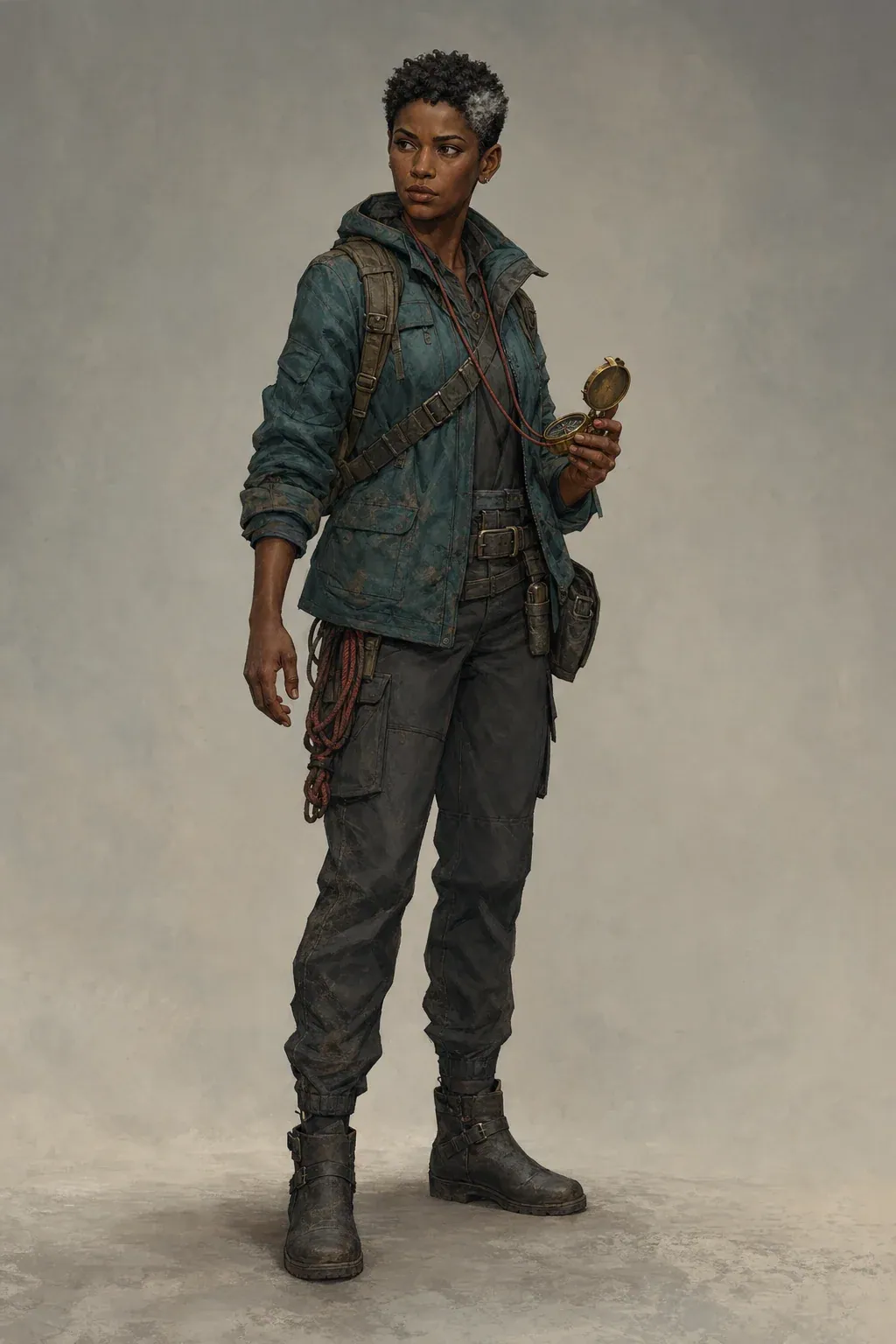
Narrative game protagonist
The role is readable through durable field clothing, repaired equipment, a mapping compass, an alert neutral stance, and a controlled teal-charcoal-brass palette. The example proves a practical silhouette and prop hierarchy rather than a finished game model.
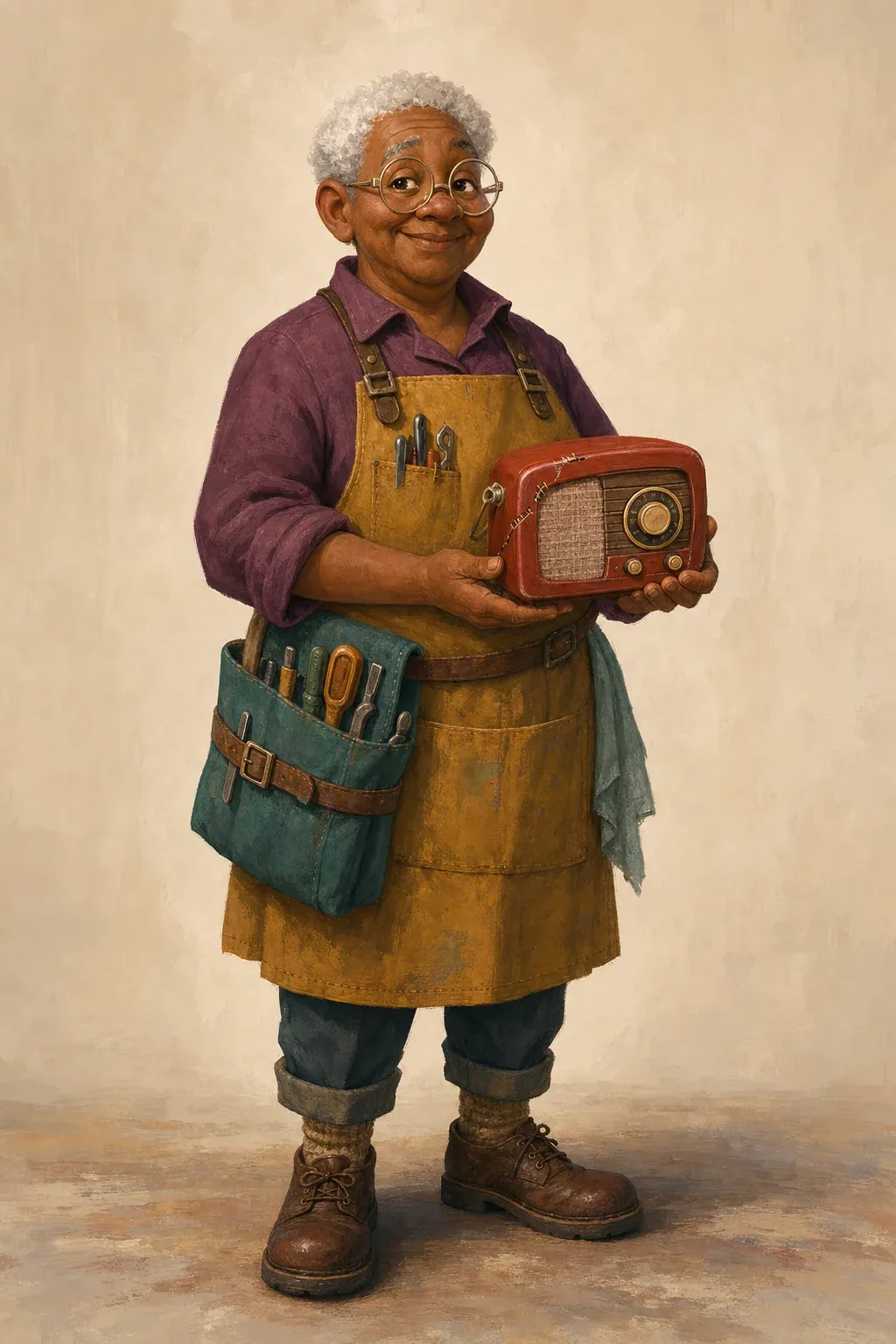
Animation pitch character
Broad shape language, a mustard apron, plum shirt, teal tool roll, repaired radio, kind expression, and grounded footwear carry the occupation and personality. It remains one concept image, not a turnaround or animation-ready rig.
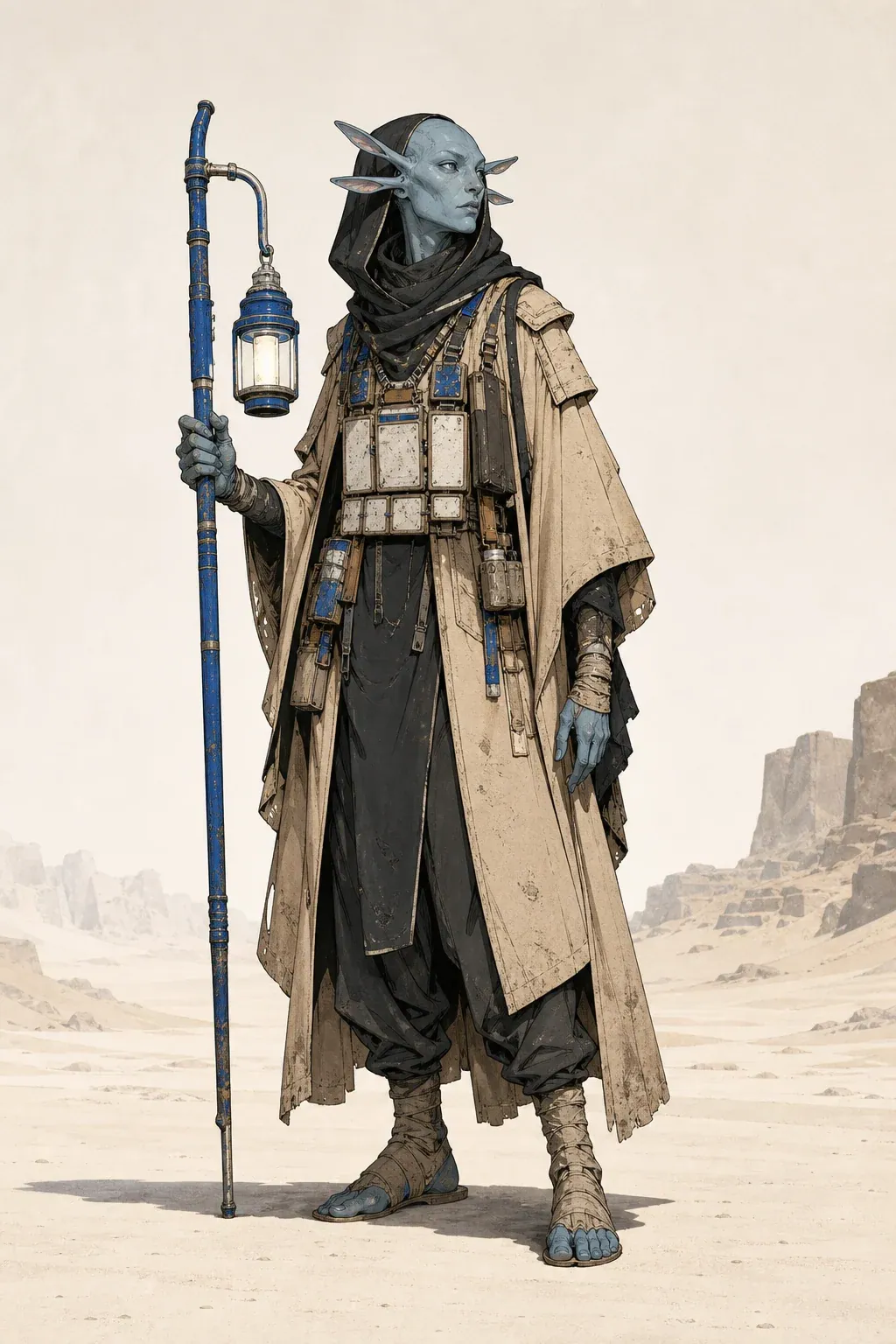
Tabletop science-fiction character
The tall silhouette, layered desert clothing, ceramic data tablets, practical lantern staff, and restrained cobalt accent show how nonhuman anatomy, role, environment, and equipment can form one coherent design without borrowing a protected character.
Use the gallery as a review pattern, not a style menu. Notice that every character has one dominant silhouette, a limited palette, visible hands and footwear, a role-defining object, and a neutral pose that exposes the design. If your brief depends on a complex action scene to make the character interesting, the identity may not yet be strong enough. Resolve the design in a readable pose before testing environments, combat, acting, or panel continuity.
Start a character briefWhat an AI character creator does before image generation
An AI character creator should turn decisions about role, medium, body, face, clothing, personality, history, palette, pose, and rendering into one reviewable design specification. The specification is the product’s control surface: creators can see what the image model will receive, remove contradictions, add missing production details, and agree on the design before credits are spent.
This page is a cross-media character design workbench. It supports the first concept for a narrative game, animation pitch, editorial illustration, tabletop campaign, brand-world proposal, visual novel, or general story development. It does not claim to train a character model, create a rig, produce a turnaround, or guarantee consistency across later scenes.
Build a structured character design brief
Start with purpose because medium changes the design problem. A mobile game portrait needs a recognizable head and shoulder silhouette at small size. An animation pitch needs clean shapes that can be redrawn. A tabletop portrait may prioritize role and equipment. A brand character requires an original, ownable visual system rather than a collection of fashionable details.
Age range and body shape should describe visible presentation without relying on stereotypes. Name proportions, stance, height impression, shoulder or limb shape, and movement quality when they matter. Appearance should identify face shape, skin tone, hair construction, eyes, distinctive marks, and one or two recognition anchors. Avoid an inventory so dense that the character no longer has a readable hierarchy.
Wardrobe is structural. Describe garment layers, closures, cuffs, footwear, wear, materials, and the prop that carries the role. Personality becomes useful only when it changes posture, expression, maintenance, or choice of object. Backstory belongs in the brief when it leaves visible evidence: repaired fabric, a removed insignia, adapted equipment, sun wear, ceremonial detail, or a carefully preserved token.
Turn the brief into an editable character specification
The Build specification action is deterministic and does not spend credits. It labels every field, places design evidence next to its production purpose, and adds constraints that keep the first image focused. You can edit the specification directly. This makes conflicts visible: a stealth role with reflective armor, a full-body request with a tight portrait crop, or a delicate watercolor medium paired with unreadably dense equipment.
Treat the specification as a review document. Check that the purpose, recognition anchors, silhouette, wardrobe hierarchy, palette, pose, and visual medium agree. Remove story material that cannot be seen. Add an omitted shoe, prop, or color only if it affects the concept. Do not solve uncertainty by adding adjectives such as epic, beautiful, cinematic, or detailed; make a visual decision instead.
Generate one truthful character concept
Generation uses the project’s existing comic-character image queue in character mode. The edited specification becomes the prompt; visual style is passed as the style control, personality as mood direction, and pose as layout direction. The character name and specification excerpt are also attached to the character payload. These controls therefore affect the real provider request rather than decorating the form.
The server deducts the active image model’s configured cost and creates the job in one transaction. Eligible failures are retried by the worker. A final failed job is marked failed and refunded by the reliable image workflow. Provider details and credentials are not exposed in user-facing errors. The same page polls job status, shows the completed image, enables PNG download, and lists recent character-mode generations.
A result is one flattened concept image. Review face, hands, footwear, costume construction, palette, prop count, crop, and background. If the identity is promising but one detail is wrong, correct that line in the specification and retry. If the whole design feels generic, revisit role, silhouette, wardrobe hierarchy, and recognition anchors before changing rendering style.
AI character creator versus adjacent character tools
This page owns the broad AI character creator task: structured design for multiple media before one concept image. Use the anime character creator when anime is the required output and you want anime-specific styles, framing, expressions, or a photo reference. Use the comic character maker when the real job is managing a recurring comic cast and carrying approved traits into panels.
After a general design is approved, the comic panel generator can place a character in a specific narrative moment. These links represent different tasks, not alternate keywords for the same page. Keeping the jobs separate prevents the general workbench from promising anime conversion, cast consistency, or finished comic sequencing that it does not provide.
Prepare a brief that another artist can use
A useful design handoff describes what is fixed and what remains open. Fix recognition anchors, body and face structure, key clothing layers, palette roles, signature prop, and the intended medium. Leave incidental background, lighting, and decorative texture flexible unless they are part of the identity. If collaborators cannot tell which details may change, they will either drift from the design or preserve every accidental artifact.
Color notes should define roles rather than list hex values alone: dominant jacket color, neutral base, metallic hardware, and one small accent. Pose should prove the design. A neutral three-quarter full-body stance is useful for silhouette and clothing review; an action pose is useful when movement is central but may hide construction. A portrait is appropriate only when face and upper wardrobe are the deliverable.
Limitations, rights, and responsible review
Do not upload private or identifying reference material to any cloud generation workflow without permission. This general brief does not require a photo. When likeness to a real person is the actual goal, use a purpose-built reference workflow and obtain the necessary rights and consent. Do not use generated concepts to impersonate someone, claim authorship over protected characters, or imitate a living artist’s signature style.
Image models can alter anatomy, hands, small text, logos, repeated patterns, jewelry, and prop structure. They can also converge on familiar genre clichés. The page prohibits text, logos, watermarks, extra people, and unrelated objects in its specification, but those constraints reduce risk rather than guaranteeing perfect output. Review every result before publication, client delivery, print, or production handoff.
AI character creator FAQ
Does the tool create a character sheet?
No. It creates an editable design specification and one concept image. Multiple controlled views, expression sheets, rigs, and consistency training are separate production tasks.
Can I edit the character description before generation?
Yes. Building the specification is free and deterministic. Edit any line in the specification box before starting the credit-backed image job.
Which media can the brief cover?
The structured fields can describe a game, animation, illustration, visual novel, tabletop, brand-world, or story-pitch concept. The output remains one raster character image, not a medium-specific production file.
How are failures handled?
The existing image worker retries eligible failures and refunds the job after its final failed attempt. The page retains the written brief so you can revise and try again.