
AI storyboard generator
AI Storyboard Generator for Editable Shot Lists
Break a scene into purposeful shots, revise camera and continuity notes, generate selected frame drafts with the project’s live image pipeline, then export the working board.
Scene input
Sign in to see the current planning and per-frame credit costs. Final failed jobs are refunded.
Editable storyboard
Generate a shot list, then edit every camera and continuity note before creating frames.
What an AI storyboard generator should produce
An AI storyboard generator should turn a scene into decisions that a director, illustrator, animator, or comic creator can inspect: where a shot begins, what changes inside it, how large the subject appears, where the camera sits, how long the beat lasts, and what must match the preceding frame. A wall of attractive images is not a storyboard when it has no editable shot logic.
This tool first calls the configured OpenAI-compatible text slot to return a strict shot list. It then lets you revise that list before any image credits are spent. Each selected frame uses the existing comic image provider and queue, so an image is attached to a specific editable shot instead of generated as an unrelated gallery item.
The workflow is useful for comic writers translating prose into panels, filmmakers preparing a coverage discussion, animators making an early board, agencies planning a short social video, and educators explaining visual sequence. These teams do not need the same drawing finish, but they do need the same accountable decisions: one visible beat, a motivated viewpoint, continuity with neighboring shots, and a note that another person can revise. The export therefore keeps production language alongside image references instead of hiding the reasoning inside a generated picture.
It is less suitable when the story, character design, or location is still undefined. Resolve the dramatic action before asking for camera coverage. A provider can divide vague prose into shots, but it cannot decide what the scene is truly about on the creator’s behalf. The most useful input names who is present, what changes, which object or reaction carries the turn, and where the scene should stop.
From script scene to production shot list
Start with one scene rather than an entire feature script. Include location, time, visible characters, the action that changes, and the final beat. The shot count determines how finely the scene is divided. Three shots suit a compact reveal. Five or six allow an establishing view, readable action, reaction, detail, and closing beat. Eight should be reserved for a scene with genuine progression.
Pacing changes the duration guidance and how quickly the shot list advances. A measured board can hold on geography or reaction; a fast board favors short, decisive visual changes. Aspect ratio enters both the text-provider instruction and every image prompt. A vertical 9:16 board needs different subject placement and dialogue space than a 16:9 board.
A worked scene-to-shot example
The example loaded in the tool contains one location, two visible characters, a brass key that carries the reveal, and a clear stopping point. A useful first shot establishes Mara beside the rain-streaked café window and fixes which side of the frame leads toward the platform. A later insert isolates the key in her hand. The recognition beat belongs in a closer view because the audience must compare that key with the one on her brother’s bag. The closing shot holds before she calls his name; it does not invent the next conversation.
Those choices demonstrate the difference between summarizing and boarding. “Mara sees her brother and follows him” is a plot summary. A storyboard must decide what the audience sees first, when the matching object becomes legible, whose reaction controls the cut, and what information remains for the next shot. If the key appears before the insert, revise continuity. If the brother changes screen direction, correct the camera note. If the close-up has no room for the key, change the action or shot size.
The live result comes from the configured text provider, not a hard-coded response. The worker rejects missing fields and the wrong number of shots. It also appends aspect ratio, visual direction, and a continuity instruction to every normalized image prompt, keeping the later frame job connected to the controls chosen above.
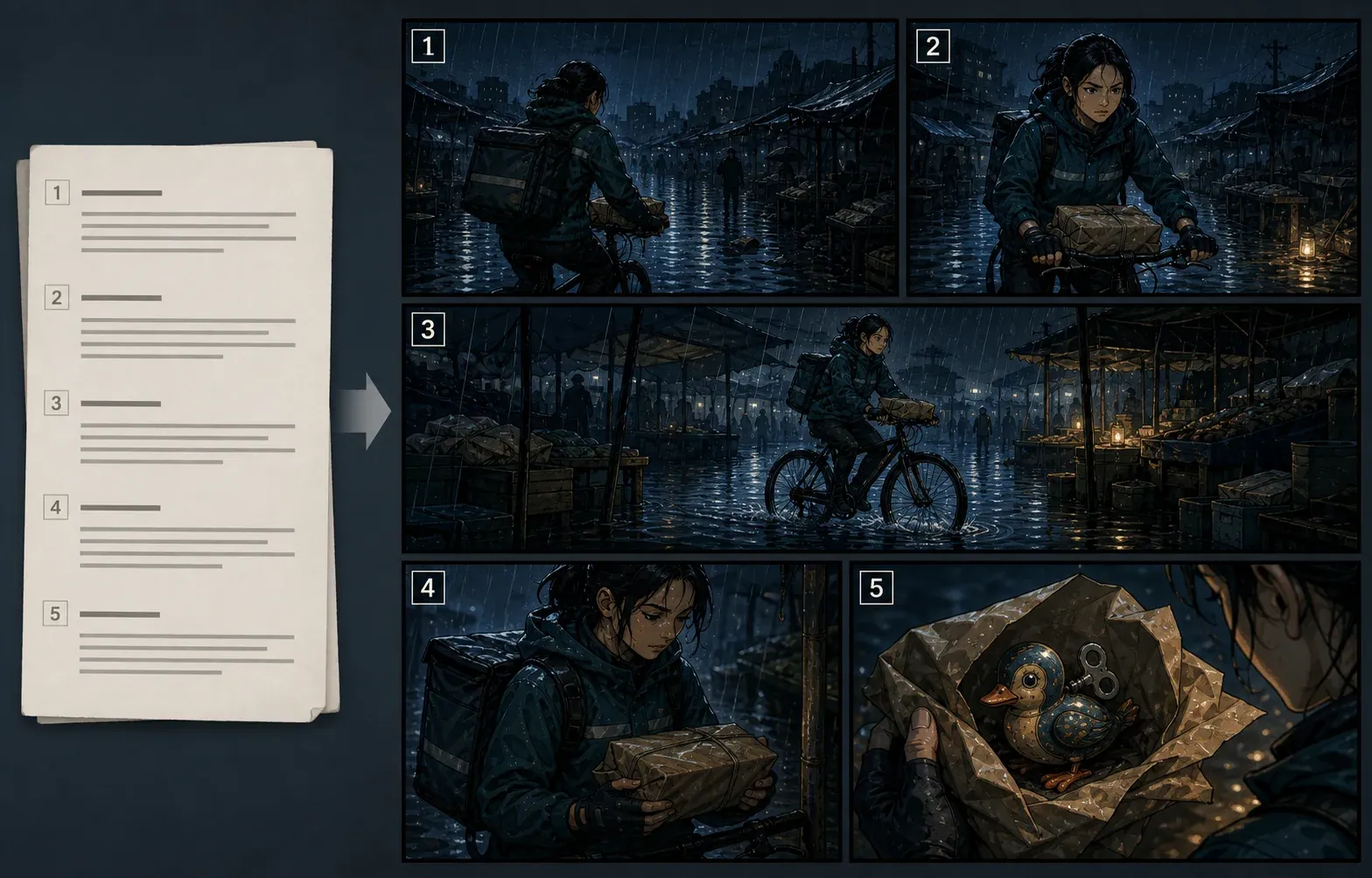
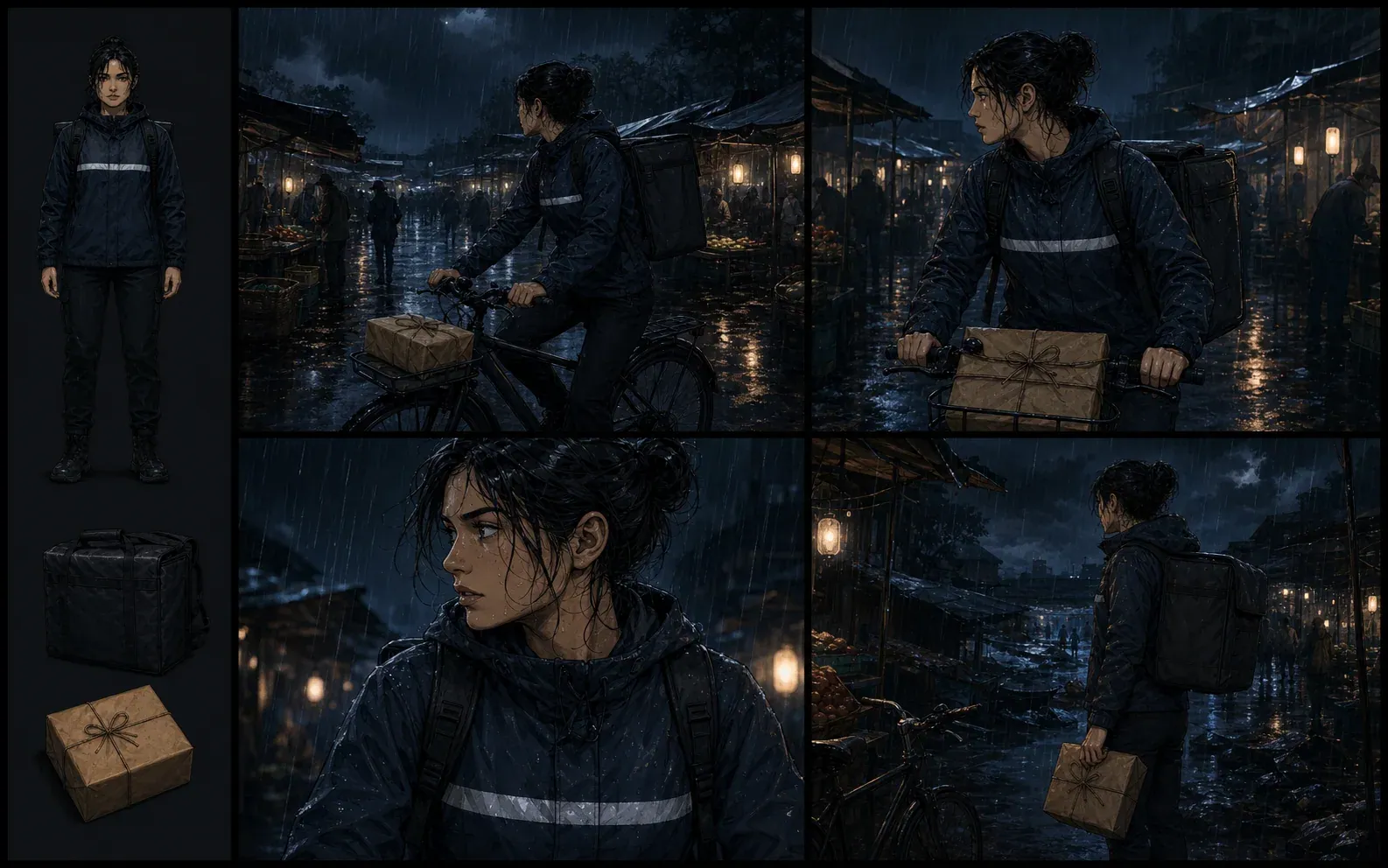
Storyboard evidence: sequence and continuity boards
These editorial examples are part of the Comics Maker resource library. They are not presented as output from your current job. The first board demonstrates how one script beat becomes a readable sequence; the second shows the continuity anchors that should survive between generated frames.
Choose shot count, size, and movement deliberately
More shots do not automatically create a clearer scene. Each cut should change action, information, emotion, viewpoint, or spatial understanding. Merge neighboring shots that communicate the same thing. Split a shot that asks the subject to enter, cross the room, find an object, and react as sequential actions. The three-to-eight range forces a useful decision about the scene’s dramatic unit.
Shot size determines the information available to the audience. A wide shot explains geography and movement. A medium shot supports body language and interaction. A close-up isolates a reaction or important object. An over-the-shoulder view connects a viewer, target, and eyeline. Inserts should identify necessary details rather than act as decoration. High or low angles need a narrative reason in the camera note.
Camera movement must be concrete. “Dynamic camera” is not a usable annotation. State whether the frame is static, pans to reveal someone, tracks alongside movement, pushes toward a reaction, or changes focus between planes. For a still illustration, choose the instant that represents the movement. Duration remains an estimate until dialogue, performance, and editorial timing are tested.
Aspect ratio, pacing, and dialogue-safe composition
Aspect ratio is a composition constraint, not an export label. A 16:9 frame provides lateral room for two-shots and geography. A 9:16 frame rewards vertical depth but has less room for opposing eyelines. A 1:1 frame is practical for social previews. A 4:3 frame balances figure and environment without the width of cinema.
The ratio reaches the text prompt and image request through separate fields: the planner uses it when proposing composition, while the image endpoint receives it as layout and the edited prompt repeats it. This makes the control testable and reduces the chance that manual edits disconnect a frame from the board’s production format.
Pacing controls where attention is spent. Measured pacing preserves geography, silence, or suspense. Balanced pacing gives important actions separate beats without lingering. Fast pacing favors short, decisive changes but cannot remove the orientation needed to understand them. If a fast board becomes confusing, restore one clear geography shot instead of adding more dramatic angles.
Dialogue remains editable text, not generated lettering. Leave clean negative space near a speaker without covering the face or action. A vertical board often stacks dialogue above or below the subject; a wide frame can place it beside an eyeline. Final wording, font, balloon order, and accessibility belong in a lettering editor.
Edit camera, continuity, and dialogue notes before frames
Review the shot type and camera note as a pair. A close-up should reveal information or emotion that a medium shot cannot. A low angle should have a story reason rather than being decorative. Check screen direction, eyelines, entrances, hand positions, wardrobe, props, lighting, and background landmarks across adjacent shots.
Dialogue and sound remain notes, not baked-in lettering. Generated frames intentionally exclude captions and speech balloons because image models are unreliable typesetters and because final wording often changes. Preserve negative space in the image prompt, then handle lettering later in a comic or editing workflow.
Generate frame drafts without confusing them with final art
A frame button sends that shot’s edited image prompt, visual direction, pacing, aspect ratio, and panel index to the live comic image endpoint. The server charges the active image model’s configured credits, queues the job, retries eligible failures, and refunds a final failed job. This is a real generation request; the initial empty board is not presented as generated proof.
Frame drafts are for composition review. Inspect character identity, hands, prop continuity, gaze, screen direction, background geography, and safe dialogue space. A convincing single image can still break the sequence. Regenerate one problematic shot after correcting its prompt instead of rebuilding every frame.
Export and hand off an editable board
JSON export keeps the source scene, aspect, pacing, visual direction, every editable shot field, and known generation state. It is a production handoff, not a flattened presentation PDF. The recipient can review why a shot exists, revise the action or camera, and identify which image belongs to which beat.
Use the comic script maker when the story still needs page and panel writing, the comic panel generator for a single finalized panel, and the anime character creator when recurring character design must be settled before boarding.
Limitations and common recovery steps
The text model can over-cover dialogue, repeat shot sizes, invent a prop, or return invalid JSON. Invalid structured output is rejected and its text-generation credits are refunded. A shorter, single-location scene usually produces a clearer plan. Image generation can still alter faces, hands, small objects, text, and spatial continuity, so every frame requires review.
The board is not a timed animatic, layered PSD, camera file, or guarantee of character consistency. Exported JSON contains working decisions and image references. It does not replace rights clearance, consent for uploaded material, a director’s shot approval, or an artist’s final model sheet.
AI storyboard generator FAQ
Does every shot generate an image automatically?
No. The text model creates the editable shot list first. You deliberately generate selected frames afterward, so you can correct camera and continuity notes before using image credits.
What happens when a provider fails?
Invalid or failed text planning is refunded by this workflow. Image jobs use the existing retry worker and refund credits after the final failed attempt.
Can I storyboard a whole screenplay?
Use one scene at a time. The 6,000-character input and eight-shot maximum keep the output reviewable and reduce continuity drift.