
PANEL 1 · ESTABLISH
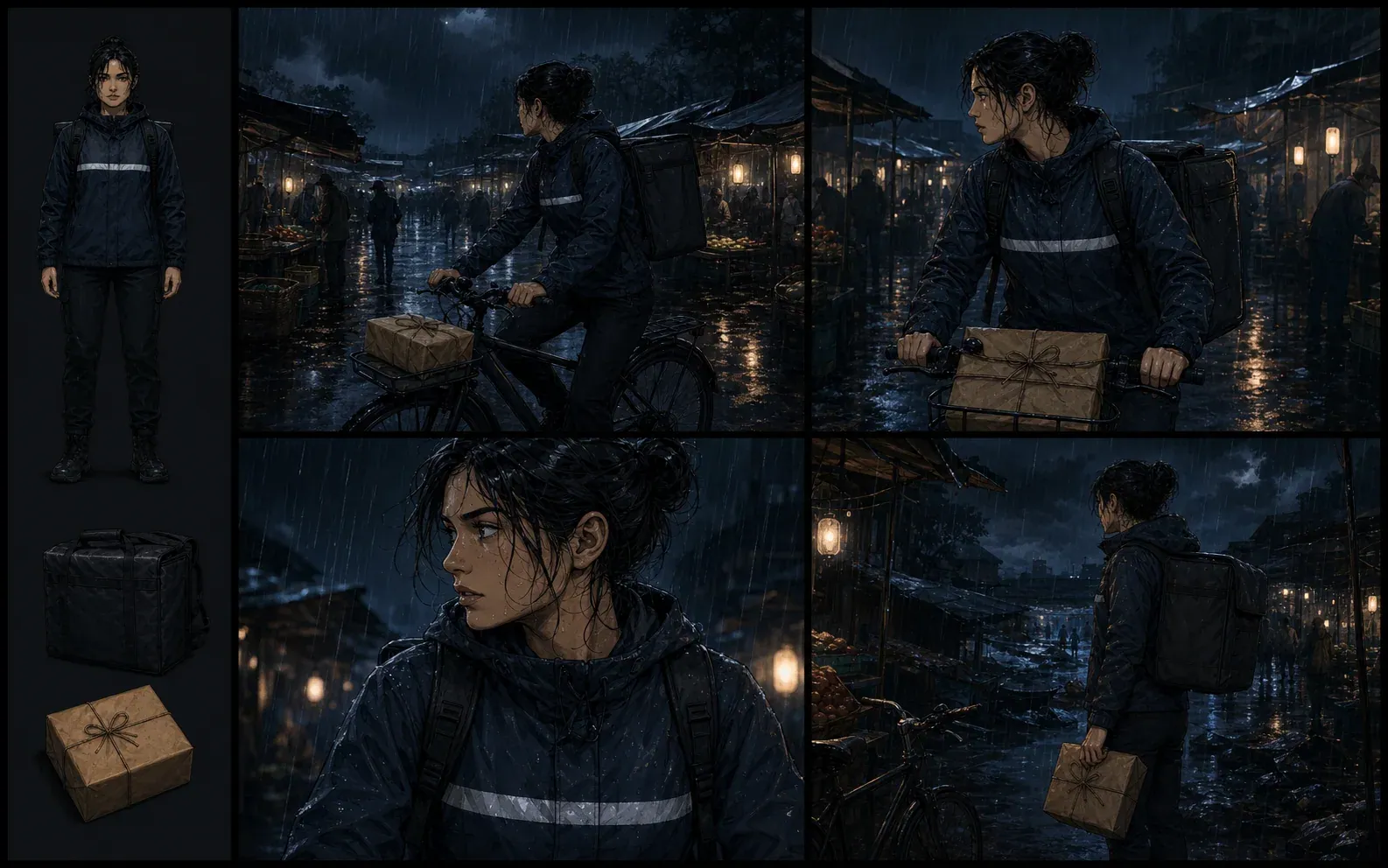
Wide shot: Mara enters the dark market as rain turns the lane into a reflective channel.
Build an editable full-script draft with page breaks, panel directions, lettering cues, and image prompts before you spend time or credits generating artwork.
Story input
One scene gives the planner a usable beginning and ending.
Include the immediate problem and the change at the end, not the entire series synopsis.
Current structure
One comic page: Five panels with a closing beat. 5 panels total.
Editable script
Review the visual beat first, then replace bracketed lettering cues.
Privacy boundary
Sign-in protects access to generation. Your input and returned draft are only saved to this tab's session storage unless you copy or download them.
After approval
Turn the reviewed beats into imagesResult proof
The output is a production-oriented draft, not a polished story disguised as a finished script. Each panel receives a beat, a shot suggestion, one drawable visual instruction, a lettering cue, and an art prompt. The tool carries your premise, lead, setting, and ending into that structure. It leaves bracketed dialogue decisions visible when a human writer still needs to choose the character's exact words.
That distinction matters. A useful script tells an artist what must be visible and tells a letterer what text belongs in the panel. It should not conceal unresolved pacing or invent continuity details that the writer never approved.
Read the example as a production check
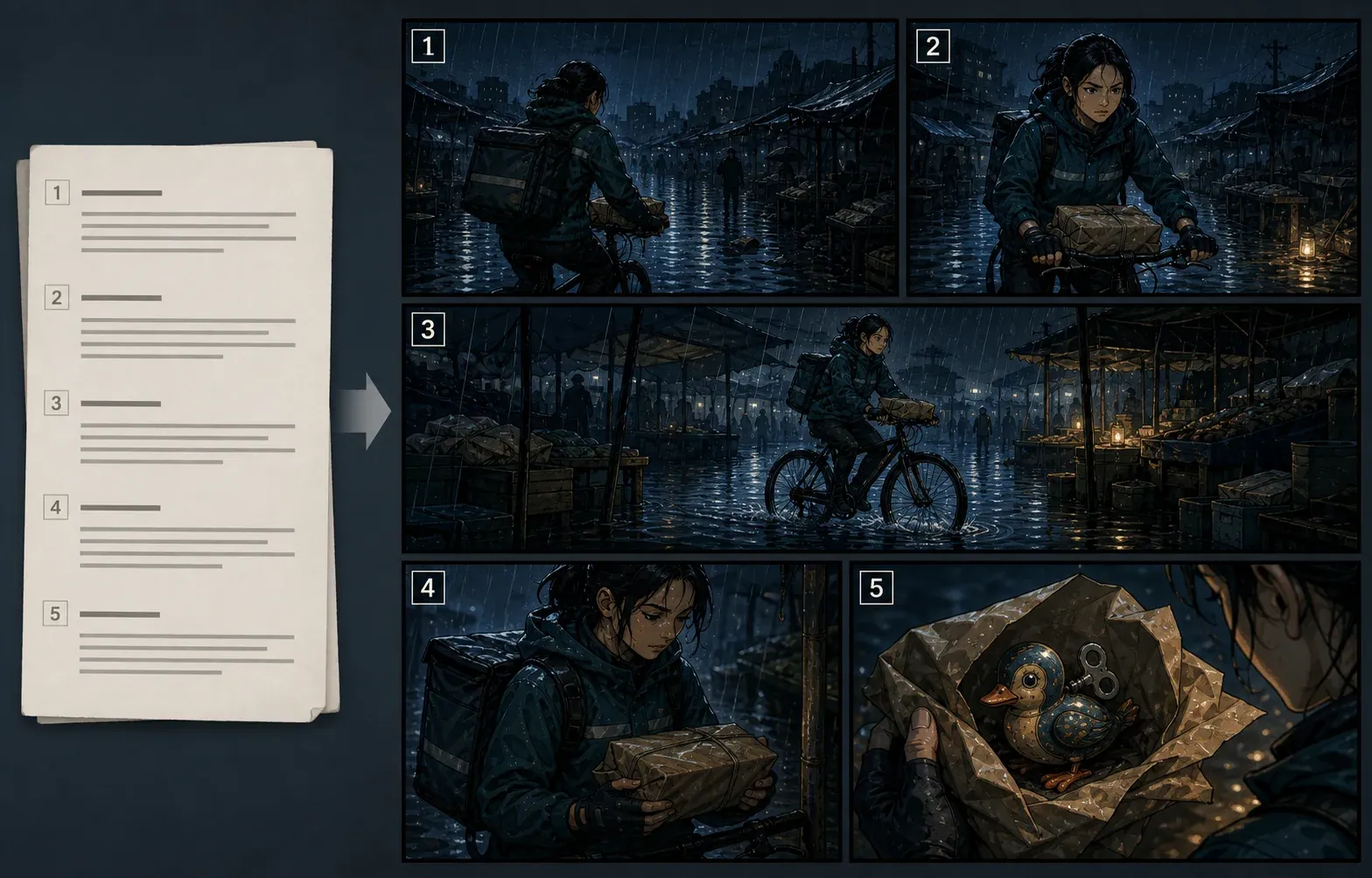
PANEL 1 · ESTABLISH
Wide shot: Mara enters the dark market as rain turns the lane into a reflective channel.
PANEL 2 · PRESSURE
Medium shot: the ticking becomes noticeable while Mara protects the package.
PANEL 3 · DECISION
Close-up: her thumb finds the wet seam; the delivery timer shows six minutes.
PANEL 5 · CLOSING IMAGE
The opened package contains a wind-up toy tagged with Mara's childhood address.
Explore the guide
Definition
A comic script maker converts a story idea into a document that can guide sequential art. In a full-script workflow, the writer decides the page order, divides each page into panels, describes the visible action, and separates anything that must be lettered: dialogue, captions, sound effects, or off-panel speech. The result is closer to a blueprint than to prose. Its reader is initially the artist, editor, and letterer, not the eventual audience.
There is no single universal comic script format. Professional scripts differ in indentation, capitalization, numbering, and the amount of visual direction they give. The shared requirement is clarity. A collaborator should be able to identify the page, the panel, the one frozen moment being drawn, and every piece of text that must appear. The Dark Horse sample guide, the professional scripts collected by Comics Experience, and Blambot's lettering guidance all demonstrate variations of that practical structure.
This tool deliberately uses a plain-text full-script skeleton. Plain text is portable, easy to edit, and does not lock the draft to a particular publisher template. Once a team chooses its production format, the exported text can be moved into a word processor or a dedicated script editor and reformatted without losing the page and panel logic.
Workflow
Start with one scene, not the entire history of the world. A strong premise names the lead, the immediate objective or problem, the location, and the change at the end of the scene. “A detective investigates a strange city” is too broad. “A tired detective has one elevator ride to persuade a witness not to leave the city” gives the page a location, a time limit, two visible characters, and a decision that can land on the final panel.
Long-tail guide
A readable script establishes hierarchy before style. Begin with a title and draft note. Mark every new page clearly. Number panels from the top of each page, then put the visual description immediately below the panel heading. Lettering items follow the description and carry labels such as CHARACTER, CAPTION, SFX, or CHARACTER (OFF). Numbered lettering can make review and placement easier, especially when several balloons share a panel.
Keep visual descriptions in the present tense and describe one drawable instant. Comics can imply motion between panels, but a single panel cannot show a closed door, the same door opening, and a character already standing on the other side as three consecutive actions. Pick the instant that communicates the beat, or divide the action into multiple panels. Mention camera distance when it changes what information the reader receives: a wide shot establishes geography, a medium shot supports body language, and a close-up can withhold the surrounding context.
Lettering belongs outside the visual paragraph because it has a different production purpose. Blambot recommends simple, unambiguous labels and distinguishes ordinary dialogue from off-panel speech, whispers, captions, and SFX. The exact house style can change, but separating those elements prevents an artist from accidentally drawing a line that was meant to be typeset or treating a production note as visible narration.
Story structure
Reduce the idea to observable changes. Write the opening state in one sentence: who is where, doing what, and expecting what? Then write the closing state: what is visibly different? The space between those two statements is the sequence. If the ending does not change knowledge, power, position, emotion, or intention, the scene may be background information rather than a dramatic unit.
List the minimum beats required to cause that change. A compact page often needs orientation, a goal, resistance, a choice, and a closing image. Do not force every page into that pattern, but use it to find missing logic. If a character reacts before the reader sees the discovery, add or reorder a panel. If two panels communicate the same fact, combine them and give the saved space to the moment that deserves emphasis.
Only then write dialogue. First ask what the picture already proves. A character standing in ankle-deep water does not need to say “The room is flooding.” They might state a goal, conceal a fear, challenge another character, or remain silent. Comic dialogue earns scarce panel space when it contributes information, voice, conflict, or rhythm that the image cannot carry alone.
Long-form planning
Multi-page scripts require two levels of pacing: the order of panels inside a page and the order of page turns across the sequence. A page is not merely a container for a fixed number of panels. It is a unit the reader sees at once in print or as a screen-sized grouping in some digital formats. The final panel can pose a question; the next page can reveal its answer. Put a surprise before the turn and the reader sees it early. Put it after the turn and the physical action of revealing the next page supports the beat.
Panel density changes perceived pace. Several small panels can break an action into quick increments, while a large panel can ask the reader to absorb a location, emotional consequence, or spectacle. Density is not a mechanical speed control, however. Dense dialogue slows reading even when the panels are small. Review image load and word load together. If a panel contains several speakers, a detailed environment, a major action, and a long caption, decide which job the panel actually needs to perform.
The tool's three-page structure uses thirteen panels only as a practical starting constraint. Change the count after reviewing the scene. A quiet conversation may need fewer, larger panels. A chase may need more transitions. Publisher page counts, print signatures, and team preferences must be applied later; the browser draft does not claim to validate a submission package.
Short format
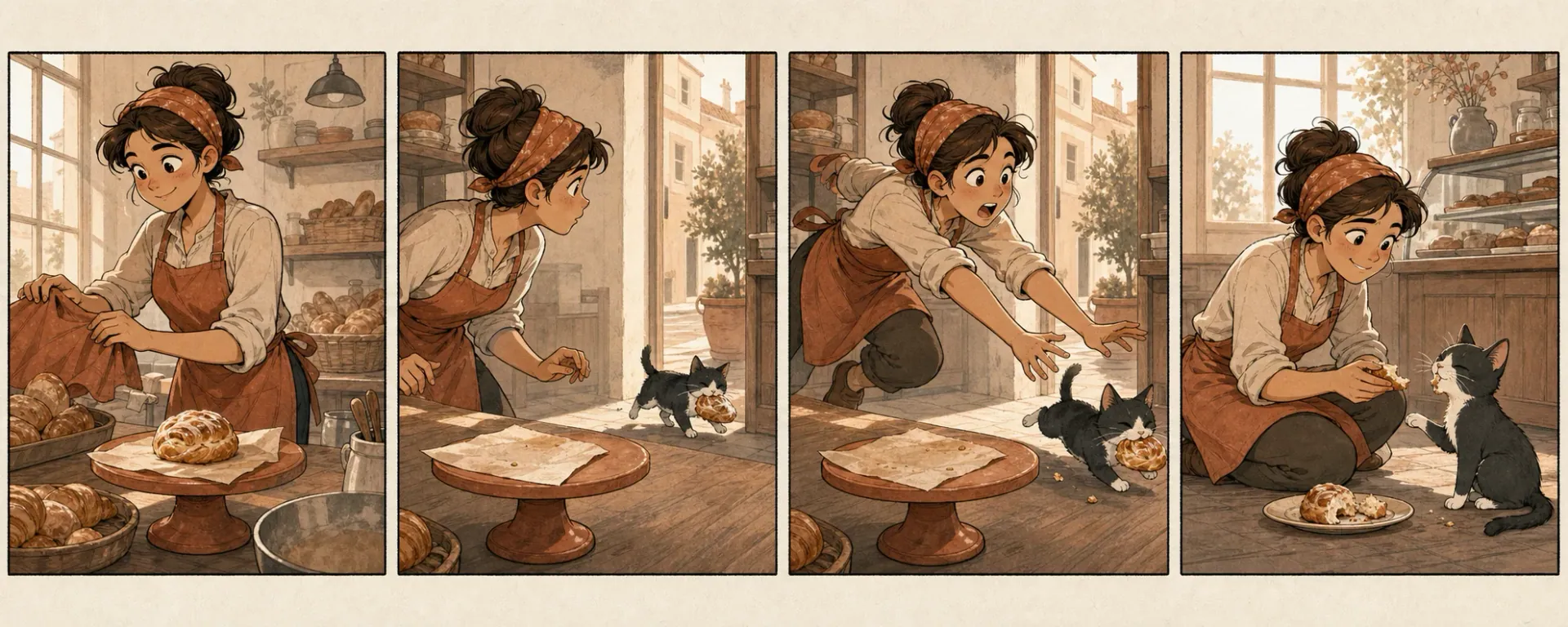
Four-panel strips work because the structure forces selection. Panel one establishes the normal expectation. Panel two adds pressure or makes the expectation harder to maintain. Panel three changes the reader's interpretation through a decision, discovery, or reversal. Panel four shows the payoff, which may be a joke, a consequence, or a quiet reaction. Not every strip needs a gag, but every panel should alter the sequence rather than restate it.
Write the strip backward when the final image matters most. Define what the reader must understand in panel four, then identify the last piece of information panel three must provide. Continue backward until panel one contains only the context needed to begin. This prevents long introductions from consuming the limited space.
Test the script without dialogue. If a collaborator cannot roughly follow the setup and change from visual descriptions alone, the speech balloons may be repairing unclear staging. Then test the dialogue without panel descriptions. Remove repeated facts and trim greetings, explanations, and names that characters would not naturally say. Finally, read the lettering in panel order to confirm that balloon placement will not fight the intended eye path.
Format adaptation
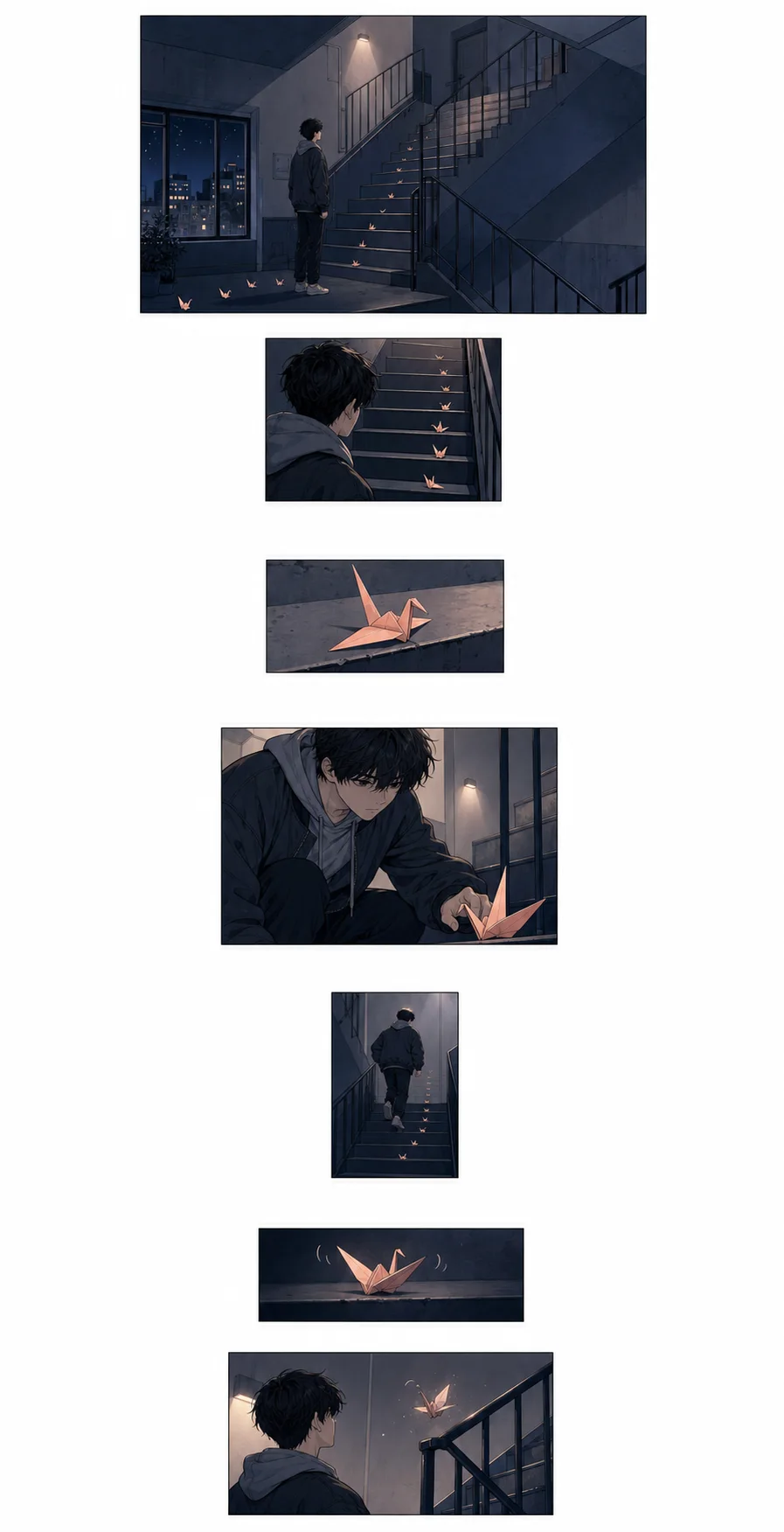
Manga, print comics, and vertical webtoons share the need for clear beats, drawable moments, and labeled lettering, but their reading containers differ. A manga script may need explicit right-to-left reading notes when the production team does not already share that convention. A print page uses the page turn and the relationship between facing pages. A webtoon controls disclosure through vertical distance, screen-sized clusters, and pauses created by empty space.
The webtoon option on this page creates eight ordered scroll beats; it does not calculate pixels, crop sizes, safe areas, or platform upload limits. Mark a pause as a beat when spacing matters, and tell the artist what the pause is preparing: a location reveal, a change in facial expression, a sudden sound, or the episode hook. During layout, the creator still decides how much vertical distance the reader travels before the next image appears.
Avoid treating “manga style” as a substitute for production direction. Line weight, screentone, panel borders, facial acting, and pacing are separate choices. Record the choices that affect this scene, and keep character design in a reference document rather than repeating an entire biography inside every panel description.
Artist handoff
Describe necessities, not every imagined brushstroke. Identify who is visible, where they are, the single action or expression that defines the moment, and any object that affects continuity. If the spatial relationship matters later, establish it now: the exit is behind the guard, the key is in the left hand, or the cracked window faces the harbor. If it does not affect story or staging, leave room for the artist to solve the image.
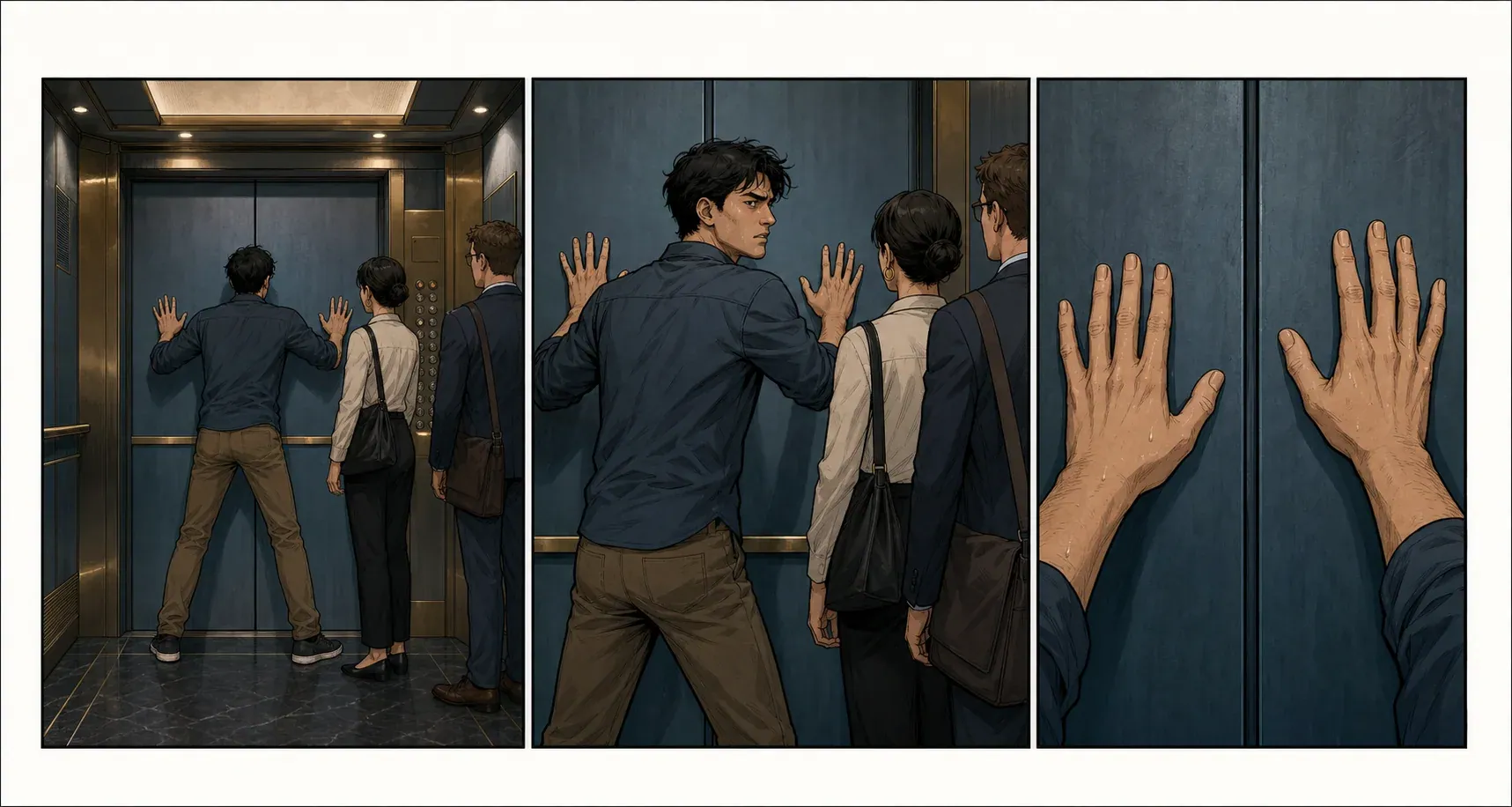
Separate intention from evidence. “Niko feels trapped” cannot be drawn directly. “Niko presses against the closed elevator doors while three passengers block the control panel” gives the artist a composition that communicates the feeling. Emotional language can still guide tone, but pair it with posture, gaze, distance, light, or a physical choice the reader can see.
Check continuity at the sequence level. Track entrances, exits, injuries, held objects, time of day, and clothing changes. AI image tools can drift on these details, but human teams also need a clear record. A script should name the continuity fact when it first matters; a separate reference sheet should carry the full design. This keeps panel descriptions concise without relying on memory.
Lettering
Every word occupies visual space. Before approving a line, estimate how many balloons the exchange needs, who speaks first, and where the balloons can sit without covering the focal action. A useful script labels off-panel speech, whispers, broadcasts, and captions because those choices affect balloon shape and placement. Do not rely on all caps to indicate emphasis; a letterer may need explicit emphasis notes and sentence-case copy, depending on the team's convention.
Use captions for a purpose the image and dialogue cannot serve cleanly: time or location, a controlled narrative voice, internal perspective, or a transition across scenes. Avoid captions that simply narrate the visible action. Sound effects should name the sound the reader needs to perceive and, when important, its source or character. “Metal latch: KLIK” is more actionable than adding a dramatic noise without identifying what makes it.
Read every page aloud and mark breaths. Dialogue that looks short in a document may dominate a small panel. Trim setup words, repeated names, and explanations first. If the exact copy is not ready, keep the tool's bracketed DIALOGUE CUE rather than filling the panel with temporary prose that collaborators may mistake for approved text.
Production bridge
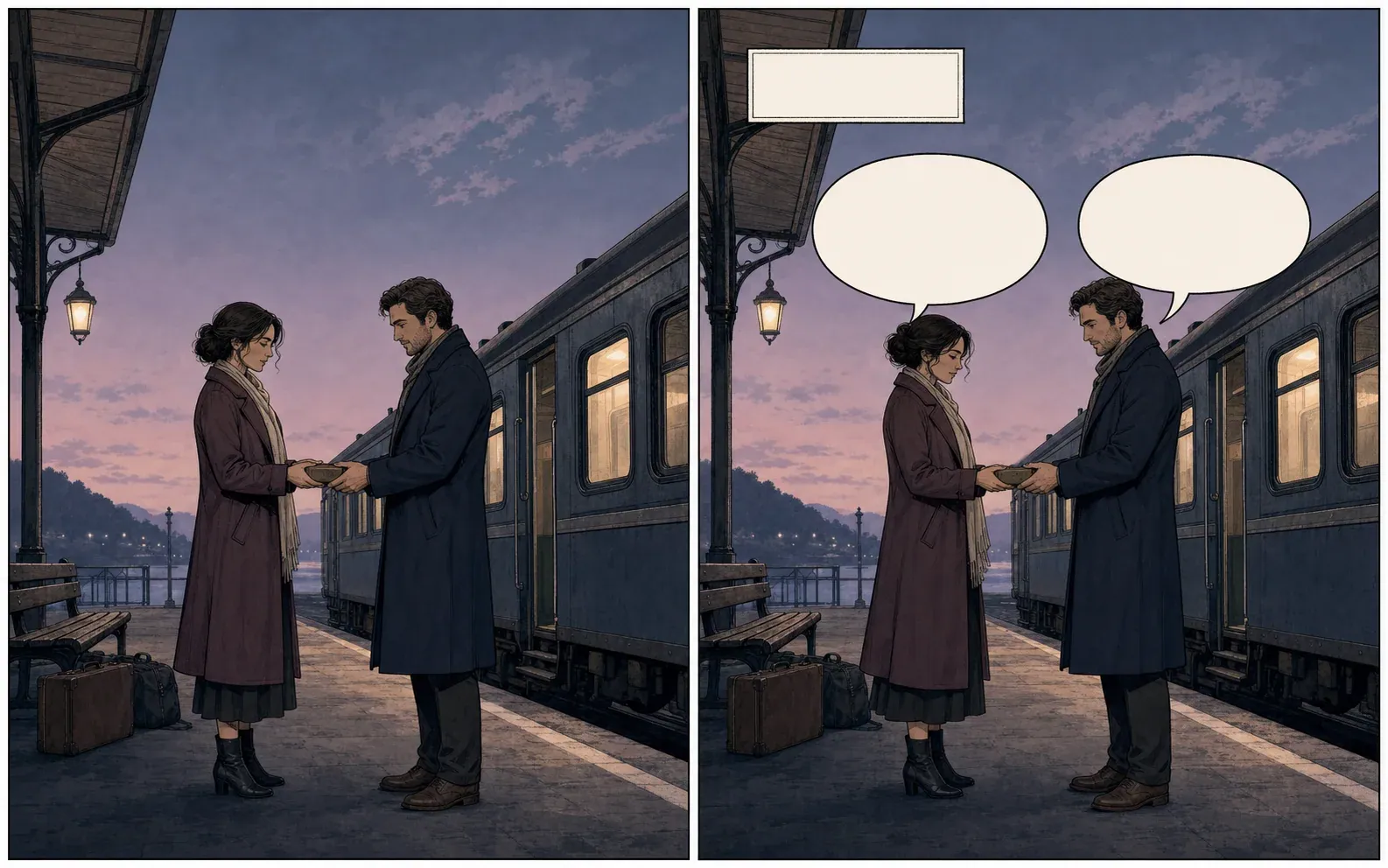
A script panel and an image prompt overlap, but they are not the same document. The script protects story logic and team communication. The image prompt specifies the visual request a model needs for one generation. Start with the approved panel description, then add the stable character traits, location cues, shot, lighting, and medium that must persist. Remove dialogue copy unless the image system is specifically being used for text rendering; exact lettering is more controllable in the comic editor.
Generate a representative panel before producing the full sequence. Test the lead's silhouette, recurring prop, palette, and rendering style. Record the successful visual language and reuse it. Even with a reference image, compare each output against the script rather than accepting an attractive image that changes the action, reveals the wrong information, or reverses screen direction.
The exported draft includes an ART PROMPT line for each panel. It is intentionally concise and derives only from the information entered on this page. Expand it in the linked panel or text-to-comic tool, then review the generated image for narrative accuracy, continuity, readable negative space, and suitability for later lettering.
Honest limits
Automated structure is useful when a writer is staring at a block of prose and needs a first panel order, when a team wants consistent labels, or when several possible page counts need quick comparison. It is also useful as a checklist: every generated panel exposes a place where the writer must approve the visual beat and lettering purpose.
Automation does not know the private intention behind a character, the visual rules already agreed with an artist, or the contractual requirements of a publisher. It can flatten a distinctive voice, over-explain an image, repeat the same shot pattern, or create a smooth sequence that does not support the larger story. A draft is most trustworthy when every line can be traced to the writer's input and unresolved decisions remain visible.
For that reason, this page's immediate generator is deterministic and transparent. It organizes the facts you enter and supplies editable craft cues; it does not claim that a hidden model has read your whole manuscript or solved the story. The result needs human revision before it is sent to an artist, submitted to a publisher, or used to generate a large batch of images.
Review gate
Review the draft in three passes. The story pass asks whether each panel changes knowledge, action, emotion, or position. The visual pass asks whether each description captures one drawable moment and whether the sequence varies distance intentionally. The production pass checks page and panel numbering, speaker labels, captions, SFX, continuity facts, and file naming. Keeping the passes separate makes it easier to see whether a problem belongs to the story or merely to formatting.
Save the reviewed version under a new draft number rather than silently replacing the earlier file. When art production begins, record script changes in one agreed location. A polished format cannot protect a project from two collaborators working from different versions.
Editorial basis
The page was written from published script templates, professional examples, and lettering guidance rather than generic writing advice. Sources were reviewed on July 17, 2026. They illustrate common practice, not a universal rulebook.
Dark Horse Comics script format and specifications
A publisher-provided sample showing page, panel, description, and dialogue organization.
Comics Experience professional script archive
A broad archive demonstrating that professional writers use varied but readable formats.
Greg Pak comic book script template
A practical full-script example with numbered lettering and explicit page breaks.
Blambot Comic Script Basics
Letterer-focused guidance for dialogue, captions, off-panel speech, emphasis, and SFX.
WriterDuet graphic novel template documentation
Documentation of common line types used by a dedicated writing application.
FAQ
No. Publishers and creative teams use different templates. A practical full script still needs unambiguous page numbers, panel numbers, visual descriptions, and clearly labeled dialogue, captions, and sound effects.
No. This page creates and exports a planning draft. Use the linked text-to-comic or panel generator only after the panel actions and lettering have been reviewed.
Yes. The result is placed in an editable text area. You can change any page, panel, dialogue cue, caption, sound effect, or art prompt before copying or downloading it.
Name the lead character, the immediate goal or problem, the setting, and the visible change that ends the scene. One contained scene produces a more useful page than an entire series synopsis.
Yes, as a planning draft. Choose the webtoon structure for vertical beats or adapt the page structure for manga. Reading direction, balloon placement, exact scroll spacing, and publication specifications still require manual review.
The current draft is stored in this browser session so it can survive a sign-in return. Download the TXT file for a durable copy; browser storage is not a substitute for project backup.
Next step
Return to the tool, download a reviewed draft, then test one important panel. A small visual test exposes character, composition, and style problems before they multiply across a full sequence.