Comics Maker
Open navigation
Resources
Anime character creatorCreate an original anime character from text or a reference image.Manga translatorAI manga image translator pageComic translatorComic page translator workflowComic Script MakerPlan pages, panels, dialogue cues, captions, SFX, and art prompts.Manhwa CropperSplit a long manhwa or webtoon image into reviewed PNG or JPG slices and download an ordered ZIP.AI storyboard generatorBreak a scene into purposeful shots, revise camera and continuity notes, generate selected frame drafts with the project’s live image pipeline, then export the working board.Plot generatorDefine the protagonist, central conflict, audience, length, tone, and ending. Generate a structured premise, major beats, turning points, and scene-by-scene outline on this page.AI character creatorTurn scattered character ideas into an editable design specification for games, animation, illustration, brand concepts, and story pitches. Approve the identity, wardrobe, palette, and pose first; generate one concept image second.Storybook makerPlan a children's story, teaching story, or family memory as a sequence of readable pages. Edit the text and art direction, then generate and download individual page illustrations.AI character designBuild a reviewable character design brief, turn it into an editable specification, and generate one concept image to check the silhouette, outfit, palette, and pose.AI character sheet generatorDefine identity anchors, outfit construction, palette, props, and requested views, then generate one clearly labeled concept character sheet for visual development.AI character pose generatorPlan line of action, balance, camera view, hand visibility, and framing, then generate one reviewable character pose concept as a downloadable PNG.Character expression sheet generatorPlan a character expression sheet from identity anchors, emotion beats, intensity, head angles, style, and grid requirements, then generate one downloadable raster concept sheet.AI background generatorTurn a structured location, weather, perspective, depth, staging-space, style, and aspect brief into one downloadable comic or anime background image.

AI character sheet generator

AI character sheet generator for a reviewable concept reference

Write the identity, appearance, outfit, palette, and views that must agree before you spend credits. The tool validates those decisions, turns them into a constrained specification, and generates one exploratory character-sheet image on this page.

Five required design fieldsOne concept-sheet image jobDraft preserved for sign-in return

Step 1 · Character specification

Define what must stay consistent

84/500

Name or descriptor, age presentation, role, temperament, and story function.

112/700

Face shape, hair silhouette, body proportions, marks, and other repeatable cues.

122/800

Describe construction, layers, closures, materials, placement, and signature objects.

95/350

Dominant, secondary, and accent colors.

167/700

Request front, profile, and back planning plus only the details you need to compare.

Step 2 · Concept sheet

Review the brief, generate, and inspect

Start with stable identity anchors, then describe the outfit and the planning views you need.

No generated result yet

The result area only shows an image returned by a real generation job. It is labeled as a concept sheet because side and back details may be inferred.

Direct answer

What is an AI character sheet generator?

An AI character sheet generator turns a written design specification into one visual reference canvas. This tool plans front, profile, and back views as concepts, keeps named identity anchors visible, and adds requested outfit or prop callouts. The result is useful for review and direction, but it is not a measured turnaround, layered production file, rig, or trained consistency model.

Curated reference proof

What a useful concept sheet makes easier to review

These representative design references show the kinds of decisions a concept sheet should expose: a stable silhouette, repeatable face and hair cues, outfit construction, a restrained palette, and role-defining props. They are curated examples, not a promise that a new generation will reproduce their exact composition.

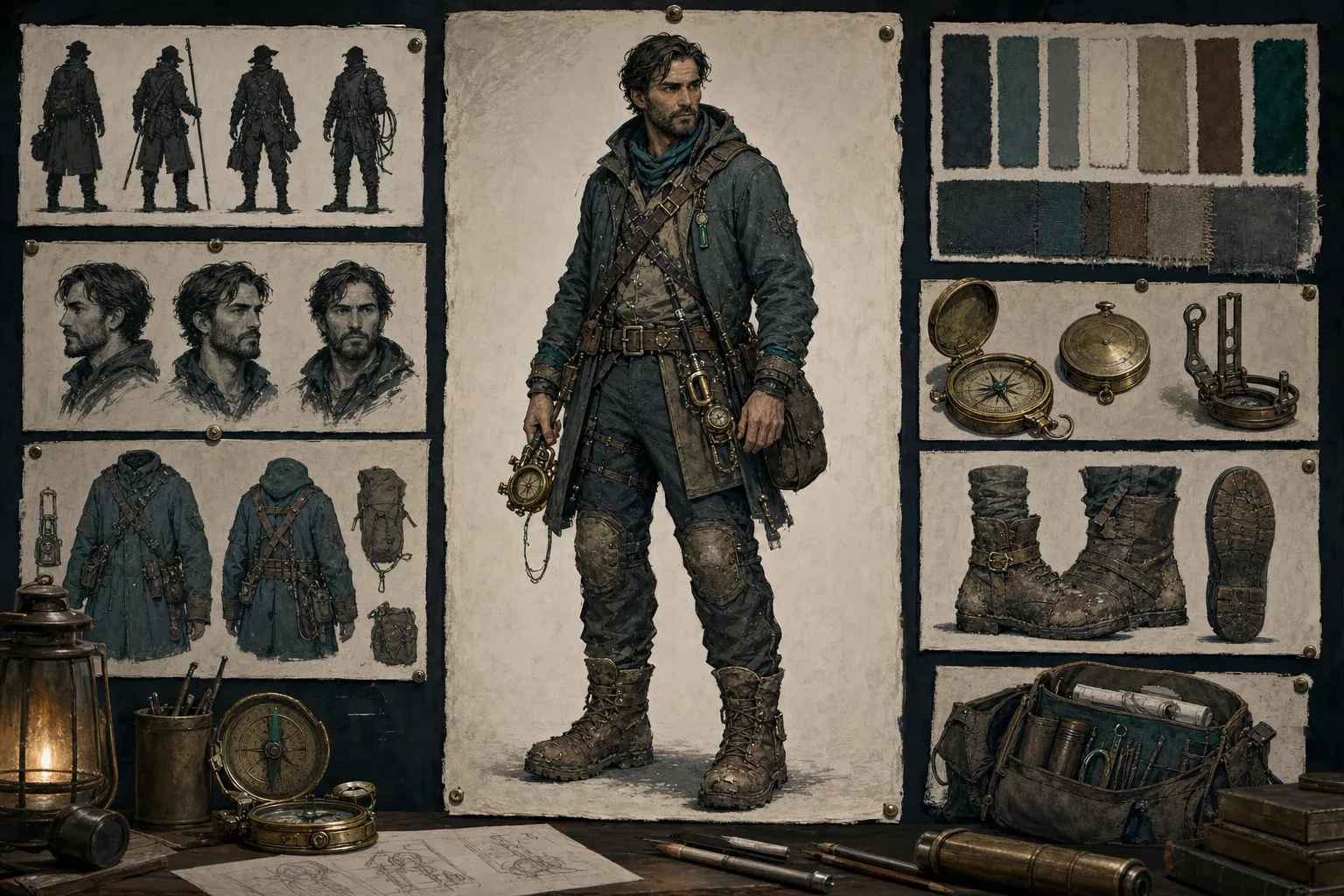
Representative character design board with silhouette, face, outfit, prop, and palette studies

One board, several review questions

A planning board is useful when it separates the full silhouette from face studies, garment construction, prop details, and color swatches. Reviewers can point to a specific inconsistency instead of responding only to the overall mood.

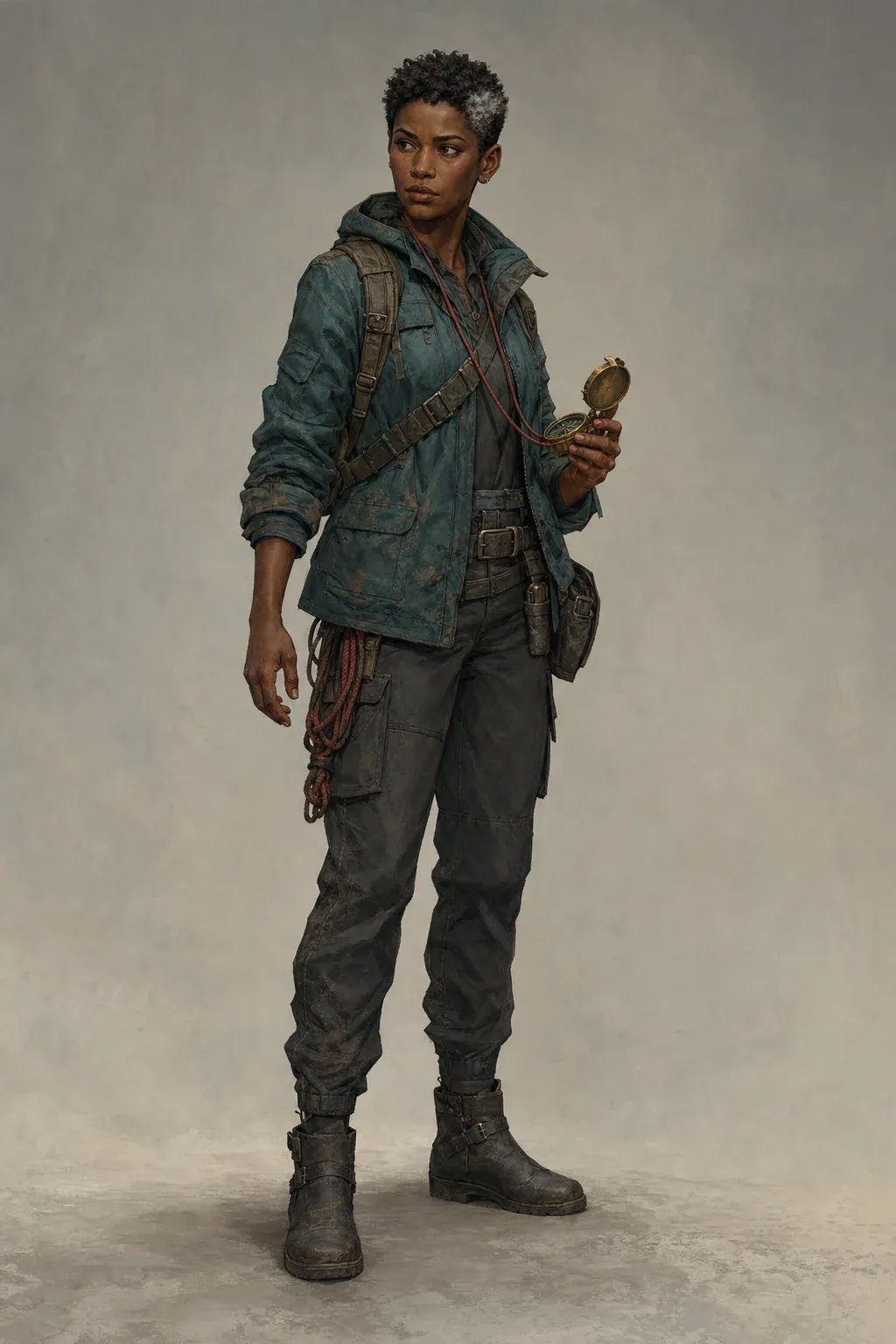
Representative full-body character concept showing face, hair, jacket, compass, and palette anchors

Identity anchors that survive a new view

A recognizable hair silhouette, face shape, jacket color, and compass create a compact identity system. The sheet should repeat those anchors across views rather than inventing a new costume or facial structure on each figure.

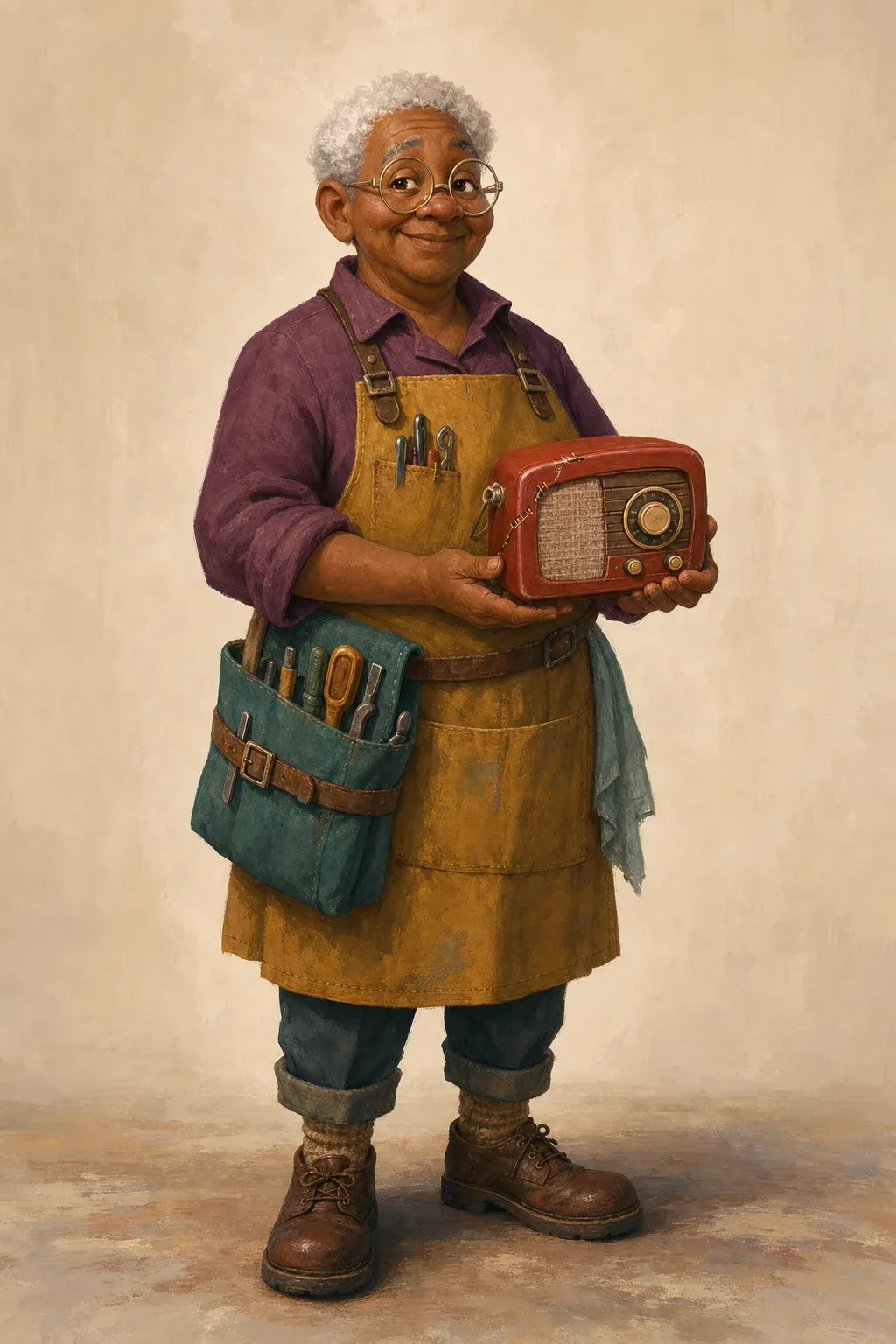
Representative character concept emphasizing outfit layers, boots, bag, and practical prop placement

Outfit and prop continuity

Closures, straps, footwear, pockets, and carried objects need defined placement. A concept sheet can propose hidden construction, but those proposals still require human approval before they become production rules.

Task boundary

What this character sheet generator does—and what it does not

The page is built for one job: converting an explicit character specification into one concept-sheet image that can be reviewed. You supply the stable facts. Those facts include the character’s role, visible age range, body and face cues, hair silhouette, clothing layers, footwear, props, palette, and requested views. The validator checks that each category contains enough detail to guide a comparison. Only after that review does the page queue an image task. The same URL holds the draft, progress, result, failure message, download action, and links to the next character-planning steps.

The output is deliberately called a concept sheet. Image generation can create a persuasive arrangement of front, profile, and back ideas, but it does not measure orthographic views from a three-dimensional model. A hidden jacket seam, backpack attachment, hairstyle at the nape, or prop holster may be inferred because the prompt never supplied a photograph or technical drawing of that side. Use the result to choose and communicate a direction. Do not hand it to an animator, modeler, or manufacturer as if every angle had already been engineered.

The generator returns one flat image through the site’s existing character-image job system. It does not export a layered PSD, isolate garments on separate layers, create a rig, build a 3D mesh, produce a vector turnaround, or train a character-consistency model. It also does not guarantee readable generated typography. That is why the product interface labels the task and result as a concept sheet even if text inside the image is imperfect. The useful evidence is the visible design relationship among views, callouts, palette, and props—not decorative labels generated inside the pixels.

View planning

Plan front, side, and back views without claiming a precise turnaround

A front planning view should expose the character’s overall proportion, face framing, center-line garment construction, major closures, footwear, and the resting position of signature props. Ask for a neutral stance with clear limb separation when comparison matters. A dramatic contrapposto, crossed arms, oversized coat motion, or extreme camera angle can look appealing but hide the very information the sheet is meant to clarify. If one hand always carries an object, state which hand and whether the strap, holster, or pocket remains visible when the prop is stored.

A profile planning view is most useful for depth decisions: nose and chin silhouette, hair volume, hood or collar projection, backpack thickness, belt attachments, and how footwear changes the stance. Call it a profile concept rather than a mathematically exact side elevation. The model may adjust proportions or expose a slightly three-quarter angle to keep the image readable. Review whether the visible depth supports the front view, whether the prop placement is physically plausible, and whether left-right orientation accidentally flips a distinctive mark.

A back planning view should answer only decisions that the brief can support. State the back of the hairstyle, jacket yoke, hood, seams, straps, bag attachment, coat length, rear pockets, and footwear if those facts matter. When you have not defined the hidden construction, the generated view is a proposal. Mark approved details after generation and revise anything that conflicts with the story, movement needs, or costume logic. This keeps the sheet honest: it becomes a documented design decision after review, not a fabricated technical truth simply because the image looks finished.

Identity system

Write identity anchors that remain recognizable across the sheet

Identity anchors are the smallest set of visual facts that should remain recognizable when the pose, crop, lighting, or camera changes. Begin with structural cues: face shape, visible age presentation, body proportions, height impression, shoulder-to-hip relationship, and hair silhouette. Then add one or two high-signal details such as a silver temple streak, eyebrow notch, prosthetic forearm, round glasses, asymmetrical fringe, or distinctive ear shape. Avoid a list of twenty equally important details. If every accessory is an anchor, the generator has no clear priority when the views become crowded.

Separate anatomy and identity from temporary acting. “Narrow observant eyes” describes a recurring cue; “eyes squeezed shut while laughing” describes one expression. “Compact athletic build” can guide all views; “lunging forward with one knee raised” belongs on a pose page. A neutral character sheet should not depend on an action scene to communicate personality. Instead, let posture, wear patterns, grooming, silhouette, and object choice suggest the character’s habits while leaving the body readable.

After generation, compare the face width, jaw, nose, hairline, hair mass, skin tone, body proportion, and any asymmetrical mark across every figure. Do not accept a board simply because each individual figure is attractive. A sheet fails its main job when the profile appears to be a sibling of the front view or when the back view changes the body type. Note which version is approved, revise the brief with more concrete anchors, and generate again only when the discrepancy is important enough to justify another image task.

Costume continuity

Specify outfit construction, footwear, and props as repeatable facts

Describe clothing from large layers to small details. Start with the silhouette: cropped jacket over a long tunic, fitted uniform under a short cape, oversized rain shell with tapered work trousers. Then identify material families, closure direction, collar or hood shape, sleeve length, waist treatment, pocket placement, and footwear. Finally add wear, stitching, insignia, or small hardware that supports the story. This order helps the generator preserve the garment system even if minor surface marks change.

Props need a home, not only a name. A brass compass on a red cord raises placement questions: Is it worn around the neck, clipped to a belt, stored in a chest pocket, or held for the main pose? A survey bag requires strap direction, approximate size, and resting position. A sword, camera, medical kit, instrument, or creature companion creates even more silhouette and movement constraints. Specify the attachment point and which view should reveal it. Otherwise, the prop may jump from hand to hand, disappear in the profile, or multiply.

Use the result to check whether straps connect, layers overlap logically, closures agree, pockets remain on the same side, boots share the same height, and the prop can be carried without passing through the body. Generated fabric texture can disguise construction errors, so inspect the large shapes before admiring the rendering. If the outfit must later be animated or drawn repeatedly, simplify low-value buckles and ornaments. A concept sheet should reduce ambiguity for future work, not create a costume that only functions in one polished image.

Color control

Use a small palette with named roles instead of a list of colors

A useful palette instruction assigns jobs to colors. Name a dominant family for the largest garment mass, a secondary neutral for trousers or underlayers, a material color for hardware, and one restrained accent that marks an important object or story cue. “Deep teal jacket, charcoal lower half, warm brass hardware, muted red navigation cord” is more actionable than “teal, gray, gold, red.” The relationship tells the generator where each color belongs and gives reviewers a simple continuity checklist.

Be cautious with lighting words because they can change perceived local color. A sunset wash may turn gray fabric orange; neon rim light can make teal look blue; deep shadow may erase a muted accent. For the sheet itself, request neutral analytical presentation and a simple background. Save dramatic lighting for scene generation. If palette approval matters, treat swatches and unlit garment areas as references, then confirm exact production values manually in your preferred design software. A generated raster image is not a color-managed specification.

Workflow

A practical workflow from brief to approved reference

First, write an identity sentence that distinguishes this character from another person in the same story. Second, list structural appearance anchors that remain true in neutral conditions. Third, describe clothing and props in construction order. Fourth, assign palette roles. Fifth, request only the views and callouts needed for the current decision. The validator flags underdeveloped categories, but it cannot judge whether your creative choices are good. Its role is to stop an empty or vague brief from consuming an image job.

When validation succeeds, read the exact specification shown on the right side of the tool. That text includes an explicit warning that the task is exploratory rather than a measured turnaround. Sign-in is required only when you start generation. The draft is saved in browser session storage, so written fields survive the authentication return; browsers and privacy settings may still clear local storage, so keep important production briefs in your own notes. The queued job reports progress on this page. A completed result can be downloaded as the returned PNG.

If the final image job fails, the server’s existing generation workflow refunds the charged credits. If the account has insufficient credits, the page preserves the validated brief and links to pricing so the user can recover without reconstructing the task. Once a usable concept sheet exists, continue to the pose generator for body acting or the expression-sheet page for facial acting. Those tools solve narrower downstream jobs. Keeping them separate prevents this page from mixing character definition, pose exploration, and expression exploration into one unfocused keyword target.

Review your specification

Quality review

Inspect the result before it becomes a production reference

Review identity first. Compare face shape, hairline, hair volume, body proportions, skin tone, scars, marks, and asymmetrical features across all requested views. Review costume second. Trace every visible strap, seam, closure, pocket, sleeve, hem, and shoe shape. Review props third. Confirm count, scale, carrying side, attachment, and orientation. Review palette fourth. Check that dominant and accent roles do not swap between figures. Only then assess rendering polish, layout balance, or decorative callouts.

Look closely at hands, feet, ears, glasses, straps, and thin props because these details often reveal generation errors. Check whether a back view has become a mirrored front, whether a profile quietly changes the jacket length, whether a bag strap passes through the neck, or whether an emblem becomes unreadable pseudo-text. Mark problems by category. A structural identity error usually deserves a brief revision and a new generation. A tiny buckle mismatch may be easier to correct manually after the overall design is approved.

Do not average incompatible views into an imaginary final design. Choose the approved answer for each disputed feature and put that answer back into the written specification. This creates a stronger source of truth than the image alone. For teams, record the date, version, intended medium, approved anchors, unresolved questions, and any manually corrected details. A beautiful board without approval notes can increase ambiguity because different collaborators may select different figures as the authoritative version.

Best fit

When a concept character sheet is useful—and when another tool is better

This page fits early visual development for comics, manga, webtoons, story pitches, animation concepts, visual novels, tabletop campaigns, game prototypes, and brand characters. It is especially useful when a writer or creative lead can describe the design but needs a single board for discussion. It can also help an illustrator compare a brief with an exploratory visual direction before investing in a manually measured turnaround. The strongest use case is decision support: identifying which details are stable, which hidden details still need approval, and which downstream tests should happen next.

Use the anime character creator when the main task is making one anime-style character portrait or full-body reference rather than a multi-view planning board. Use AI character design when you need a general character specification and one concept image across media. Use the pose generator after identity and costume are approved and the open question is body action, weight, gesture, or silhouette. Use the character expression sheet when the face design is stable and the open question is a controlled set of emotions. Each page should own one search task so the instructions and result can be judged against a clear purpose.

Do not use this generator as the final authority for animation turnaround, 3D modeling, sewing patterns, product manufacturing, facial rigging, legal identity reconstruction, or exact anatomical reference. Those jobs require measured drawings, model sheets, physical specifications, photography, scanning, or specialist review. Do not upload or describe a real person in a way that violates their privacy or rights. Original characters and properly authorized references are the appropriate inputs. The result should remain subject to human review, particularly when cultural dress, accessibility equipment, uniforms, or safety-critical gear must be represented accurately.

Troubleshooting

Fix drift, crowded sheets, missing views, and invented details

If the identity drifts, shorten the brief to the five or six strongest anchors and remove competing style adjectives. State the same hair silhouette, face structure, body proportion, and primary outfit in direct language. If the sheet is crowded, request fewer callouts and simpler neutral views. If a requested back or profile is missing, make the layout instruction explicit and remove decorative environment requests. One canvas has limited visual space; every extra expression, prop variation, logo, texture sample, and action pose competes with the core views.

If hidden details are invented badly, do not ask the generator to “be more consistent” in the abstract. Name the decision: hood lies flat between shoulder blades, backpack uses two charcoal straps, jacket seam crosses horizontally at the upper back, compass cord remains around the neck. If the brief genuinely has no answer, treat the generated idea as a proposal and choose it, reject it, or replace it. Consistency improves when the source specification becomes more complete, not when the prompt simply repeats words such as professional, accurate, or high quality.

If a job fails to start, confirm sign-in and credit balance, then try again without discarding the validated text. If a queued job stops updating because the session expired, sign in again and return to the same localized URL. If the final provider attempt fails, wait for the page to report the refunded balance before queueing another version. Download completed results promptly and store the written brief beside them. Generated files and browser drafts should not be your only copy of an approved production decision.

Keyword boundaries

How this page differs from adjacent character-planning pages

The primary keyword here is AI character sheet generator. The defining output is one multi-view concept reference canvas based on a validated written specification. “Anime character creator” belongs to a style-specific single-character creation task. “AI character design” belongs to broader identity and design development, often ending in one concept image. “AI character pose generator” belongs to varying body action after the character is already defined. “Character expression sheet” belongs to controlled facial acting after the face identity is established. Linking these pages is useful; merging their main tasks would create unclear controls and overlapping search intent.

This boundary also protects the language of the page. A visitor searching for a sheet needs advice about front, profile, back, callouts, anchors, costume continuity, and review. A visitor searching for poses needs gesture, balance, line of action, foreshortening, and action readability. A visitor searching for expressions needs brow, eyes, mouth shapes, intensity, and emotional transitions. The current tool collects only the fields needed for a concept character sheet and sends one character-mode image job. It does not pretend to solve every part of a character pipeline from one prompt.

Practical answers

AI character sheet generator questions

What does the AI character sheet generator create?

It creates one flat concept-sheet image from a validated identity, appearance, outfit, palette, and view specification. The result may include front, profile, and back planning views plus requested callouts. It is an exploratory reference, not a measured technical turnaround.

Can it make an exact front, side, and back turnaround?

No. The generator can propose consistent-looking planning views, but hidden geometry and costume construction are inferred. Exact orthographic turnarounds require controlled drawing, 3D geometry, or specialist production work.

Does the result include a layered PSD or editable character rig?

No. The working image job returns one raster image. It does not create a layered PSD, vector construction, rig, 3D model, animation file, or trained character-consistency model.

What should I put in the identity anchors field?

Use recurring structural cues: face shape, hair silhouette, body proportion, skin tone, visible age presentation, and one or two distinctive marks. Keep expressions and action poses out of the anchor list.

How should I describe clothing for consistent views?

Describe the large silhouette and layers first, then closures, collar or hood, sleeves, waist, pockets, footwear, materials, and prop attachments. State left-right placement when it matters.

Does validation use image-generation credits?

No. Validation structures and checks the written fields in the browser. Sign-in and image credits are required only when you queue the concept-sheet image.

What happens if I do not have enough credits?

The page keeps the written and validated brief in browser session storage and links to pricing. After adding credits, return to the same page and start the preserved task.

Are credits refunded when generation fails?

The existing image worker retries eligible failures and refunds the charged job after its final failed attempt. The page reports the failed state so you can revise or retry.

Can I use the sheet for comic or animation production?

Use it as visual-development direction and a review reference. Before sequential art, animation, or 3D production, resolve inconsistencies and create the measured or manually controlled assets that the medium requires.

Which tool should I use after the character sheet?

Use the AI character pose generator to explore body acting and the character expression sheet to explore facial acting. Use the anime character creator when the main job is a single anime-style character image rather than a multi-view sheet.

Build the specification before you build more images

A useful character sheet begins as a set of decisions, not a request for more detail. Define the anchors, construction, palette, and views you actually need to review. Validate that specification, generate one concept board, and record what is approved before moving to poses or expressions.

Start the character sheet