
Trình tạo bong bóng thoại truyện tranh cho các khung truyện dễ đọc.
Đặt các bong bóng thoại, hộp chú thích, phần cuối và khu vực hội thoại lên các khung truyện tranh để câu chuyện dễ đọc hơn sau khi tranh được tạo ra.
Thêm bong bóng thoại vào một khung truyện tranh
Tải lên PNG, JPG hoặc WebP. Kéo các bong bóng trực tiếp lên bảng điều khiển.
Chọn và kéo một phần tử trên bảng điều khiển. Sử dụng các điều khiển để xác định kích thước chính xác và hướng đuôi.
Thêm văn bản truyện tranh
Bong bóng lời nói
Chỉnh sửa phần tử đã chọn.
Xuất miễn phí và không sử dụng tín chỉ thế hệ. Đăng nhập bảo vệ hành động tải xuống; Bản thân hình ảnh sẽ ở lại trong trình duyệt của bạn.
Hình ảnh và văn bản truyện tranh của bạn vẫn nằm trong trình duyệt này. Trình chỉnh sửa này không tải lên chúng.
Định nghĩa
trình tạo bong bóng thoại truyện tranh là gì?
Trình tạo bong bóng truyện tranh giúp đặt các bong bóng thoại, bong bóng suy nghĩ, hộp dẫn chuyện và hướng dẫn cuối truyện lên các khung truyện tranh.
Trả lời ngắn
Khi nào nên dùng quy trình này.
Hãy sử dụng quy trình này khi tác phẩm đã có sẵn và công việc tiếp theo là viết chữ: hội thoại, chú thích, thứ tự bong bóng và đuôi loa.
Thêm các bong bóng thoại mà không che đi hành động.
Đặt các bong bóng ở những khu vực an toàn trong khung truyện và giữ cho nhân vật, hành động và thứ tự đọc luôn hiển thị.

Xử lý khoảng cách và thứ tự đọc bong bóng thoại manga.
Các khung manga thường cần đặt bong bóng chặt chẽ hơn và hướng đọc cẩn thận. Giữ cho dòng chảy rõ ràng trước khi viết chữ cuối cùng.

Biến nghệ thuật được tạo ra thành một khung truyện tranh dễ đọc.
Nghệ thuật AI tạo ra có thể trông đẹp nhưng vẫn cần có chữ viết. Thêm phần thuyết minh, hội thoại ngắn và hộp chú thích sạch sẽ sau khi hình ảnh đã xuất hiện.
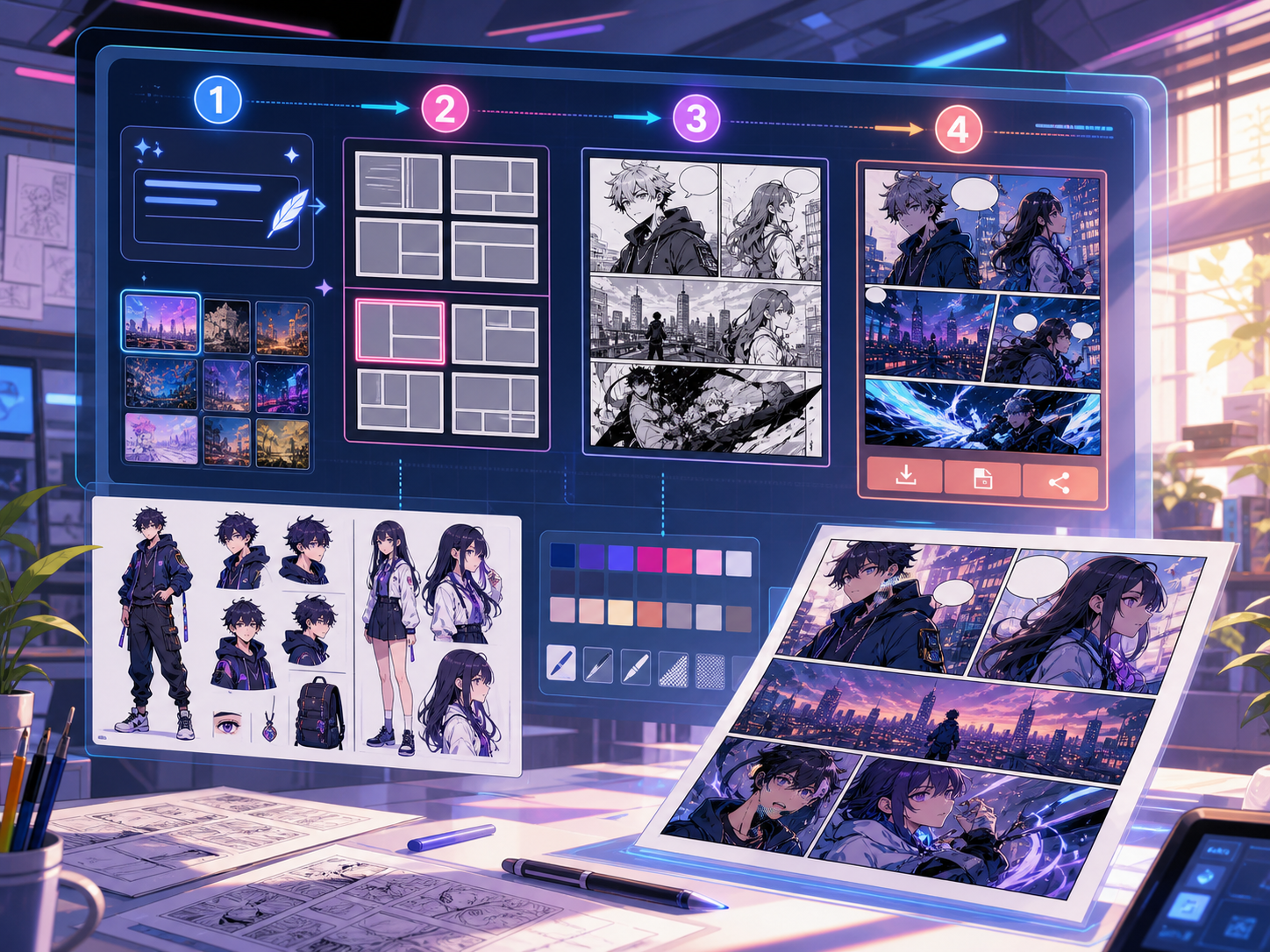
Được thiết kế cho một tác vụ làm truyện tranh thực tế.
Những người sáng tạo đã có khung truyện tranh hoặc cảnh được tạo ra và cần đặt hội thoại sạch sẽ, kiểu bong bóng và cấu trúc chú thích.
01
Phù hợp nhất cho những người sáng tạo đã có tác phẩm nghệ thuật và cần đoạn hội thoại để đọc rõ ràng.
02
Giải quyết một vấn đề hậu tạo thực sự: làm cho hội thoại có thể đọc được bên trong các khung hình.
03
Hỗ trợ các bong bóng thoại, hộp thuyết minh, hướng đuôi và khoảng cách an toàn cho khung hình.
Người sáng tạo có thể làm gì ở đây.
Chọn loại dự án gần nhất, rồi mở Studio với mục tiêu bản nháp rõ hơn.
Bạn có thể phác thảo gì.
Đây là các điểm bắt đầu thực tế để xem lại, chia sẻ và tiếp tục chỉnh sửa.
Đường ngắn vào Studio.
Bắt đầu bằng bước nhỏ nhất có ích, rồi tinh chỉnh bản nháp trong trình chỉnh sửa.
Bắt đầu với các prompt trình tạo bong bóng thoại truyện tranh này.
Dùng làm điểm bắt đầu, rồi thay nhân vật, bối cảnh và giọng điệu bằng nội dung của bạn.
Dọn dẹp đối thoại
Thêm hai bong bóng thoại vào bảng này: một câu ngạc nhiên ở ký tự bên trái và một câu trả lời ngắn ở bên phải.
Đầu ra: Bảng điều khiển với vị trí bong bóng rõ ràng và các khu vực hội thoại dễ đọc.
Hộp dẫn chuyện
Thêm một hộp chú thích nhỏ ở góc trên bên trái để tạo bối cảnh mà không che phủ nhân vật chính.
Đầu ra: Bảng truyện tranh có chú thích với thứ bậc hình ảnh rõ ràng.
Bố cục bong bóng manga
Đặt ba bong bóng thoại manga trống theo thứ tự đọc để tạo cảnh hội thoại kịch tính.
Đầu ra: Khung truyện tranh với vị trí bong bóng sẵn sàng để viết chữ.
Công cụ giúp bản nháp trở nên dùng được.
Lời thoại dễ đọc
Giữ lời nói ngắn gọn, đặt đúng vị trí và kết nối với người nói phù hợp.
Lựa chọn kiểu bong bóng
Sử dụng hình dạng lời nói, suy nghĩ, la hét, thì thầm, chú thích và tường thuật.
Khoảng cách an toàn cho tấm pin
Tránh che mặt, tay, đạo cụ và hành động dẫn dắt cảnh quay.
Tiếp tục với công cụ tiếp theo phù hợp.
Thêm trang tạo truyện tranh.
Quy trình liên quan
comic panel generator
comic panel generator: tạo bản nháp truyện tranh trong Comics Maker với cốt truyện, nhân vật, khung tranh, bong bóng thoại và xuất bản có thể chỉnh sửa.
Mở trang
Quy trình liên quan
Trình dịch manga: manga translator
Trang dịch hình ảnh manga bằng AI: manga translator, OCR, PDF, Trước / sau khi dịch.
Mở trang
Quy trình liên quan
Trình dịch truyện tranh: comic translator
Quy trình dịch trang truyện tranh: comic translator, OCR, PDF, Trước / sau khi dịch.
Mở trang
Câu hỏi thường gặp về trình tạo bong bóng thoại truyện tranh.
Trình tạo bong bóng truyện tranh là gì?
Trình tạo bong bóng truyện tranh giúp đặt các bong bóng thoại, bong bóng suy nghĩ, hộp thuyết minh và chú thích lên các khung truyện tranh. Nó hữu ích sau khi một bảng được vẽ, tạo hoặc dịch xong.
Tôi có thể tạo bong bóng thoại truyện tranh trực tuyến không?
Đúng vậy. Bắt đầu từ bảng điều khiển được tạo hoặc hình ảnh đã tải lên, chọn kiểu bong bóng, đặt nó lên canvas, và điều chỉnh hướng cuối về phía loa.
Nó có hỗ trợ bong bóng thoại manga không?
Đúng vậy. Quy trình bong bóng thoại trong manga cần được sắp xếp khoảng cách, thứ tự đọc và các khu vực chữ nhỏ gọn. Sử dụng nó để lên kế hoạch cho các bong bóng trống, văn bản dịch hoặc vị trí hội thoại cuối cùng.
Tôi có thể thêm văn bản sau khi tạo một khung truyện tranh không?
Đúng vậy. Thêm hội thoại và chú thích sau khi hình ảnh được tạo để bảng vẫn dễ đọc và vị trí bong bóng khớp với tác phẩm nghệ thuật.
Sự khác biệt giữa bong bóng thoại và hộp chú thích là gì?
Bong bóng thoại được gắn với một nhân vật đang nói. Hộp chú thích thường chứa lời kể, thời gian, địa điểm hoặc bối cảnh mà nhân vật không nói.
Tôi có thể dùng bong bóng trắng không?
Đúng vậy. Bong bóng trắng hữu ích cho việc lập kế hoạch bố cục, xem xét bản dịch, hoặc giao bảng cho người viết chữ trước khi văn bản cuối cùng được duyệt.
Trình tạo bong bóng truyện tranh có giống với trình tạo truyện tranh đầy đủ không?
Không. Một trình tạo truyện tranh đầy đủ tạo hình ảnh truyện tranh hoặc bản thảo khung truyện. Trình tạo bong bóng tập trung vào chữ viết, chú thích, hướng đuôi và bố cục hội thoại.
Điều gì làm cho bố cục bong bóng dễ đọc?
Bố cục bong bóng tốt tuân theo thứ tự đọc, hướng đuôi vào đúng loa, tránh tranh ảnh quan trọng, và giữ mỗi dòng đủ ngắn để quét nhanh.
Bắt đầu bản nháp truyện tranh tiếp theo.
Mở Studio, chọn bố cục và biến ý tưởng thành bản nháp truyện tranh có thể tiếp tục làm việc.
Thử quy trình này