
เครื่องมือสร้างฟองคําพูดการ์ตูนสําหรับช่องภาพที่อ่านง่าย
วางฟองคําพูด กล่องคําบรรยาย ก้อย และพื้นที่บทสนทนาบนแผงการ์ตูนเพื่อให้เรื่องราวอ่านได้ชัดเจนหลังจากสร้างงานศิลป์
เพิ่มฟองเสียงพูดลงในแผงการ์ตูนหนึ่งแผง
อัปโหลด PNG, JPG หรือ WebP ลากฟองอากาศโดยตรงบนแผงควบคุม
เลือกและลากองค์ประกอบบนแผง ใช้ตัวควบคุมเพื่อดูขนาดและทิศทางหางที่แน่นอน
เพิ่มข้อความการ์ตูน
ฟองคําพูด
แก้ไของค์ประกอบที่เลือก
การส่งออกฟรีและไม่ใช้เครดิตการสร้าง การลงชื่อเข้าใช้ช่วยปกป้องการดําเนินการดาวน์โหลด; ตัวภาพจะยังคงอยู่ในเบราว์เซอร์ของคุณ
ภาพและข้อความการ์ตูนของคุณจะยังคงอยู่ในเบราว์เซอร์นี้ บรรณาธิการนี้ไม่ได้อัปโหลดไฟล์เหล่านั้น
คำจำกัดความ
เครื่องมือสร้างบอลลูนคำพูดการ์ตูน คืออะไร?
เครื่องสร้างฟองสบู่การ์ตูนช่วยวางฟองคําพูด ฟองความคิด กล่องบรรยาย และทิศทางท้ายเรื่องบนแผงการ์ตูน
คำตอบสั้น
ควรใช้เวิร์กโฟลว์นี้เมื่อใด
ใช้เวิร์กโฟลว์นี้เมื่องานศิลปะมีอยู่แล้ว และงานถัดไปคือการเขียนตัวอักษร: บทสนทนา, คําบรรยาย, ลําดับฟอง และหางผู้พูด
เพิ่มฟองคําพูดโดยไม่ปิดฉากแอ็กชัน
วางฟองสบู่ในพื้นที่ปลอดภัยของแผงและให้ตัวละคร การกระทํา และลําดับการอ่านยังคงมองเห็นได้

จัดการระยะห่างของฟองคําพูดในมังงะและลําดับการอ่าน
แผงมังงะมักต้องการการจัดวางฟองสบู่ให้แน่นและทิศทางการอ่านที่ระมัดระวัง รักษาการไหลให้ชัดเจนก่อนที่จะเขียนตัวอักษรสุดท้าย

เปลี่ยนงานศิลปะที่สร้างขึ้นให้กลายเป็นแผงคอมิกที่อ่านง่าย
งานศิลปะที่สร้าง AI อาจดูดีแต่ยังต้องมีตัวอักษรอยู่ดี เพิ่มการบรรยาย บทสนทนาสั้น ๆ และกล่องคําบรรยายที่สะอาดหลังจากภาพปรากฏแล้ว
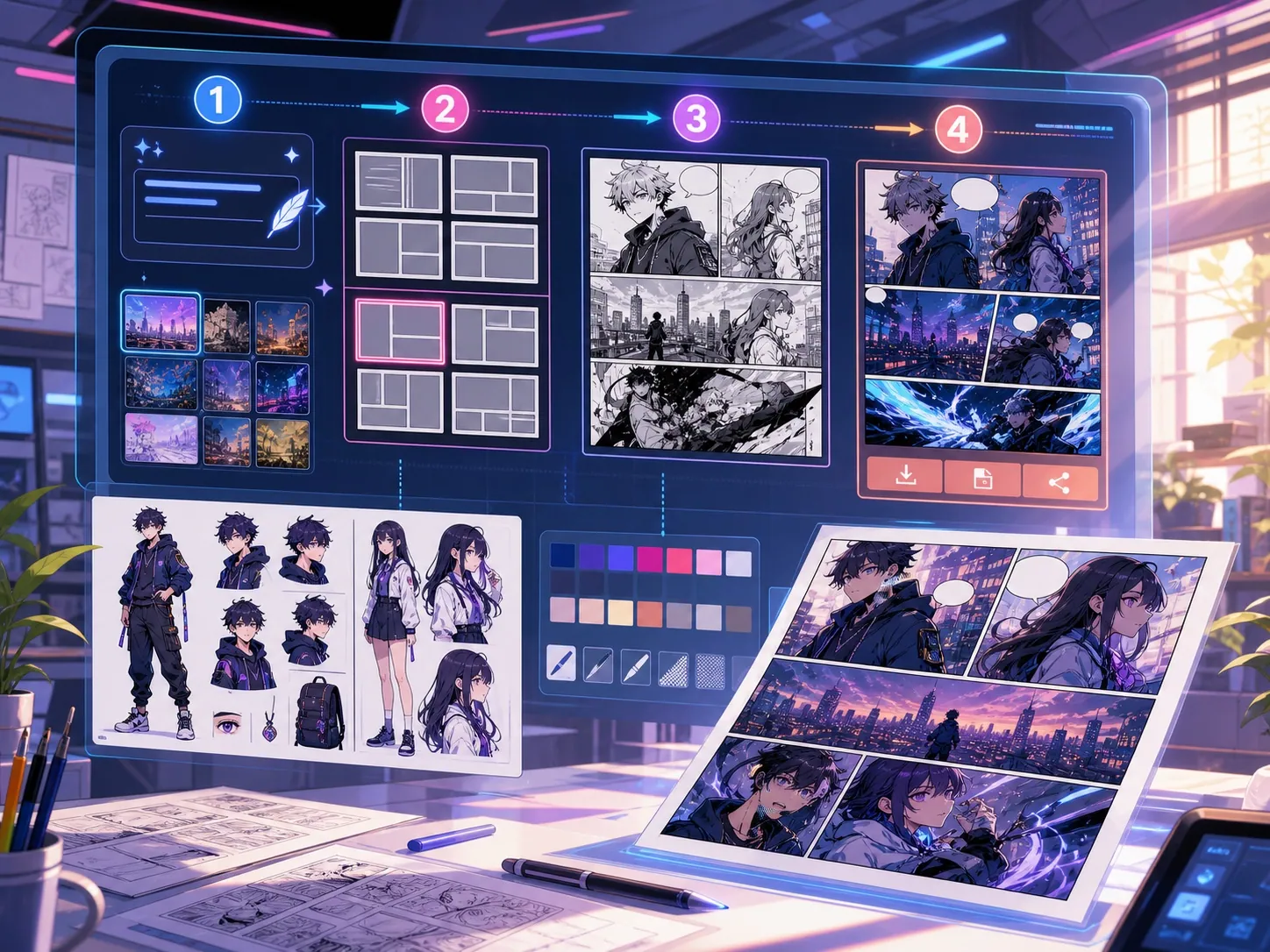
สร้างมาเพื่อภารกิจทำคอมิกจริง
ผู้สร้างที่มีแผงคอมิกหรือฉากที่สร้างขึ้นอยู่แล้ว และต้องการการจัดวางบทสนทนาที่สะอาด รูปแบบฟองสบู่ และโครงสร้างคําบรรยาย
01
เหมาะสําหรับผู้สร้างที่มีงานศิลปะอยู่แล้วและต้องการบทสนทนาเพื่ออ่านให้ชัดเจน
02
แก้ปัญหาจริง ๆ หลังการสร้างภาพ: ทําให้บทสนทนาอ่านได้ภายในแผงภาพ
03
รองรับฟองคําพูด กล่องบรรยาย ทิศทางหาง และระยะห่างที่ปลอดภัยสําหรับช่อง
ครีเอเตอร์สร้างอะไรได้ที่นี่
เลือกประเภทโปรเจกต์ที่ใกล้ที่สุด แล้วเปิด Studio พร้อมเป้าหมายดราฟต์ที่ชัดขึ้น
สิ่งที่คุณร่างได้
นี่คือจุดเริ่มต้นที่ใช้ได้จริงสำหรับตรวจทาน แชร์ และแก้ไขต่อ
ทางลัดเข้าสู่ Studio
เริ่มจากขั้นตอนเล็กที่สุดที่มีประโยชน์ แล้วปรับดราฟต์ในตัวแก้ไข
เริ่มด้วยพรอมป์ เครื่องมือสร้างบอลลูนคำพูดการ์ตูน เหล่านี้
ใช้เป็นจุดเริ่มต้น แล้วเปลี่ยนตัวละคร ฉาก และโทนให้เป็นของคุณ
การทําความสะอาดบทสนทนา
เพิ่มฟองคําพูดสองฟองในแผงนี้: บรรทัดหนึ่งแสดงความประหลาดใจทางซ้าย และอีกหนึ่งข้อความตอบกลับสั้นที่ขวา
ผลลัพธ์: แผงที่มีการจัดวางฟองอากาศอย่างสะอาดและพื้นที่บทสนทนาที่อ่านง่าย
กล่องบรรยาย
เพิ่มกล่องคําบรรยายเล็ก ๆ มุมบนซ้ายที่จัดฉากโดยไม่บังตัวละครหลัก
ผลลัพธ์: แผงคอมิกที่มีคําบรรยายพร้อมลําดับชั้นภาพที่ชัดเจน
การจัดวางฟองสบู่มังงะ
วางฟองคําพูดมังงะเปล่าสามฟองตามลําดับการอ่านสําหรับฉากสนทนาที่ดราม่า
ผลลัพธ์: แผงมังงะพร้อมตําแหน่งฟองสบู่พร้อมสําหรับการเขียนตัวอักษร
เครื่องมือที่ช่วยให้ดราฟต์นำไปใช้ได้
บทสนทนาที่อ่านง่าย
รักษาการพูดให้สั้น วางตําแหน่งดี และเชื่อมต่อกับผู้พูดที่เหมาะสม
ตัวเลือกสไตล์ฟองสบู่
ใช้รูปแบบการพูด ความคิด ตะโกน กระซิบ คําบรรยาย และรูปแบบการบรรยาย
ระยะห่างที่ปลอดภัยต่อแผง
หลีกเลี่ยงการปิดบังใบหน้า มือ อุปกรณ์ประกอบฉาก และการกระทําที่ช่วยขับเคลื่อนฉาก
สร้างต่อด้วยเครื่องมือถัดไปที่เหมาะสม
หน้าเพิ่มเติมสำหรับสร้างคอมิก
เวิร์กโฟลว์ที่เกี่ยวข้อง
เครื่องมือสร้างช่องการ์ตูน
เขียนตัวแบบ สถานที่ ระยะกล้อง อารมณ์ และการกระทำหนึ่งอย่าง เพื่อสร้างช่องการ์ตูนเดียว
เปิดหน้า
เวิร์กโฟลว์ที่เกี่ยวข้อง
ตัวแปลมังงะ: OCR และแปลหน้า
หน้าแปลภาพมังงะด้วย AI. รองรับ OCR บอลลูนคำพูด การแก้ไข และการส่งออก PNG
เปิดหน้า
เวิร์กโฟลว์ที่เกี่ยวข้อง
ตัวแปลคอมิก: OCR และแปลหน้า
เวิร์กโฟลว์แปลหน้าคอมิก. รองรับ OCR บอลลูนคำพูด การแก้ไข และการส่งออก PNG
เปิดหน้า
คำถามที่พบบ่อยเกี่ยวกับ เครื่องมือสร้างบอลลูนคำพูดการ์ตูน.
เครื่องสร้างฟองสบู่การ์ตูนคืออะไร?
เครื่องมือสร้างฟองสบู่การ์ตูนช่วยวางฟองคําพูด ฟองความคิด กล่องบรรยาย และคําบรรยายบนแผงการ์ตูน มีประโยชน์หลังจากวาด สร้าง หรือแปลแผงแล้ว
ฉันสามารถสร้างฟองคําพูดการ์ตูนออนไลน์ได้ไหม?
ใช่ เริ่มจากแผงที่สร้างขึ้นหรือภาพที่อัปโหลด เลือกรูปแบบฟองอากาศ วางบนผืนผ้าใบ แล้วปรับทิศทางหางไปทางลําโพง
รองรับฟองเสียงมังงะไหม?
ใช่ เวิร์กโฟลว์ฟองคําพูดในมังงะต้องการระยะห่างที่ระมัดระวัง ลําดับการอ่าน และพื้นที่ตัวอักษรที่กระชับ ใช้มันเพื่อวางแผนช่องว่าง ข้อความแปล หรือวางบทสนทนาสุดท้าย
ฉันสามารถเพิ่มข้อความหลังจากสร้างแผงการ์ตูนได้ไหม?
ใช่ เพิ่มบทสนทนาและคําบรรยายหลังจากสร้างภาพเสร็จ เพื่อให้แผงยังคงอ่านได้และตําแหน่งฟองอากาศตรงกับงานศิลปะ
ความแตกต่างระหว่าง speech bubble กับ caption box คืออะไร?
ฟองคําพูดจะผูกกับตัวละครที่กําลังพูด กล่องคําบรรยายมักจะมีคําบรรยาย เวลา สถานที่ หรือบริบทที่ตัวละครไม่ได้พูด
ฉันสามารถใช้ฟองอากาศเปล่าได้ไหม?
ใช่ ฟองเปล่ามีประโยชน์สําหรับการวางแผนการจัดวาง การตรวจสอบการแปล หรือการส่งแผงให้ผู้เขียนตัวอักษรก่อนที่ข้อความสุดท้ายจะได้รับการอนุมัติ
เครื่องสร้างฟองสบู่การ์ตูนเหมือนกับเครื่องสร้างการ์ตูนเต็มรูปแบบหรือไม่?
ไม่ โปรแกรมสร้างการ์ตูนเต็มรูปแบบจะสร้างภาพการ์ตูนหรือร่างกรอบภาพ เครื่องสร้างฟองอากาศเน้นที่ตัวอักษร คําบรรยาย ทิศทางหาง และการจัดวางบทสนทนา
อะไรที่ทําให้การจัดวางฟองอากาศอ่านได้?
การจัดวางแบบฟองสบู่ที่ดีจะตามลําดับการอ่าน ชี้หางไปที่ลําโพงที่ถูกต้อง หลีกเลี่ยงงานศิลปะสําคัญ และทําให้แต่ละบรรทัดสั้นพอที่จะสแกนได้อย่างรวดเร็ว
เริ่มดราฟต์คอมิกถัดไป
เปิด Studio เลือกเลย์เอาต์ แล้วเปลี่ยนไอเดียเป็นดราฟต์คอมิกที่ทำงานต่อได้
ลองเวิร์กโฟลว์นี้