
เปลี่ยนภาพให้เป็นช่องสไตล์การ์ตูนด้วย AI
อัปโหลดรูปภาพ เลือกทิศทางการ์ตูน และสร้างร่างแผงที่มีสไตล์ซึ่งสามารถแก้ไข ใส่คําบรรยาย และนํากลับมาใช้ใหม่ในโปรเจกต์การ์ตูนได้
แปลงภาพต้นฉบับหนึ่งภาพ
PNG, JPG หรือ WebP สูงสุด 5MB ต้องลงชื่อเข้าใช้และได้รับเครดิต 2 หน่วย
หมึกสีการ์ตูน
การแปลงหนึ่งครั้งต้องใช้ 2 เครดิต งานที่ล้มเหลวสุดท้ายจะถูกทําเครื่องหมายว่าล้มเหลวและเซิร์ฟเวอร์จะคืนเงิน
ใช้ภาพที่ชัดเจนโดยมีวัตถุหลักเพียงตัวเดียว ผลลัพธ์คือการตีความ เช่น รีวิวใบหน้า มือ โลโก้ และรายละเอียดสินค้า
คำจำกัดความ
เปลี่ยนภาพให้กลายเป็นการ์ตูน คืออะไร?
เครื่องมือแปลงภาพเป็นการ์ตูนจะเปลี่ยนภาพที่อัปโหลดให้กลายเป็นแผงหรือลําดับสไตล์การ์ตูนโดยใช้ทิศทางสไตล์ การสร้างภาพ และการแก้ไขคําบรรยายเป็นทางเลือก
คำตอบสั้น
ควรใช้เวิร์กโฟลว์นี้เมื่อใด
ใช้เวิร์กโฟลว์นี้เมื่อคุณเริ่มจากภาพแทนข้อความ และต้องการให้เห็นการแปลงการ์ตูนก่อนและหลังที่มองเห็นได้
เปลี่ยนภาพถ่ายอ้างอิงให้กลายเป็นร่างสไตล์การ์ตูน
ใช้ภาพเป็นบริบทต้นทาง เลือกทิศทางการ์ตูน และสร้างช่องภาพที่มีสไตล์ซึ่งยังคงยึดตามหัวข้อหรือฉากต้นฉบับ

เปลี่ยนภาพหนึ่งภาพให้กลายเป็นช่วงเวลาตลกสั้น ๆ
ภาพถ่ายสามารถกลายเป็นแผงเดียว จังหวะปฏิกิริยา หรือเมล็ดพันธุ์ของแถบสั้น ๆ เมื่อจับคู่กับคําบรรยายและไอเดียเรื่องราวง่ายๆ
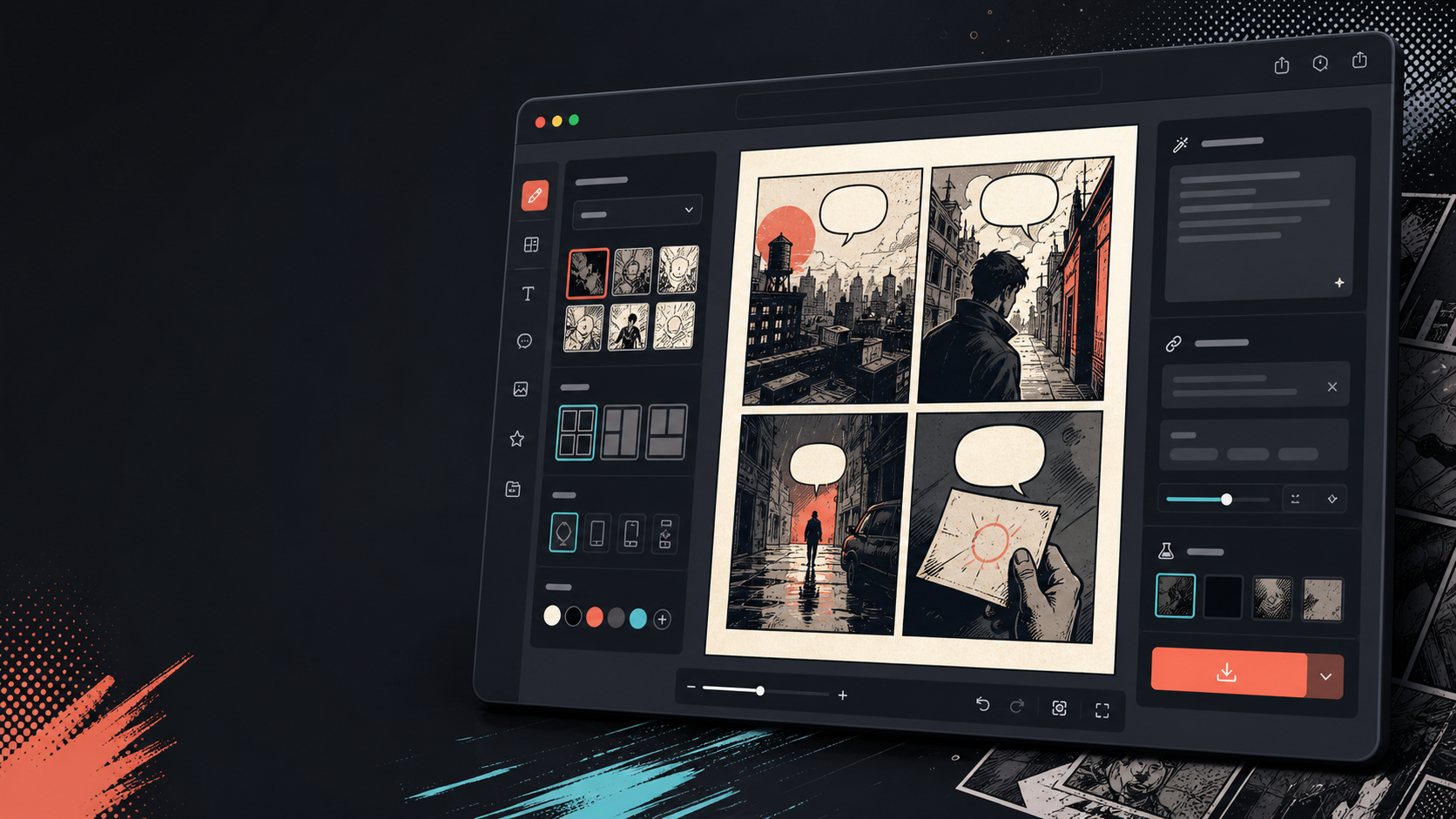
เพิ่มคําบรรยาย ฟองอากาศ และเลย์เอาต์หลังจากภาพเปลี่ยน
การแปลงภาพเป็นเพียงขั้นตอนแรกเท่านั้น เติมเต็มแผงภาพโดยเพิ่มบทสนทนา การบรรยาย หรือการจัดวางหน้าการ์ตูน

สร้างมาเพื่อภารกิจทำคอมิกจริง
ผู้ใช้ที่มีภาพถ่ายหรือภาพอ้างอิงอยู่แล้วและต้องการเปลี่ยนเป็นฉากการ์ตูน การ์ตูน หรือร่างแผงที่มีสไตล์
01
สร้างขึ้นสําหรับผู้ใช้ที่มีรูปภาพอยู่แล้วและต้องการเวอร์ชันสไตล์การ์ตูน
02
ทําให้ข้อมูลนําเข้าและผลลัพธ์แสดงให้เห็น เพื่อให้ผู้ใช้เข้าใจการแปลง
03
จับคู่การแปลงภาพกับเวิร์กโฟลว์การแก้ไขคําบรรยาย, ฟอง และโครงการ
ครีเอเตอร์สร้างอะไรได้ที่นี่
เลือกประเภทโปรเจกต์ที่ใกล้ที่สุด แล้วเปิด Studio พร้อมเป้าหมายดราฟต์ที่ชัดขึ้น
สิ่งที่คุณร่างได้
นี่คือจุดเริ่มต้นที่ใช้ได้จริงสำหรับตรวจทาน แชร์ และแก้ไขต่อ
ทางลัดเข้าสู่ Studio
เริ่มจากขั้นตอนเล็กที่สุดที่มีประโยชน์ แล้วปรับดราฟต์ในตัวแก้ไข
เริ่มด้วยพรอมป์ เปลี่ยนภาพให้กลายเป็นการ์ตูน เหล่านี้
ใช้เป็นจุดเริ่มต้น แล้วเปลี่ยนตัวละคร ฉาก และโทนให้เป็นของคุณ
ภาพถ่ายการเดินทาง
เปลี่ยนภาพคาเฟ่ริมถนนนี้ให้กลายเป็นแผงคอมิกอบอุ่นพร้อมคําบรรยายสั้น ๆ ในไดอารี่การเดินทาง
ผลลัพธ์: แผงภาพเดินทางสไตล์การ์ตูนพร้อมคําบรรยายที่แก้ไขได้
การ์ตูนสัตว์เลี้ยง
เปลี่ยนภาพสุนัขนี้ให้กลายเป็นแผงการ์ตูนตลก ๆ ที่มีช่องว่างสําหรับฟองคําพูดหนึ่งฟอง
ผลลัพธ์: ร่างการ์ตูนสัตว์เลี้ยงพร้อมสําหรับการวางฟองสบู่
ฉากผลิตภัณฑ์
เปลี่ยนภาพสินค้านี้ให้เป็นแผงโฆษณาสไตล์การ์ตูนที่สะอาดตา พร้อมเรื่องราวก่อนและหลังที่เรียบง่าย
ผลลัพธ์: แผงการ์ตูนการตลาดพร้อมบริบทสินค้าที่มีสไตล์
เครื่องมือที่ช่วยให้ดราฟต์นำไปใช้ได้
เวิร์กโฟลว์เน้นภาพเป็นหลัก
เริ่มจากภาพถ่ายจริงหรือการอ้างอิง แทนที่จะเป็นคําพูดเปล่า
การทบทวนก่อนและหลัง
เปรียบเทียบภาพต้นฉบับกับร่างการ์ตูนก่อนเลือกทิศทางสุดท้าย
เครื่องมือตกแต่งการ์ตูน
เพิ่มคําบรรยาย ฟองอากาศ และตัวเลือกการจัดวางหลังจากภาพถูกออกแบบสไตล์แล้ว
สร้างต่อด้วยเครื่องมือถัดไปที่เหมาะสม
หน้าเพิ่มเติมสำหรับสร้างคอมิก
เวิร์กโฟลว์ที่เกี่ยวข้อง
เครื่องมือสร้างบอลลูนคำพูดการ์ตูน
เพิ่มฟองคําพูด คําบรรยาย หาง และบทสนทนาการ์ตูนที่อ่านได้ด้วยเครื่องมือสร้างฟองสบู่การ์ตูนที่ออกแบบมาเพื่อแก้ไขแผงภาพ
เปิดหน้า
เวิร์กโฟลว์ที่เกี่ยวข้อง
comic panel generator
comic panel generator: สร้างดราฟต์การ์ตูนใน Comics Maker พร้อมโครงเรื่อง ตัวละคร ช่องภาพ บอลลูนคำพูด และการส่งออกที่แก้ไขได้
เปิดหน้า
เวิร์กโฟลว์ที่เกี่ยวข้อง
AI comic maker
AI comic maker: สร้างดราฟต์การ์ตูนใน Comics Maker พร้อมโครงเรื่อง ตัวละคร ช่องภาพ บอลลูนคำพูด และการส่งออกที่แก้ไขได้
เปิดหน้า
คำถามที่พบบ่อยเกี่ยวกับ เปลี่ยนภาพให้กลายเป็นการ์ตูน.
ฉันจะเปลี่ยนภาพให้กลายเป็นการ์ตูนได้อย่างไร?
อัปโหลดรูปภาพ เลือกสไตล์การ์ตูน สร้างร่างสไตล์การ์ตูน แล้วตรวจสอบผลลัพธ์ก่อนและหลัง คุณสามารถเพิ่มคําบรรยายหรือฟองหลังจากแปลงแล้ว
ฉันสามารถเปลี่ยนภาพถ่ายให้กลายเป็นการ์ตูนได้ไหม?
ใช่ ภาพถ่ายสามารถกลายเป็นช่องเดียวก่อน จากนั้นคุณก็สร้างลําดับสั้น ๆ รอบๆ ภาพนั้นพร้อมคําบรรยาย ปฏิกิริยา หรือเพิ่มจังหวะเรื่องราว
นี่เหมือนกับเครื่องสร้างคอมิก AI ไหม?
ไม่ เครื่องมือสร้างการ์ตูน AI มักเริ่มต้นจากข้อความ หน้านี้เริ่มต้นจากภาพและเน้นการเปลี่ยนแปลงทางสายตาจากภาพเป็นแผงการ์ตูน
ภาพไหนเหมาะที่สุด?
ภาพถ่ายที่ชัดเจน มีวัตถุที่ชัดเจน แสงที่อ่านง่าย และฉากหลังเรียบง่าย มักจะแปลงภาพได้ดีกว่าภาพเบลอหรือภาพแออัด
ฉันสามารถเพิ่มฟองคําพูดหลังจากแปลงได้ไหม?
ใช่ หลังจากภาพกลายเป็นร่างสไตล์การ์ตูน คุณสามารถเพิ่มฟองคําพูด คําบรรยาย หรือกล่องบรรยายเพื่อให้กรอบภาพอ่านเหมือนการ์ตูน
ฉันสามารถใช้มันสําหรับรูปภาพสินค้าได้ไหม?
ใช่ ภาพถ่ายสินค้าสามารถกลายเป็นแผงโฆษณาการ์ตูน ภาพก่อนและหลัง หรือสตอรี่บอร์ดแคมเปญเมื่อฉากและข้อความชัดเจน
มันจะเก็บรายละเอียดทุกอย่างจากภาพถ่ายไว้ได้ไหม?
ไม่มีการแปลง AI ที่แม่นยํา ปฏิบัติต่อผลลัพธ์ในรูปแบบการ์ตูนและทบทวนใบหน้า วัตถุ ข้อความ และรายละเอียดแบรนด์ที่สําคัญก่อนใช้งาน
ฉันสามารถส่งออกผลลัพธ์ได้ไหม?
ดาวน์โหลดภาพที่เสร็จสมบูรณ์จากมุมมองผลลัพธ์ Studio ส่งออกข้อมูลโครงการที่แก้ไขได้เป็น JSON แทนที่จะเป็นหน้าแบนหรือ PDF ที่พร้อมพิมพ์
เริ่มดราฟต์คอมิกถัดไป
เปิด Studio เลือกเลย์เอาต์ แล้วเปลี่ยนไอเดียเป็นดราฟต์คอมิกที่ทำงานต่อได้
ลองเวิร์กโฟลว์นี้