Comics Maker
เปิดเมนู
แหล่งข้อมูล
Anime character creatorCreate an original anime character from text or a reference image.ตัวแปลมังงะหน้าแปลภาพมังงะด้วย AIตัวแปลคอมิกเวิร์กโฟลว์แปลหน้าคอมิกเครื่องมือสร้างบทการ์ตูนวางโครงหน้า ช่องภาพ แนวทางบทสนทนา คำบรรยาย เอฟเฟกต์เสียง และพรอมต์ภาพเครื่องมือตัด manhwa ออนไลน์อัปโหลดตอนที่เสร็จ ตั้งความสูงและระยะ แล้วตรวจชิ้นภาพ ภาพประมวลผลในเบราว์เซอร์ ส่วนเซิร์ฟเวอร์ตรวจเฉพาะการเข้าสู่ระบบและหัวไฟล์เครื่องมือสร้างสตอรีบอร์ดด้วย AIแบ่งฉากหนึ่งฉากเป็นช็อตที่มีจุดประสงค์ แก้ไขบันทึกกล้องและความต่อเนื่อง สร้างเฉพาะภาพร่างที่เลือกผ่านระบบภาพจริง แล้วส่งออกกระดานที่แก้ไขต่อได้เครื่องมือสร้างพล็อตกำหนดตัวเอก ความขัดแย้งหลัก กลุ่มผู้อ่าน ความยาว อารมณ์เรื่อง และตอนจบ แล้วสร้างแนวคิดหลักที่มีโครงสร้าง ช่วงสำคัญ จุดเปลี่ยน และเค้าโครงทีละฉากในหน้านี้เครื่องมือสร้างตัวละครด้วย AIเปลี่ยนไอเดียตัวละครที่กระจัดกระจายให้เป็นข้อกำหนดที่แก้ไขได้สำหรับเกม แอนิเมชัน ภาพประกอบ แนวคิดแบรนด์ และการนำเสนอเรื่อง อนุมัติอัตลักษณ์ เสื้อผ้า สี และท่าทางก่อน แล้วจึงสร้างภาพคอนเซปต์หนึ่งภาพเครื่องมือสร้างหนังสือนิทานภาพวางแผนนิทานเด็ก เรื่องเพื่อการเรียนรู้ หรือความทรงจำของครอบครัวเป็นลำดับหน้าที่อ่านง่าย แก้ไขข้อความและคำกำกับภาพ จากนั้นสร้างและดาวน์โหลดภาพของหน้าที่เลือก
text to comic

text to comic สำหรับดราฟต์การ์ตูนที่แก้ไขได้

เปลี่ยนไอเดียเป็นจังหวะเรื่อง ทิศทางตัวละคร ช่องภาพ คำบรรยาย และตัวเลือกส่งออกในขั้นตอนการทำงานเดียว

text to comic draftstoryboard sequencecaption and speech bubble copyeditable export draft

Start on this page

Source text

Paste a short paragraph with one main event. The planner will split it into visible beats before image generation.

2x2 layoutShonen styleDramatic mood4 images per draft
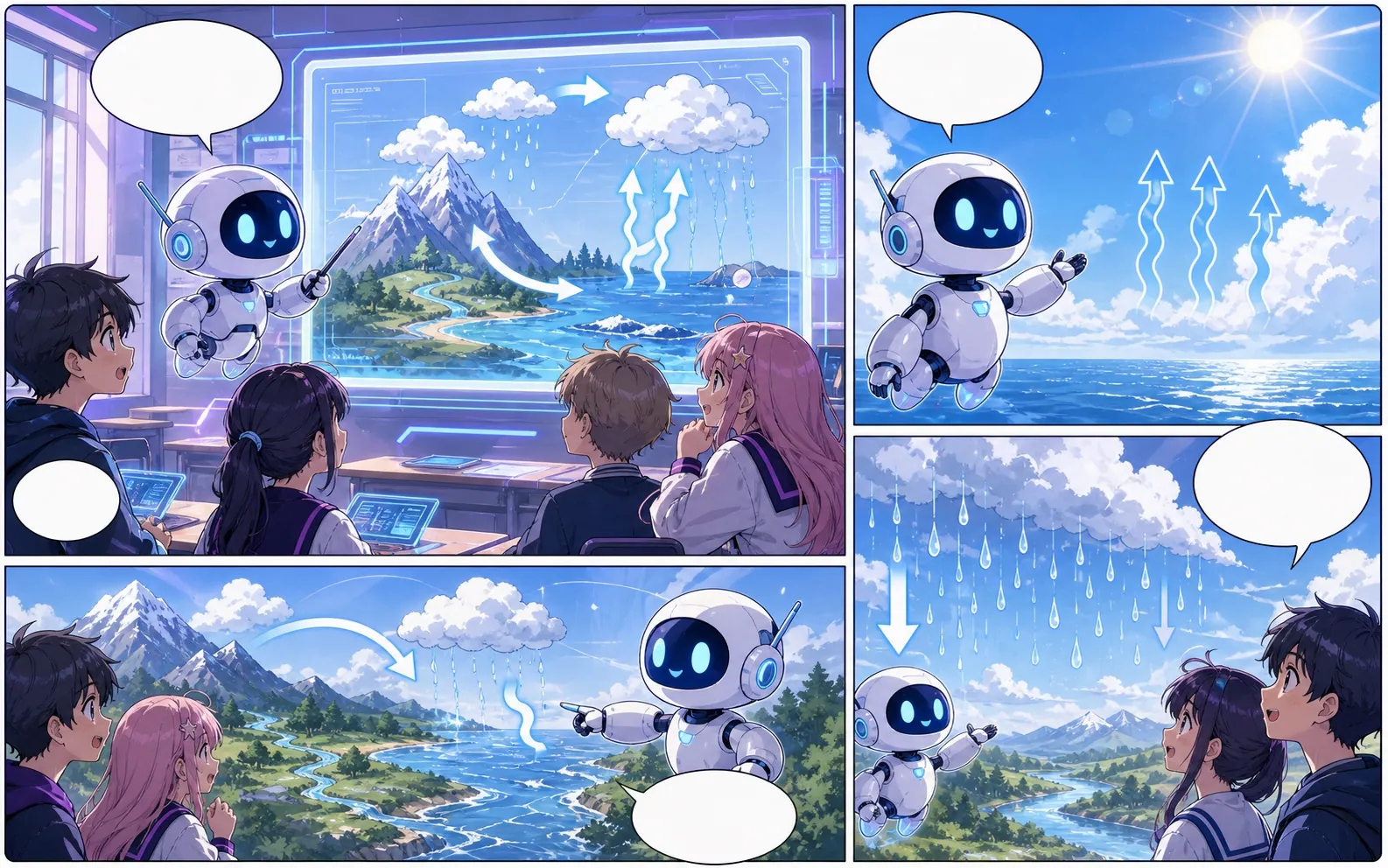
Built-in Comics Maker workflow sample used to test panel placement
Built-in workflow sample. This image belongs to the server's mock-provider sample set and is used to verify result placement and editor behavior; it is not a quality claim for the currently configured live image model.

What this draft does not do

  • Image generation does not place reliable dialogue. Add and position speech bubbles in Studio after the panels are ready.
  • Long plots produce vague pages. Work one scene or page at a time and repeat concrete character details.

คำจำกัดความ

text to comic คืออะไร?

text to comic คือขั้นตอนการทำงานของ Comics Maker ที่เปลี่ยนไอเดียเรื่องเป็นตัวละคร ช่องภาพ ข้อความ และดราฟต์ที่แก้ไขได้

คำตอบสั้น

ควรใช้เวิร์กโฟลว์นี้เมื่อใด

ใช้ text to comic เมื่อต้องการดราฟต์การ์ตูนที่ตรวจทานและแก้ไขได้อย่างรวดเร็ว

Story planning

Plan a draft with text to comic.

Start with a story goal, character notes, and a visual direction before generating panels.

Describe the story goal
Choose layout and visual style
Generate a panel draft
Text input becoming comic panel beats
Panel continuity

Keep the comic direction consistent.

Keep recurring context visible so characters, settings, captions, and style choices stay coherent.

Use text to comic to plan the story before generating final panels.
Keep character notes, scene direction, captions, and layout choices together.
Continue editing the draft after generation so the page stays useful for review.
Comic page generated from text beats
เหมาะที่สุด

สร้างมาเพื่อภารกิจทำคอมิกจริง

เหมาะสำหรับครีเอเตอร์ ครู และทีมที่ต้องการตรวจดราฟต์การ์ตูนก่อนทำงานขั้นสุดท้าย

01

Use text to comic to plan the story before generating final panels.

02

Keep character notes, scene direction, captions, and layout choices together.

03

Continue editing the draft after generation so the page stays useful for review.

กรณีใช้งาน

ครีเอเตอร์สร้างอะไรได้ที่นี่

เลือกประเภทโปรเจกต์ที่ใกล้ที่สุด แล้วเปิด Studio พร้อมเป้าหมายดราฟต์ที่ชัดขึ้น

short comic scenes
social comic posts
classroom explainers
brand character stories
ผลลัพธ์

สิ่งที่คุณร่างได้

นี่คือจุดเริ่มต้นที่ใช้ได้จริงสำหรับตรวจทาน แชร์ และแก้ไขต่อ

text to comic draft
storyboard sequence
caption and speech bubble copy
editable export draft
ขั้นตอนการสร้าง

ทางลัดเข้าสู่ Studio

เริ่มจากขั้นตอนเล็กที่สุดที่มีประโยชน์ แล้วปรับดราฟต์ในตัวแก้ไข

1Describe the story goal
2Choose layout and visual style
3Generate a panel draft
4Edit captions and export
ตัวอย่างพรอมป์

เริ่มด้วยพรอมป์ text to comic เหล่านี้

ใช้เป็นจุดเริ่มต้น แล้วเปลี่ยนตัวละคร ฉาก และโทนให้เป็นของคุณ

Mystery paragraph

text to comic: create a short comic scenes with clear characters, readable panels, concise captions, and a polished comic layout.

ผลลัพธ์: Draft output: text-to-panel draft

Character decision

text to comic: create a social comic posts with clear characters, readable panels, concise captions, and a polished comic layout.

ผลลัพธ์: Draft output: panel beat plan

ความสามารถ

เครื่องมือที่ช่วยให้ดราฟต์นำไปใช้ได้

Story structure

Use text to comic to plan the story before generating final panels.

Editable panels

Keep character notes, scene direction, captions, and layout choices together.

Project continuity

Continue editing the draft after generation so the page stays useful for review.

เวิร์กโฟลว์ที่เกี่ยวข้อง

สร้างต่อด้วยเครื่องมือถัดไปที่เหมาะสม

แหล่งข้อมูลที่เกี่ยวข้อง

หน้าเพิ่มเติมสำหรับสร้างคอมิก

FAQ

คำถามที่พบบ่อยเกี่ยวกับ text to comic.

What can text to comic create?

It can create comic draft structure, panel ideas, character direction, captions, and editable layouts.

Do I need drawing skills to use text to comic?

No. You can start with text, then refine the comic draft in the editor.

Can I edit the result?

Yes. You can keep adjusting prompts, captions, bubbles, layout, and export settings after the first draft.

เริ่มดราฟต์คอมิกถัดไป

เปิด Studio เลือกเลย์เอาต์ แล้วเปลี่ยนไอเดียเป็นดราฟต์คอมิกที่ทำงานต่อได้

ลองเวิร์กโฟลว์นี้