
Transformez une image en cases de style bande dessinée avec AI.
Téléchargez une image, choisissez la direction de la bande dessinée, et créez un brouillon de case stylisé qui pourra être édité, légendé et réutilisé dans un projet de bande dessinée.
Convertir une image source
PNG, JPG ou WebP jusqu’à 5 Mo. Une inscription et 2 crédits sont requis.
Encre de bande dessinée couleur
Une conversion coûte 2 crédits. Un dernier travail raté est marqué comme échoué et remboursé par le serveur.
Utilisez une image claire avec un seul sujet principal. Le résultat est une interprétation, donc examinez les visages, les mains, les logos et les détails des produits.
Définition
Qu'est-ce que transformer une image en BD ?
Un outil image-to-comic transforme une image téléchargée en une case ou une séquence de style bande dessinée en utilisant la direction du style, la génération visuelle et l’édition optionnelle des légendes.
Réponse courte
Quand utiliser ce flux.
Utilisez ce flux de travail lorsque vous partez d’une image plutôt que d’une invite textuelle et que vous souhaitez une transformation visible avant/après de la bande dessinée.
Transformez une référence photo en un brouillon style bande dessinée.
Utilisez l’image comme contexte source, choisissez une direction de bande dessinée, et générez une case stylisée qui suit toujours le sujet ou la scène d’origine.

Transformez une image en un court moment comique.
Une photo peut devenir une case unique, un moment de réaction, ou la graine d’une courte bande lorsqu’elle est associée à des légendes et à une simple idée d’histoire.
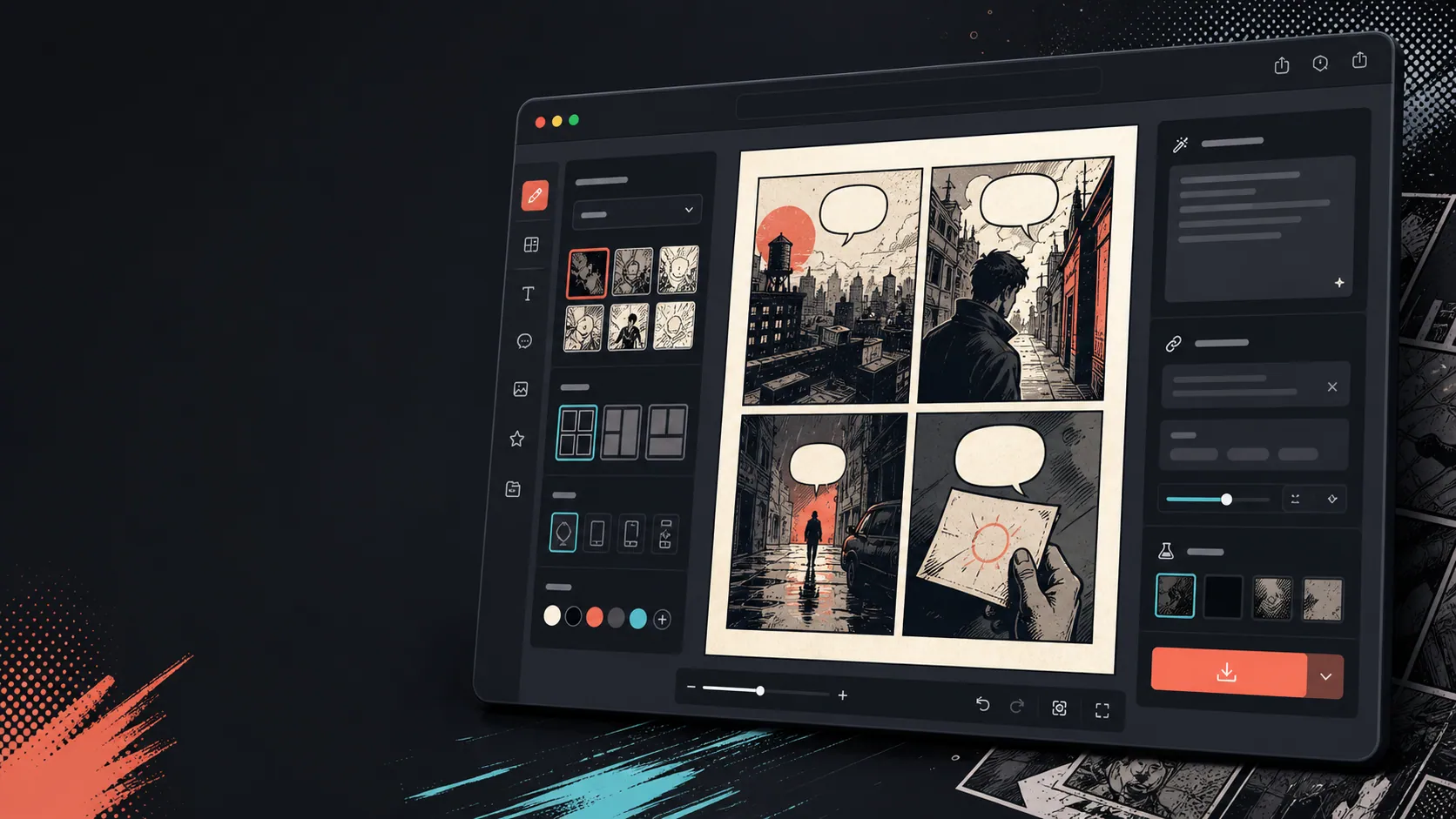
Ajoutez des légendes, des bulles et la mise en page après que l’image change.
La conversion d’image n’est que la première étape. Terminez la case en ajoutant des dialogues, une narration ou une mise en page de bande dessinée.

Conçu autour d'une vraie tâche de création de BD.
Les utilisateurs qui possèdent déjà une photo ou une image de référence et souhaitent la transformer en scène de bande dessinée, strip ou brouillon de case stylisée.
01
Conçu pour les utilisateurs qui ont déjà une photo et veulent une version en bande dessinée.
02
Cela rend l’entrée et la sortie visibles pour que les utilisateurs comprennent la transformation.
03
Associe la conversion d’image aux flux de travail de légende, de bulles et d’édition de projet.
Ce que les créateurs peuvent produire ici.
Choisissez le type de projet le plus proche, puis ouvrez Studio avec une idée plus claire du brouillon à créer.
Ce que vous pouvez préparer.
Ce sont des points de départ pratiques pour relire, partager et continuer l'édition.
Un chemin court vers Studio.
Commencez par la plus petite étape utile, puis affinez le brouillon dans l'éditeur.
Commencez avec ces prompts transformer une image en BD.
Utilisez-les comme point de départ, puis remplacez personnages, décor et ton par les vôtres.
Photo de voyage
Transformez cette photo de street café en une case comique chaleureuse avec une courte légende de journal de voyage.
Sortie : Panneau de voyage style comic avec une direction de légende modifiable.
Bande dessinée pour animaux de compagnie
Transformez cette photo de chien en une case comique amusante avec de la place pour une bulle de dialogue.
Sortie : Brouillon de bande dessinée pour animaux prêt à être placé dans la bulle.
Scène produit
Transformez cette photo de produit en une case publicitaire épurée de style bande dessinée avec une histoire simple avant-après.
Sortie : Panneau de bande dessinée marketing avec un contexte produit stylisé.
Des outils qui rendent le brouillon exploitable.
Flux de travail axé sur l’image
Commencez par une vraie photo ou une référence plutôt qu’avec un prompt blanc.
Revue avant/après
Comparez l’image source et le brouillon de la bande dessinée avant de choisir la direction finale.
Outils de finition comique
Ajoutez des légendes, des bulles et des choix de mise en page une fois l’image stylisée.
Continuez avec le bon outil suivant.
Générateur de cases de bande dessinée
Générez une case neuve lorsque vous n’avez pas d’image source.
Ouvrir la page
Générateur de bulles de dialogue pour comics
Ajoutez des bulles de dialogue après que la photo devienne une case comique.
Ouvrir la page
AI créateur de bandes dessinées
Utilisez la génération d’invites lorsque vous voulez commencer par du texte à la place.
Ouvrir la page
Plus de pages pour créer des BD.
Flux lié
Générateur de Bulles de BD
Ajoutez des bulles de dialogue, des légendes, des piles et des dialogues comiques lisibles avec un générateur de bulles de bandes dessinées conçu pour le montage de cases.
Ouvrir la page
Flux lié
générateur de cases de BD
Précisez sujet, lieu, distance de caméra, émotion et une action visible pour générer une case unique.
Ouvrir la page
Flux lié
créateur de BD avec IA
Partez d'une scène, identifiez les personnages et ce qui change. Vérifiez les quatre temps avant de dépenser des crédits d'image.
Ouvrir la page
Questions fréquentes sur transformer une image en BD.
Comment transformer une image en bande dessinée ?
Téléchargez une photo, choisissez un style de bande dessinée, générez un brouillon en style comic, puis relisez le résultat avant et après. Vous pouvez ajouter des légendes ou des bulles après la conversion.
Puis-je transformer une photo en bande dessinée ?
Oui. Une photo peut d’abord devenir une case unique, puis vous pouvez construire une courte séquence autour d’elle avec des légendes, des réactions ou des moments clés de l’histoire.
Est-ce la même chose qu’un générateur de comics AI ?
Non. Un générateur de comics AI commence généralement par le texte. Cette page commence par une image et se concentre sur la transformation visuelle de l’image à la case de bande dessinée.
Quelles photos fonctionnent le mieux ?
Des photos claires avec un sujet fort, un éclairage lisible et des arrière-plans simples traduisent généralement mieux que les images floues ou encombrées.
Puis-je ajouter des bulles de dialogue après la conversion ?
Oui. Après que l’image soit devenue un brouillon de style comic, vous pouvez ajouter des bulles de dialogue, des légendes ou des boîtes de narration pour que la case se lisse comme une bande dessinée.
Puis-je l’utiliser pour des photos de produits ?
Oui. Les photos de produits peuvent devenir des cases publicitaires de comic, des visuels avant/après, ou des storyboards de campagne lorsque la scène et le message sont clairs.
Est-ce que cela préservera chaque détail de la photo ?
Aucune transformation AI n’est exacte. Considérez le résultat comme une interprétation de style bande dessinée et examinez les visages, objets, textes et détails de marque importants avant utilisation.
Puis-je exporter le résultat ?
Téléchargez les images complètes depuis la vue des résultats. Studio exporte les données éditables du projet sous forme de JSON plutôt que d’une page aplatie ou d’un PDF prêt à être imprimé.
Commencez votre prochain brouillon de BD.
Ouvrez Studio, choisissez une mise en page et transformez l'idée en brouillon de BD exploitable.
Essayer ce flux