
AIで絵をコミック風のコマに変えましょう。
写真をアップロードし、漫画の方向性を選び、編集・キャプション付け・再利用可能なスタイライズされたパネルドラフトを作成してください。
1つのソース画像を変換する
5MB 以下の PNG、JPG、WebP に対応しています。生成にはサインインと 2 クレジットが必要です。
カラーコミックインク
1つの変換には2クレジットが必要です。最終的な失敗作業は失敗とマークされ、サーバーから返金されます。
一つの被写体で鮮明な画像を使いましょう。結果として解釈が生まれるので、顔や手、ロゴ、商品の詳細を確認しましょう。
定義
画像をコミック化とは?
画像からコミックへのツールは、アップロードされた画像をスタイルディレクション、ビジュアル生成、オプションのキャプション編集を用いてコミックスタイルのパネルやシーケンスに変換します。
短い答え
このワークフローを使うタイミング。
テキストプロンプトではなく画像から始める場合、このワークフローを使い、コミックの前後のビジュアルな変換を目にしたい場合におすすめします。
写真のリファレンスをコミック風の草稿に変えましょう。
画像をソースコンテキストとして使い、コミックの方向性を選び、元の主題やシーンに沿ったスタイライズされたパネルを生成します。

一枚の写真を短いコミカルな瞬間に変換する。
写真は、キャプションやシンプルなストーリーのアイデアと組み合わせれば、一つのコマやリアクションのビート、あるいは短いストリップの種にもなり得ます。
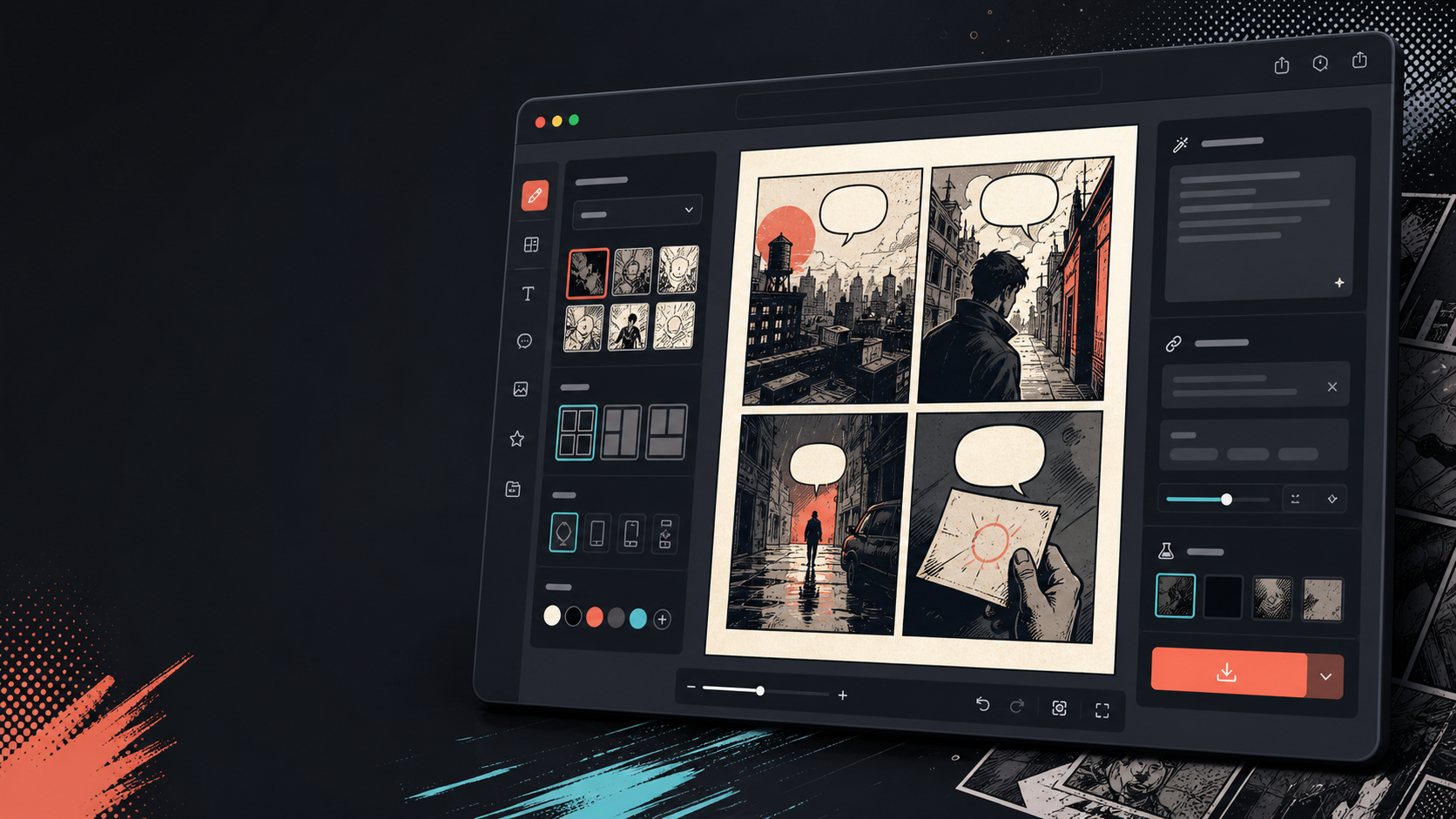
画像が変わった後にキャプション、吹き出し、レイアウトを追加してください。
画像変換はあくまで第一歩に過ぎません。パネルの最後には対話、ナレーション、またはコミックページのレイアウトを加えてください。

実際の漫画制作タスクに合わせて設計。
すでに写真や参考画像を持っていて、それをコミックシーンやストリップ、またはスタイライズされたパネルドラフトに変えたいユーザー。
01
すでに写真を持っているユーザーやコミック風のバージョンを求めるユーザー向けに作られています。
02
入力と出力を可視化し、ユーザーが変換を理解できるようにします。
03
画像変換とキャプション、バブル、プロジェクトの編集ワークフローを組み合わせます。
ここで作れるもの。
近いプロジェクトタイプを選び、作りたい草稿を明確にして Studio を開けます。
下書きできる内容。
確認、共有、継続編集に使いやすい実用的な出発点です。
Studio へ進む短い導線。
最小限の有用なステップから始め、エディター内で草稿を整えます。
画像をコミック化のプロンプト例から始める。
例を出発点にして、キャラクター、舞台、トーンを自分の内容に置き換えてください。
旅行写真
このストリートカフェの写真を、短い旅行日記キャプション付きの温かいコミックパネルに変えてください。
出力: 編集可能なキャプション指示付きのコミックスタイルの旅行パネル。
ペットコミック
この犬の写真を、吹き出し1つだけ入れる面白いコミックコマに変身させてください。
出力: ペットコミックドラフトがバブル配置の準備完了。
製品シーン
この商品写真を、シンプルなビフォーアフターストーリー付きのクリーンなコミック風の広告パネルに変えましょう。
出力: スタイライズされた商品文脈を使ったマーケティングコミックパネル。
草稿を使える状態に近づけるツール。
画像優先のワークフロー
白紙のプロンプトではなく、実際の写真や参考資料から始めましょう。
ビフォー・アフター・レビュー
最終的な方向性を選ぶ前に、元の画像とコミックの草稿を比較してください。
コミック仕上げ用具
画像がスタイライズされた後にキャプション、吹き出し、レイアウトの選択肢を追加してください。
次に合うツールで制作を続ける。
その他のコミック制作ページ。
関連ワークフロー
スピーチバルーン用のコミックバブルジェネレーター
吹き出し、キャプション、尾、そしてコミックの会話を、コミック編集用の吹き出しジェネレーターで読みやすいものを追加できます。
ページを開く
関連ワークフロー
comic panel generator
comic panel generator: Comics Makerでストーリー、キャラクター、コマ割り、吹き出しを整理し、編集できるコミック草稿を作成します。
ページを開く
関連ワークフロー
AI comic maker
AI comic maker: Comics Makerでストーリー、キャラクター、コマ割り、吹き出しを整理し、編集できるコミック草稿を作成します。
ページを開く
画像をコミック化 のよくある質問。
どうやって絵をコミックに変えればいいですか?
写真をアップロードし、コミックスタイルを選び、コミックスタイルのドラフトを作成し、ビフォーアフターの結果を見直します。変換後にキャプションや吹き出しを追加できます。
写真を漫画に変えることはできますか?
はい。写真はまず一つのコマに絞られ、その後キャプションやリアクション、ストーリーの展開を加えて短いシーケンスを作ることができます。
これはAIコミックジェネレーターと同じものですか?
いいえ。AIコミックジェネレーターは通常テキストから始まります。このページは画像から始まり、絵からコミックパネルへの視覚的な変容に焦点を当てています。
どの写真が一番効果的ですか?
鮮明で被写体が強い、読みやすい照明、シンプルな背景の写真は、ぼやけや混雑した画像よりも変換が良いことが多いです。
変換後に吹き出しを追加できますか?
はい。画像がコミック風のドラフトになった後は、吹き出しやキャプション、ナレーションボックスを追加してコミックのように見やすくできます。
商品写真に使えますか?
はい。商品写真は、シーンやメッセージが明確であれば、コミック広告パネルやビフォーアフターのビジュアル、キャンペーンのストーリーボードにもなります。
写真のすべての細部を保存できるのでしょうか?
変身AIは正確にはありません。出力をコミック風の解釈として扱い、重要な顔やオブジェクト、テキスト、ブランドの詳細を使用前に確認しましょう。
結果をエクスポートできますか?
結果ビューから完成画像をダウンロードしてください。Studio編集可能なプロジェクトデータを、フラットなページや印刷可能なPDFではなく、JSONとしてエクスポートします。