
Перетворіть зображення на коміксові панелі з AI.
Завантажте зображення, виберіть напрямок коміксу і створіть стилізований чернетковий варіант, який можна редагувати, підписувати та повторно використовувати у комікс-проєкті.
Конвертувати одне джерело
PNG, JPG або WebP до 5MB. Потрібен реєстр і 2 кредити.
Кольорове коміксне чорнило
Одна конвертація коштує 2 кредити. Останнє невдале завдання позначається як невдале і повертається сервером.
Використовуйте чітке зображення з одним основним об'єктом. Результатом є інтерпретація, тож оглядайте обличчя, руки, логотипи та деталі продукту.
Визначення
Що таке перетворити зображення на комікс?
Інструмент «зображення в комікс» перетворює завантажене зображення на панель або послідовність у стилі коміксу за допомогою стилістичного керівництва, візуальної генерації та опціонального редагування підписів.
Коротка відповідь
Коли використовувати цей процес.
Використовуйте цей робочий процес, коли починаєте з зображення замість текстового підказки і хочете видиму трансформацію коміксів до і після.
Перетворіть фотореференцію на чернетку в стилі коміксу.
Використовуйте зображення як джерело, обирайте комічний напрямок і створюйте стилізовану панель, яка все одно слідує за оригінальною темою або сценою.

Перетворіть одну картину на короткий комічний момент.
Фото може стати однією панеллю, реакційним ударом або зерном для короткого коміксу у поєднанні з підписами та простою ідеєю історії.
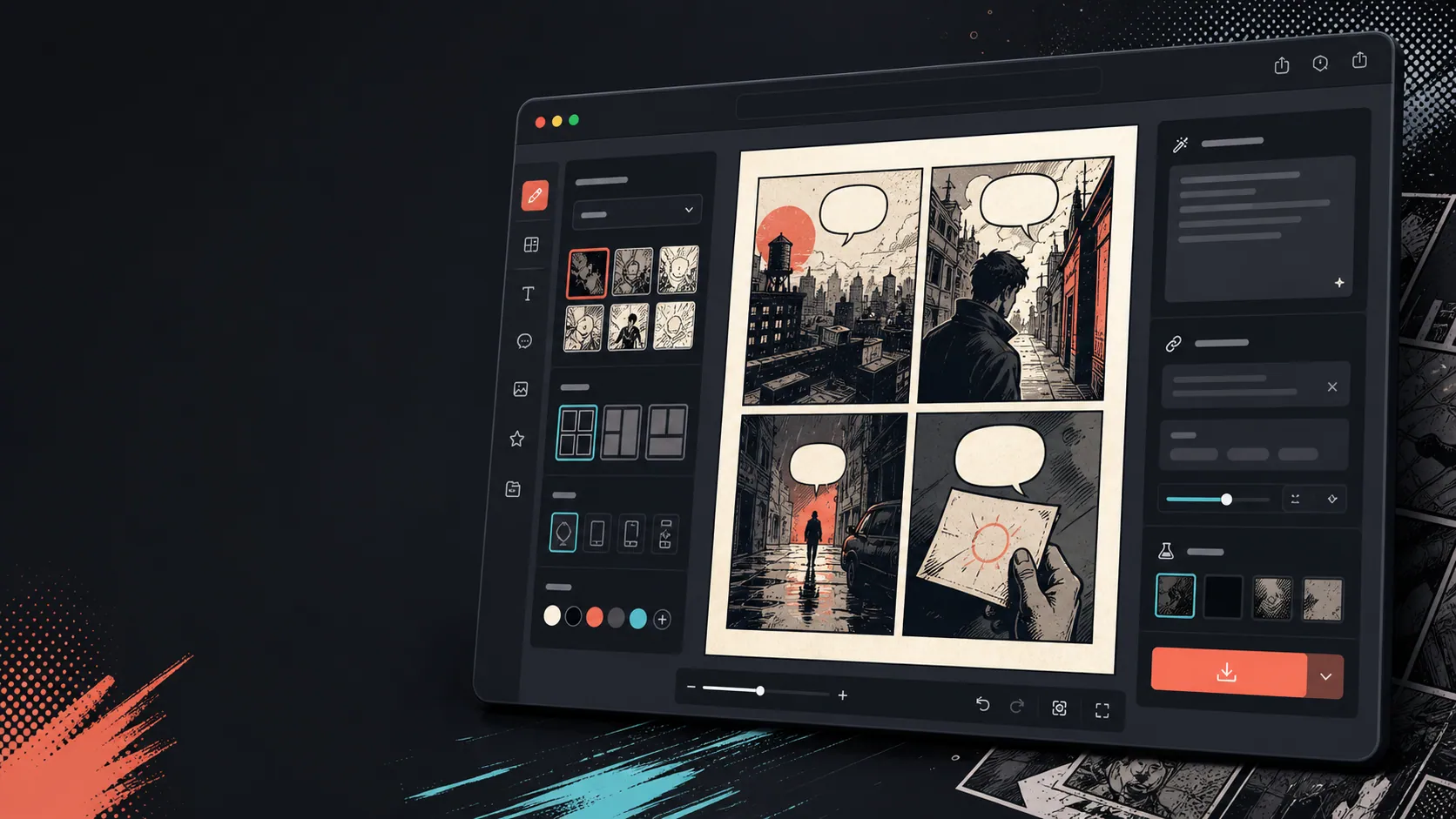
Додавайте підписи, бульбашки та макет після зміни зображення.
Конвертація зображень — це лише перший крок. Завершіть панель, додавши діалоги, озвучення або оформлення сторінки коміксу.

Створено для реального завдання зі створення коміксу.
Користувачі, які вже мають фото або референсне зображення і хочуть перетворити його на сцену коміксу, стрічку або стилізовану чернетку панелі.
01
Створено для користувачів, які вже мають фото і хочуть версію в стилі коміксу.
02
Робить вхід і вихід видимими, щоб користувачі розуміли трансформацію.
03
Поєднує конвертацію зображень із робочими процесами редагування підписів, бульбашок і проєктів.
Що автори можуть зробити тут.
Виберіть найближчий тип проєкту й відкрийте Studio з чіткішою метою для чернетки.
Що можна підготувати.
Це практичні стартові точки для перевірки, поширення та подальшого редагування.
Короткий шлях до Studio.
Почніть із найменшого корисного кроку, а потім доопрацюйте чернетку в редакторі.
Почніть із цих промптів для перетворити зображення на комікс.
Використайте їх як основу, а потім замініть персонажів, місце дії та тон на свої.
Фото з подорожей
Перетворіть це фото з вуличного кафе на теплу коміксну панель з коротким підписом до щоденника подорожей.
Результат: Панель подорожей у стилі коміксу з редагованим підписом.
Комікс про домашніх улюбленців
Перетворіть це фото собаки на смішну коміксну панель з місцем для однієї мовної бульбашки.
Результат: Чернетка коміксу для домашніх улюбленців готова до розміщення бульбашок.
Сцена продукту
Перетворіть це фото продукту на чисту рекламну панель у стилі коміксу з простою історією до і після.
Результат: Маркетингова панель коміксів зі стилізованим продуктом.
Інструменти, які допомагають зробити чернетку придатною.
Робочий процес, орієнтований на зображення
Починайте з реального фото або посилання, а не з порожнього запиту.
Огляд до і після
Порівняйте оригінальне зображення та чернетку коміксу перед тим, як обрати остаточний напрямок.
Інструменти завершення коміксів
Додайте підписи, бульбашки та вибір макет після стилізації зображення.
Продовжуйте з правильним наступним інструментом.
Генератор комікс-панелей
Генеруйте нову панель, якщо у вас немає вихідного образу.
Відкрити сторінку
Генератор бульбашок комічної мови
Додайте мовні бульбашки після того, як фото стане комікс-панеллю.
Відкрити сторінку
AI комікс-мейкер
Використовуйте генерацію підказок, коли хочете почати з тексту.
Відкрити сторінку
Більше сторінок для створення коміксів.
Пов'язаний процес
Генератор Реплік для Коміксів
Додавайте мовні бульбашки, підписи, хвости та читабельні комічні діалоги за допомогою генератора бульбашок коміксів, створеного для монтажу панелей.
Відкрити сторінку
Пов'язаний процес
генератор панелей коміксу
Укажіть героя, місце, відстань камери, емоцію й одну видиму дію для окремого кадру коміксу.
Відкрити сторінку
Пов'язаний процес
генератор коміксів зі ШІ
Почніть з однієї сцени, назвіть персонажів і зміну. Перевірте чотири моменти до витрачання кредитів.
Відкрити сторінку
Поширені запитання про перетворити зображення на комікс.
Як перетворити картину на комікс?
Завантажте зображення, оберіть стиль коміксу, створіть чернетку в стилі коміксу, а потім перегляньте результати до і після. Після конвертації можна додати підписи або бульбашки.
Чи можу я перетворити фото на комікс?
Так. Фото можна спочатку зробити одну панель, а потім побудувати навколо неї коротку послідовність із підписами, реакціями або додаваннями сюжетних моментів.
Чи це те саме, що генератор AI коміксів?
Ні. Генератор AI коміксів зазвичай починається з тексту. Ця сторінка починається з зображення і зосереджується на візуальній трансформації від зображення до коміксної панелі.
Які фотографії працюють найкраще?
Чіткі фотографії з яскравим об'єктом, читабельним освітленням і простим фоном зазвичай конвертуються краще, ніж розмиті чи переповнені зображення.
Чи можу я додати мовні бульбашки після конвертації?
Так. Після того, як зображення стане чернеткою в стилі коміксу, ви можете додавати мовні бульбашки, підписи або озвучні блоки, щоб панель виглядала як комікс.
Чи можу я використовувати його для фото продуктів?
Так. Фотографії продукту можуть стати коміксовими рекламними панелями, візуалами до і після, або розкадровками кампанії, коли сцена і повідомлення чіткі.
Чи збереже це кожну деталь з фото?
Жодна AI трансформація не є точною. Сприймайте результат як інтерпретацію в стилі коміксу та переглядайте важливі обличчя, об'єкти, текст і деталі бренду перед використанням.
Чи можу я експортувати результат?
Завантажте готові зображення з перегляду результатів. Studio експортує редаговані дані проєкту у форматі JSON замість плоскої сторінки або PDF, готового до друку.
Почніть наступну чернетку коміксу.
Відкрийте Studio, виберіть макет і перетворіть ідею на робочу чернетку коміксу.
Спробувати цей процес