Comics Maker
Mở điều hướng
Tài nguyên
Anime character creatorCreate an original anime character from text or a reference image.Trình dịch mangaTrang dịch hình ảnh manga bằng AITrình dịch truyện tranhQuy trình dịch trang truyện tranhCông cụ tạo kịch bản truyện tranhLên kế hoạch trang, khung truyện, gợi ý thoại, lời dẫn, hiệu ứng âm thanh và prompt hình ảnh.Công cụ cắt manhwa trực tuyếnTải tập hoàn thiện, đặt chiều cao và biên, rồi xem các lát cắt. Ảnh được xử lý trong trình duyệt; máy chủ chỉ kiểm tra đăng nhập và đầu tệp.Trình tạo storyboard bằng AIChia một cảnh thành các cảnh quay có mục đích, sửa ghi chú máy quay và tính liên tục, tạo những bản nháp cần thiết bằng quy trình ảnh thật rồi xuất storyboard có thể chỉnh sửa.Trình tạo cốt truyệnXác định nhân vật chính, xung đột trung tâm, độc giả, độ dài, sắc thái và kết thúc. Tạo tiền đề có cấu trúc, các nhịp chính, bước ngoặt và dàn ý theo từng cảnh ngay trên trang này.Trình tạo nhân vật AIBiến các ý tưởng rời rạc thành bản thiết kế có thể chỉnh sửa cho game, hoạt hình, minh họa, thương hiệu và đề xuất cốt truyện. Duyệt danh tính, trang phục, bảng màu và tư thế trước, rồi mới tạo một ảnh ý tưởng.Công cụ làm sách truyện tranh minh họaLập kế hoạch truyện thiếu nhi, truyện giáo dục hoặc ký ức gia đình thành chuỗi trang dễ đọc. Chỉnh văn bản và chỉ dẫn mỹ thuật, rồi tạo và tải hình minh họa cho từng trang đã chọn.
Docs

Documentation for building comic drafts inside Studio.

These docs explain the creation flow, page formats, prompt controls, export behavior, credits, and where image generation fits in the product flow.

Open Comics Maker

Product docs

Studio manual board

Draft
Studio manual board
PANEL 1PANEL 2PANEL 3PANEL 4
Guides

Everything routes back to making a better comic draft.

Docs should explain what a creator can do today and how the implementation can expand next.

Studio workflow

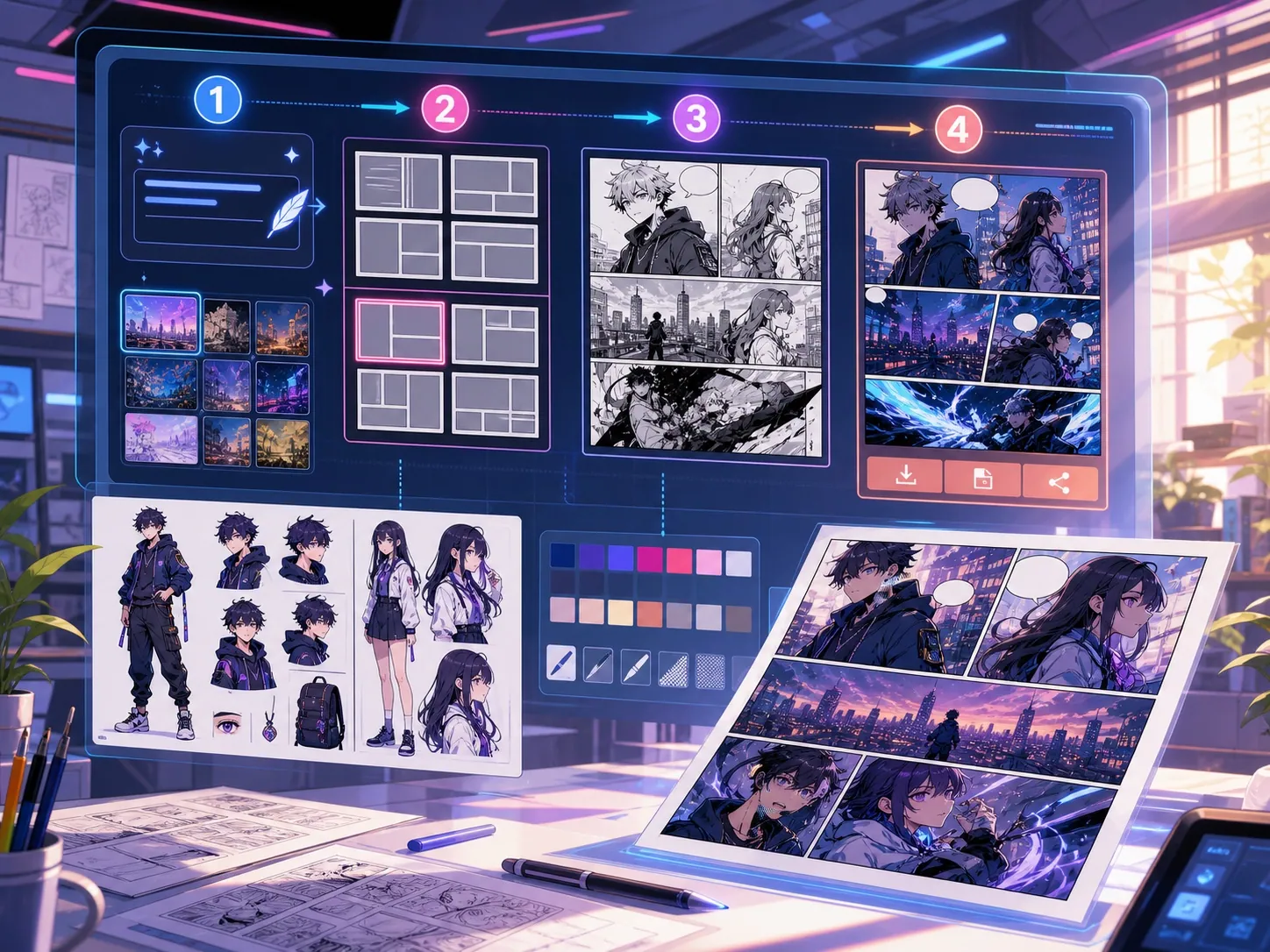
Write one scene, choose style and mood, pick a layout, then plan the visible beats before queueing any image jobs.

  • Plan runs locally and does not start image generation
  • Generate queues the selected panel
  • Build queues every slot in the active layout

Panel layouts

Choose 2x2, 3-panel, single, webtoon, or diagonal. The active layout controls both the canvas slots and how many jobs Build queues.

  • 2x2 uses four editable regions
  • 3-panel divider positions can be dragged
  • Webtoon creates six vertical slots

Prompt structure

Describe one visible action per panel. Include the subject, setting, camera distance, mood, and the change that happens in that beat.

  • Repeat clothing and prop details when continuity matters
  • Add dialogue with the bubble editor after generation
  • Avoid asking one page to summarize an entire plot

Credits, retries, and export

Image jobs use the active model's credit cost. Failed jobs retry up to two attempts and receive a ledger refund after the final failure.

  • Output keeps queued, running, completed, and failed states visible
  • Completed images can be applied to a selected panel
  • Export JSON saves project data, not a flattened PNG or PDF