
Dokümantasyon
Studio içinde çizgi roman taslakları oluşturma dokümantasyonu.
Oluşturma akışını, sayfa biçimlerini, istemleri, dışa aktarmayı, kredileri ve görsel üretimin ürün içindeki yerini açıklar.
Comics Maker'ı açÜrün dokümantasyonu
Studio kullanım panosu
Sonuçlar
Panel 1Panel 2Panel 3Panel 4
Kılavuzlar
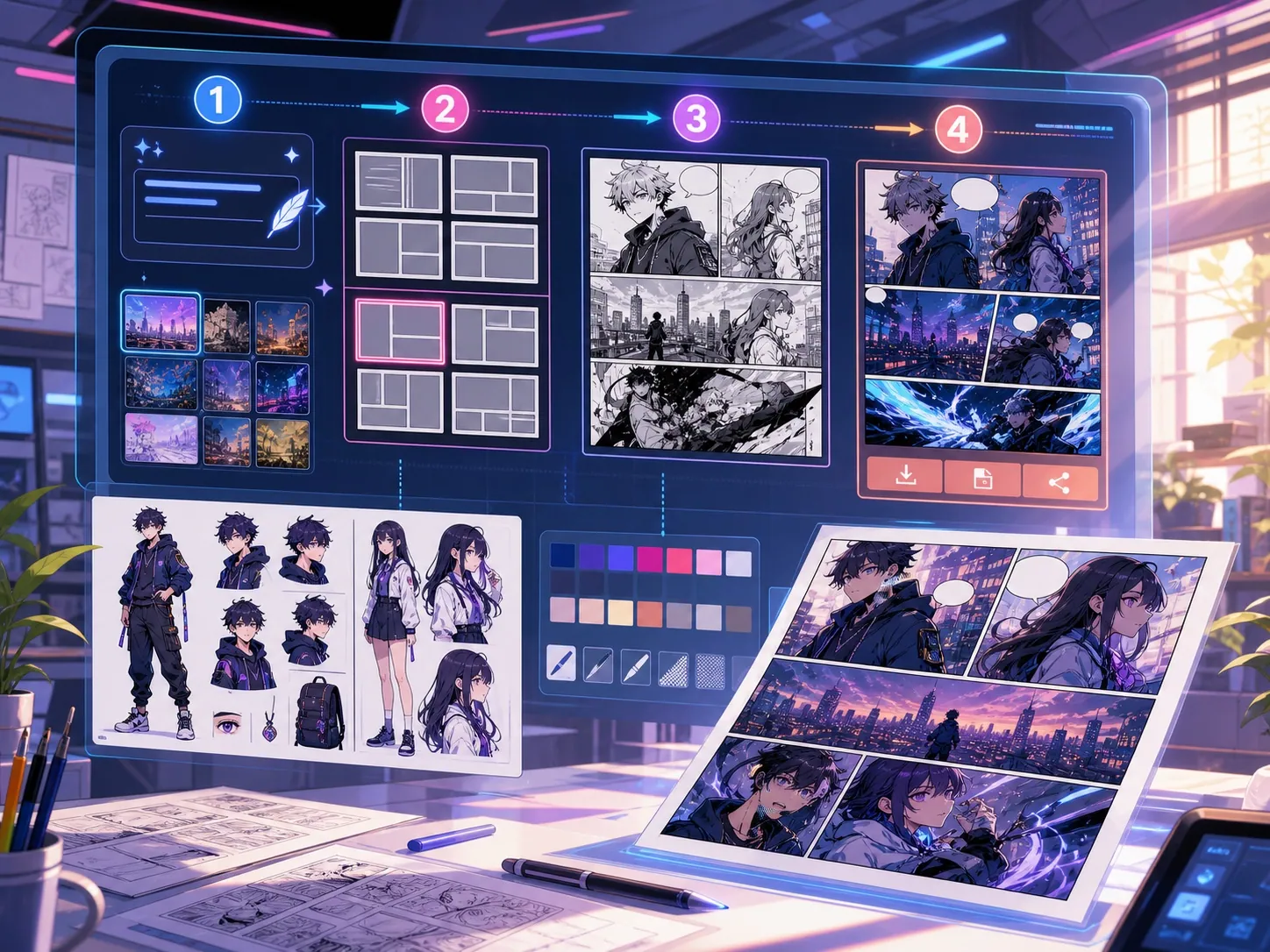
Studio nasıl çalışır
Kredi harcamadan planlayın. Üret seçili paneli, Sayfayı üret düzende tüm panelleri oluşturur.
Studio iş akışı
Bir sahne yazın, stil, atmosfer ve düzeni seçin; görsel işleri kuyruğa almadan önce görünen anları planlayın.
- Planlama tarayıcıda yapılır ve görsel üretimini başlatmaz
- Generate seçili paneli üretir
- Build etkin düzende tüm alanları kuyruğa alır
Panel düzenleri
2x2, üç panel, tek panel, webtoon veya çapraz düzeni seçin. Düzen, alanları ve Build'in iş sayısını belirler.
- 2x2 dört düzenlenebilir alan kullanır
- Üç panelin ayraçları sürüklenebilir
- Webtoon altı dikey alan oluşturur
Prompt yapısı
Her panelde tek bir görünür eylemi anlatın; özne, ortam, kamera mesafesi, atmosfer ve o andaki değişimi yazın.
- Süreklilik önemliyse kıyafet ve aksesuarları tekrarlayın
- Diyaloğu üretimden sonra konuşma balonu düzenleyicisiyle ekleyin
- Tüm olay örgüsünü tek sayfaya sığdırmaya çalışmayın
Krediler, yeniden deneme ve dışa aktarma
Görsel işleri etkin modelin kredilerini kullanır. Başarısız işler iki kez yeniden denenir; son başarısızlıktan sonra kredi iade edilir.
- Beklemede, çalışıyor, tamamlandı ve başarısız durumlarını görün
- Tamamlanan görselleri seçili panele uygulayın
- JSON dışa aktarma proje verisini kaydeder; düz PNG veya PDF oluşturmaz