Comics Maker
नेविगेशन खोलें
संसाधन
Anime character creatorCreate an original anime character from text or a reference image.मंगा अनुवादकAI मंगा इमेज अनुवाद पेजकॉमिक अनुवादककॉमिक पेज अनुवाद वर्कफ्लोकॉमिक स्क्रिप्ट मेकरपेज, पैनल, संवाद संकेत, कैप्शन, ध्वनि प्रभाव और आर्ट प्रॉम्प्ट की योजना बनाएँ।ऑनलाइन मनह्वा क्रॉपरतैयार एपिसोड अपलोड करें, ऊँचाई और सीमा तय करें, फिर टुकड़े जाँचें। छवि ब्राउज़र में संसाधित होती है; सर्वर केवल लॉगिन और फ़ाइल हेडर जाँचता है।AI स्टोरीबोर्ड जनरेटरएक दृश्य को उद्देश्यपूर्ण शॉट में बाँटें, कैमरा और निरंतरता नोट सुधारें, वास्तविक इमेज प्रक्रिया से चुने हुए ड्राफ्ट बनाएँ और संपादन योग्य बोर्ड निर्यात करें।कथानक जनरेटरनायक, मुख्य संघर्ष, पाठक वर्ग, लंबाई, भाव और अंत तय करें। इसी पृष्ठ पर संरचित आधार, प्रमुख पड़ाव, मोड़ और दृश्य-दर-दृश्य रूपरेखा बनाएँ।एआई कैरेक्टर क्रिएटरबिखरे हुए कैरेक्टर विचारों को गेम, एनिमेशन, इलस्ट्रेशन, ब्रांड कॉन्सेप्ट और स्टोरी पिच के लिए संपादन योग्य डिज़ाइन निर्देश में बदलें। पहले पहचान, पहनावा, रंग और पोज़ तय करें; फिर एक कॉन्सेप्ट इमेज बनाएं।चित्रित कहानी-पुस्तक निर्माताबच्चों की कहानी, शिक्षण कथा या पारिवारिक स्मृति को पढ़ने योग्य पन्नों की शृंखला में योजनाबद्ध करें। पाठ और कला-निर्देश संपादित करें, फिर चुने हुए पन्नों के चित्र बनाएँ और डाउनलोड करें।
comic book generator

comic book generator से editable comic drafts बनाएं।

आइडिया को कहानी के चरण, किरदार दिशा, पैनल जनरेशन, कैप्शन और निर्यात नियंत्रण वाली कॉमिक प्रक्रिया में बदलें।

comic book generator draftstoryboard sequencecaption and speech bubble copyeditable export draft

Start on this page

Story premise

Name the lead, the immediate problem, the setting, and what changes by the end of this page.

2x2 layoutShonen styleDramatic mood4 images per draft
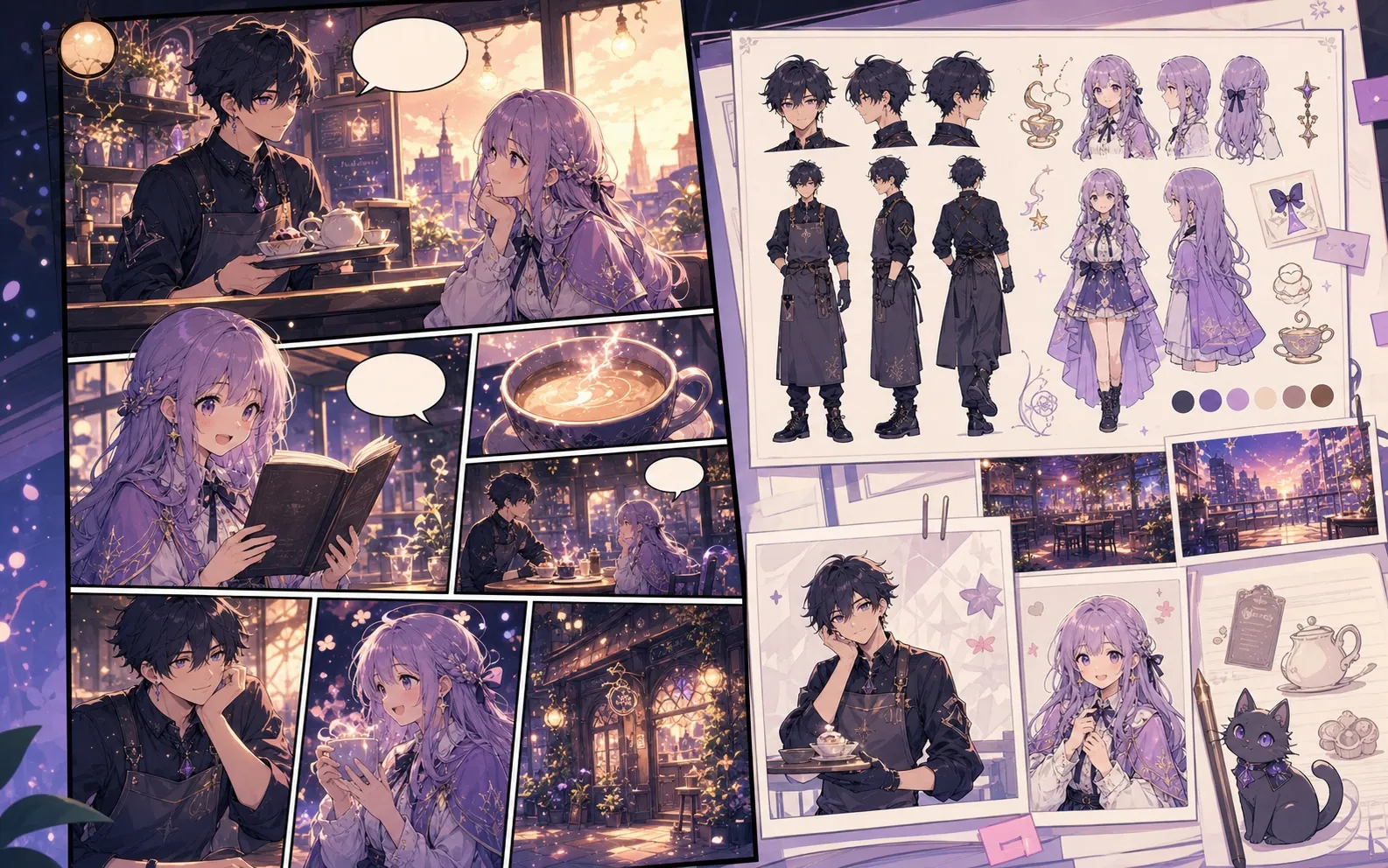
Built-in Comics Maker workflow sample used to test panel placement
Built-in workflow sample. This image belongs to the server's mock-provider sample set and is used to verify result placement and editor behavior; it is not a quality claim for the currently configured live image model.

What this draft does not do

  • Image generation does not place reliable dialogue. Add and position speech bubbles in Studio after the panels are ready.
  • Long plots produce vague pages. Work one scene or page at a time and repeat concrete character details.

परिभाषा

comic book generator क्या है?

comic book generator Comics Maker की प्रक्रिया है जो कहानी के विचार को किरदार दिशा, पैनल संरचना, कैप्शन और संपादन योग्य कॉमिक मसौदे में बदलती है।

संक्षिप्त उत्तर

यह प्रक्रिया कब उपयोग करें।

comic book generator तब उपयोग करें जब आपको जल्दी reviewable और editable comic draft चाहिए।

Story planning

Plan a draft with comic book generator.

Start with a story goal, character notes, and a visual direction before generating panels.

Describe the story goal
Choose layout and visual style
Generate a panel draft
Comic book page planning workflow preview
Panel continuity

Keep the comic direction consistent.

Keep recurring context visible so characters, settings, captions, and style choices stay coherent.

Use comic book generator to plan the story before generating final panels.
Keep character notes, scene direction, captions, and layout choices together.
Continue editing the draft after generation so the page stays useful for review.
Character and setting continuity board for comic book pages
सबसे उपयुक्त

असली कॉमिक बनाने के काम के लिए बनाया गया।

Creators, educators और teams के लिए जो final art से पहले comic draft review करना चाहते हैं।

01

Use comic book generator to plan the story before generating final panels.

02

Keep character notes, scene direction, captions, and layout choices together.

03

Continue editing the draft after generation so the page stays useful for review.

उपयोग के तरीके

रचनाकार यहां क्या बना सकते हैं।

सबसे करीब प्रोजेक्ट प्रकार चुनें, फिर Studio खोलें और मसौदे के लक्ष्य को साफ रखें।

short comic scenes
social comic posts
classroom explainers
brand character stories
आउटपुट

आप क्या draft कर सकते हैं।

ये समीक्षा, साझा करने और आगे संपादन के लिए व्यावहारिक शुरुआती बिंदु हैं।

comic book generator draft
storyboard sequence
caption and speech bubble copy
editable export draft
निर्माण प्रक्रिया

Studio में जाने का छोटा रास्ता।

सबसे छोटे उपयोगी step से शुरू करें, फिर editor में draft refine करें।

1Describe the story goal
2Choose layout and visual style
3Generate a panel draft
4Edit captions and export
प्रॉम्प्ट उदाहरण

इन comic book generator prompts से शुरू करें।

इन्हें शुरुआती बिंदु की तरह उपयोग करें, फिर किरदार, परिवेश और टोन अपने अनुसार बदलें।

Adventure opening

comic book generator: create a short comic scenes with clear characters, readable panels, concise captions, and a polished comic layout.

आउटपुट: Draft output: chapter opening concept

Serialized mystery

comic book generator: create a social comic posts with clear characters, readable panels, concise captions, and a polished comic layout.

आउटपुट: Draft output: chapter outline

Brand story

comic book generator: create a classroom explainers with clear characters, readable panels, concise captions, and a polished comic layout.

आउटपुट: Draft output: 2x2 comic page

क्षमताएं

मसौदे को उपयोगी बनाने में मदद करने वाले टूल।

Story structure

Use comic book generator to plan the story before generating final panels.

Editable panels

Keep character notes, scene direction, captions, and layout choices together.

Project continuity

Continue editing the draft after generation so the page stays useful for review.

संबंधित प्रक्रियाएं

सही अगले टूल के साथ बनाना जारी रखें।

संबंधित संसाधन

कॉमिक बनाने के और पेज.

FAQ

comic book generator से जुड़े सामान्य प्रश्न.

What can comic book generator create?

It can create comic draft structure, panel ideas, character direction, captions, and editable layouts.

Do I need drawing skills to use comic book generator?

No. You can start with text, then refine the comic draft in the editor.

Can I edit the result?

Yes. You can keep adjusting prompts, captions, bubbles, layout, and export settings after the first draft.

अपना अगला comic draft शुरू करें।

Studio खोलें, layout चुनें और idea को working comic draft में बदलें।

यह प्रक्रिया आजमाएं