
AI comic generator для редактируемых черновиков комиксов.
Превратите идею в сюжетные шаги, описание персонажей, панели, подписи и настройки экспорта.
AI comic generator draft
AI comic generator

Definition
What is AI comic generator?
AI comic generator — это рабочий процесс Comics Maker для превращения идеи в структуру, панели, текст и редактируемый черновик.
Short answer
When to use this workflow.
Используйте AI comic generator, когда нужен быстрый редактируемый черновик комикса для проверки.
Plan a draft with AI comic generator.
Start with a story goal, character notes, and a visual direction before generating panels.
Keep the comic direction consistent.
Keep recurring context visible so characters, settings, captions, and style choices stay coherent.
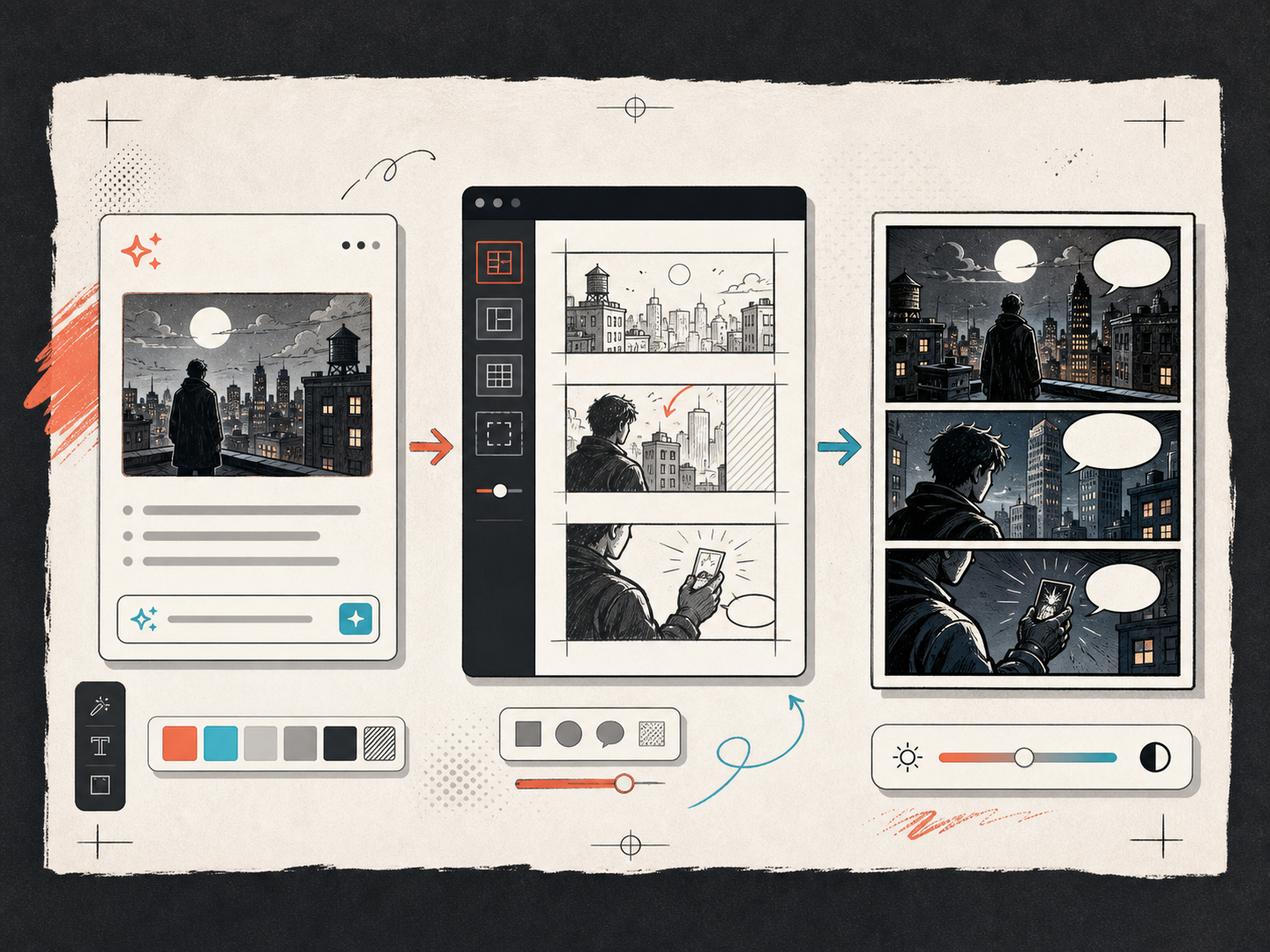
Edit the page before export.
Use the editor to refine prompts, rewrite text, adjust layout, and prepare a shareable draft.

Built around a real comic-making task.
Для авторов, преподавателей и команд, которым нужен черновик комикса для проверки до финальной графики.
01
Use AI comic generator to plan the story before generating final panels.
02
Keep character notes, scene direction, captions, and layout choices together.
03
Continue editing the draft after generation so the page stays useful for review.
What creators can make here.
Pick the closest project type, then open Studio with a clearer idea of the draft you want to make.
What you can draft.
These are practical starting points for review, sharing, and continued editing.
A short path into Studio.
Start with the smallest useful step, then refine the draft inside the editor.
Start with these AI comic generator prompts.
Use these as starting points, then swap in your own characters, setting, and tone.
Fast story scene
AI comic generator: create a short comic scenes with clear characters, readable panels, concise captions, and a polished comic layout.
Output: Draft output: prompt-to-comic draft
Lesson explainer
AI comic generator: create a social comic posts with clear characters, readable panels, concise captions, and a polished comic layout.
Output: Draft output: 4-panel comic page
Product storyboard
AI comic generator: create a classroom explainers with clear characters, readable panels, concise captions, and a polished comic layout.
Output: Draft output: AI comic strip
Tools that help the draft become usable.
Story structure
Use AI comic generator to plan the story before generating final panels.
Editable panels
Keep character notes, scene direction, captions, and layout choices together.
Project continuity
Continue editing the draft after generation so the page stays useful for review.
Keep building with the right next tool.
AI comic maker
Use the maker page when you want more hands-on Studio control.
Открыть страницу
Text to comic generator
Use text-first workflows when you already have a paragraph or script.
Открыть страницу
Comic strip generator
Use a strip generator when the output should be short and fast.
Открыть страницу
Больше страниц для создания комиксов.
Related workflow
comic book generator
comic book generator: создавайте черновики комиксов в Comics Maker со сценарием, персонажами, панелями, репликами и экспортом.
Открыть страницу
Related workflow
comic creator
comic creator: создавайте черновики комиксов в Comics Maker со сценарием, персонажами, панелями, репликами и экспортом.
Открыть страницу
Related workflow
comic strip generator
comic strip generator: создавайте черновики комиксов в Comics Maker со сценарием, персонажами, панелями, репликами и экспортом.
Открыть страницу
Частые вопросы о AI comic generator.
What can AI comic generator create?
It can create comic draft structure, panel ideas, character direction, captions, and editable layouts.
Do I need drawing skills to use AI comic generator?
No. You can start with text, then refine the comic draft in the editor.
Can I edit the result?
Yes. You can keep adjusting prompts, captions, bubbles, layout, and export settings after the first draft.
Start your next comic draft.
Open the Studio, choose a layout, and turn the idea into a working comic draft.
Try this workflow